Published 22 October 2026 · By Saurav (opens in a new tab), Backend engineer, Zoorik · Published by Zoorik
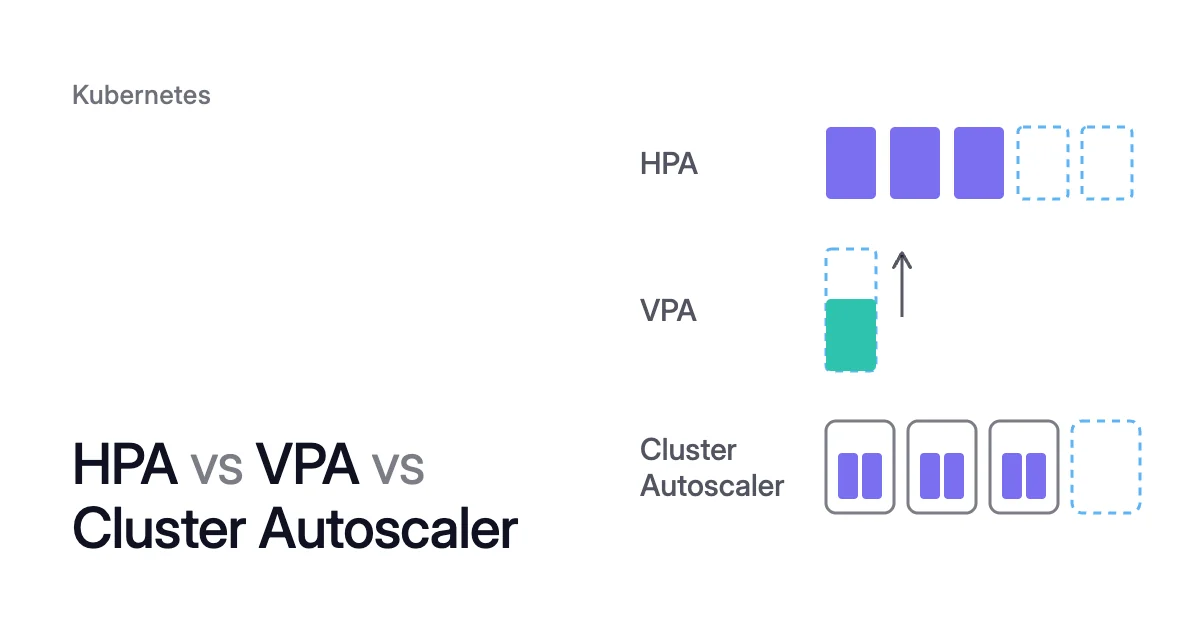
Short answer. HPA vs VPA vs Cluster Autoscaler comes down to what each one changes. The Horizontal Pod Autoscaler (HPA) sets how many pods run, and the Vertical Pod Autoscaler (VPA) sets how much CPU and memory each pod requests. Nodes are the Cluster Autoscaler’s job: it adds them for pods that can’t be scheduled, and removes underused ones whose pods fit elsewhere. Karpenter, and node auto-provisioning (NAP) on AKS, do that node job with machines chosen to fit the pods.
HPA vs VPA vs Cluster Autoscaler: each one changes a different layer
Picture a 3-pod Deployment that an HPA keeps at a 60% CPU target. Traffic doubles. The HPA adds 3 pods, and if no node has room for their requests, they stay pending until the Cluster Autoscaler adds a node. A VPA beside it should set only memory requests, since the HPA scales on CPU.
Autoscaling works on three layers: two on your workloads, and one on the machines under them.
| HPA | VPA | Cluster Autoscaler | Karpenter and NAP | |
|---|---|---|---|---|
What it changes | Pod count | Pod size: each container’s CPU and memory requests, and by default its limits in proportion | Node count, within node groups you set up | Node count, and each node’s machine type |
What it decides from | A metric against a target. For CPU and memory, usage divided by request | Usage history and out-of-memory events | Pending pods to add nodes, and the requests on each node to remove them | Pending pods’ requests and scheduling constraints |
Comes with Kubernetes | Yes, it’s a core API, with a controller in the control plane | No, it’s an add-on you install | No, it’s a standalone program | No. NAP runs Karpenter for you on AKS, and on EKS you install it or use EKS Auto Mode |
Gives capacity back | Scales in to the minimum replica count | Makes requests smaller | Removes a node that stays unneeded for 10 minutes | Consolidates: removes underused nodes, or replaces them with a different set |
What it can’t do | Scale a DaemonSet | Share CPU or memory with an HPA on the same metric | Pick a machine type outside its node groups | Change the requests it’s given |
The request links all three layers. It also decides how many nodes you pay for. A request is the CPU and memory a container asks the scheduler to reserve, and the scheduler places pods by requests, not by use. So a pod that requests 2 CPU and uses 0.5 CPU holds 2 CPU of a node, 1.5 of them unused, whichever node autoscaler you run.
The HPA works out CPU and memory utilization as usage divided by the request. Node autoscalers count requests too: the Kubernetes docs say consolidation, like provisioning, “only considers Pod resource requests and not real resource usage”.
HPA vs VPA: the HPA sets the pod count, the VPA the pod size
Every 15 seconds by default, the HPA compares a metric with your target and sets the replica count of a Deployment, StatefulSet or other scalable workload. Its core rule is desiredReplicas = ceil(currentReplicas × currentMetric ÷ targetMetric). For CPU and memory it reads the resource metrics API, which Metrics Server usually serves, and custom and external metrics work too.
The VPA isn’t part of core Kubernetes: installing it adds the VerticalPodAutoscaler custom resource (autoscaling.k8s.io/v1). Its recommender works out target requests from usage history and out-of-memory events, its updater applies them to running pods, and its admission webhook writes them into new pods. Its update mode decides how far it goes:
Offonly recommends.Initialsets requests when a pod is created and never changes them.Recreateevicts pods whose requests differ enough from the target, and they come back at the new size.InPlaceOrRecreateresizes running pods in place, and evicts them only when that fails.InPlaceis newer and never evicts. It arrived as an alpha feature in VPA 1.7.0, and needs Kubernetes 1.33 or later plus a VPA feature gate.Autois deprecated and now meansRecreate.
VPA vs HPA walks through that loop on CPU, and KEDA vs HPA vs VPA covers event-driven scaling.
What does the Cluster Autoscaler do?
In Kubernetes, the Cluster Autoscaler is “a standalone program that adjusts the size of a Kubernetes cluster to meet the current needs”, in the words of its FAQ. Its unit is the node group, a set of identical machines you configure in advance.
Scale-up starts when pods fail to schedule for lack of resources: every 10 seconds by default, the Cluster Autoscaler looks for them, works out which node group would fit them, and grows that group.
Scale-down needs all three to hold:
- By default, the pods on the node, DaemonSet and mirror pods included, request less than half of its allocatable CPU, and of its memory.
- Every pod on it, apart from DaemonSet and mirror pods, can be moved to another node.
- The node doesn’t carry the
cluster-autoscaler.kubernetes.io/scale-down-disabled: "true"annotation.
A node that meets all three is unneeded, and after 10 minutes unneeded, the default, it’s removed. Some pods keep a node running even with room for them elsewhere:
- pods with a restrictive PodDisruptionBudget
- kube-system pods without one
- pods that no controller manages
- pods with local storage, such as
emptyDirorhostPath - pods annotated
cluster-autoscaler.kubernetes.io/safe-to-evict: "false"
Cluster Autoscaler not scaling down goes through each one and its fix.
Karpenter and NAP add nodes and pick the machine type
The Cluster Autoscaler only picks among node groups that already exist, so a pod too big for every group stays pending.
Karpenter does the same job without node groups. It auto-provisions: it reads the pending pods, chooses a node configuration that fits them within the NodePools you define, and launches individual machines. It consolidates nodes that are no longer needed, can swap a set of nodes for a different one, and can replace nodes that reach a set lifetime. So in HPA vs VPA vs Karpenter, Karpenter takes only the node layer. What is Karpenter? and Karpenter vs Cluster Autoscaler go deeper.
On AKS the managed route to Karpenter is NAP, which deploys, configures and manages it for you.
| Node autoscaler | Where | How it adds nodes | Status, October 2026 |
|---|---|---|---|
Cluster Autoscaler | AKS, EKS and many other clouds | Grows a node group you set up: a node pool on AKS, an Auto Scaling group on EKS | Part of the Kubernetes project. SIG Autoscaling, the Kubernetes special interest group for autoscaling, sponsors it and Karpenter |
NAP | AKS | Karpenter, run by AKS, through NodePool and AKSNodeClass resources, built on the open-source Karpenter and AKS Karpenter provider projects | Generally available since July 2025. Preconfigured in AKS Automatic, turned on by you in AKS Standard. Microsoft’s NAP overview lists Windows node pools as not supported. |
Karpenter | EKS | Launches individual EC2 instances chosen for the pending pods | Open source. You install, configure and run it. AWS supports it when it runs unmodified at a compatible version, and there’s no AWS SLA for it. |
EKS Auto Mode | EKS | Scaling built into EKS, based on Karpenter | An EKS feature that builds on Karpenter. It adds nodes for pods that don’t fit, consolidates workloads and deletes nodes. |
In a surge, the HPA adds pods and the node autoscaler adds nodes
When load pushes pod utilization past the HPA’s target, the HPA adds pods straight away: there’s no stabilization window on the way up, and by default it can add 4 pods or double the count every 15 seconds, whichever is more. Pods that fit on no node go pending. The Cluster Autoscaler sees them within 10 seconds and grows a node group, or Karpenter launches a machine for them.
The Cluster Autoscaler FAQ describes this pairing: the HPA creates replicas, and the Cluster Autoscaler brings up nodes when there isn’t room. So Cluster Autoscaler vs HPA isn’t an either-or, and neither is Karpenter vs HPA.
When load falls, the HPA waits out its 300-second scale-down stabilization window. Then it removes pods. Nodes empty out or drop below the 50% threshold, and after 10 minutes unneeded the Cluster Autoscaler removes them. Karpenter and NAP consolidate instead.
Underneath both loops sit the requests. If they’re too low, the Kubernetes docs warn, a new node might not help a pod run, and if too high, they might keep its node from being consolidated. For DaemonSet pods, the same docs advise against vertical autoscaling when a node autoscaler runs, because the autoscaler has to predict what those pods will look like on a new node.
The order that works:
- Set requests near real use. In
Offmode the VPA only recommends, so you see its recommended requests without any pod changing. If an HPA scales on CPU, let the VPA set memory only. - Then set the HPA target. A 60% target now means 60% of what a pod needs.
- Then pick the node autoscaler. Use the Cluster Autoscaler if your node groups already fit your pods, and use Karpenter, or NAP on AKS, when pods need machines no group has.
What Coral does with each
Coral optimizes Kubernetes on AKS and EKS clusters running 1.30 or later. It works on the layer every node autoscaler counts: it rebalances each container’s CPU and memory requests to what it uses, and drains spare nodes one at a time so your node autoscaler can remove them. It never adds nodes for demand. Pod sizing starts when you switch on “Automatically optimize” for a policy or a workload. Node optimization is on from install.
- HPA: the HPA keeps deciding how many pods run, and Coral how big each pod is. For a CPU-utilization HPA, Coral picks the CPU request by replaying past load through the HPA’s own settings, 3 days of it on the default policy.
- While the HPA is scaling: if it’s below its max, Coral holds back the request raises it makes in a usage surge or under CPU pressure (memory raises after an OOM kill still apply) and pauses pod replacements until every pod is Ready.
- VPA: Coral doesn’t run the VPA. With automation on, it switches an active VPA to Off, and restores it when you switch automation off or disconnect.
- KEDA: for a ScaledObject with a
cputrigger, the same replay uses the trigger’s target, the ScaledObject’s minimum and maximum replicas, and the scaling behavior of the HPA that KEDA created. Coral never converts that HPA into one it manages, and never changes its maximum. It raises the minimum only in a rebalance’s warm handover, so a new copy is Ready on another node before the old pod goes, then scales back. - Cluster Autoscaler: before draining, Coral simulates the scheduler on the live cluster, so every pod must fit elsewhere. An emptied node waits 5 minutes by default, then Coral hands it to the Cluster Autoscaler, whose own timers decide when it goes, within its minimums. With only the Cluster Autoscaler, Coral removes nodes but never changes their size.
- Karpenter and NAP: pools that Karpenter or NAP already consolidates are left to them, and with either in place, Coral can also rebalance work onto smaller or cheaper machines.
- No node autoscaler: connect sets up NAP on AKS (it needs Azure CNI), or Karpenter on EKS, with your approval. Until one exists, nothing adds nodes.
Coral keeps no idle spare nodes. The headroom sits inside each pod’s request, and sudden growth is your autoscaler’s job. Running pods are resized in place on 1.33+ nodes where possible, and otherwise restart one at a time within their PodDisruptionBudgets. Coral doesn’t forecast: its longest look-back is 8 days, so for a known event you set minimums on critical workloads.
On our own AKS development cluster, Coral removed one of two 4-CPU workers, then rebalanced the remaining worker onto a cheaper machine of the same size. Eight days after we connected it, the cluster cost $154.76 a month instead of $368.65. The details are in How we reduced our own cluster’s machine bill by 58%, and Coral’s FAQ answers how it works with each node autoscaler.
Sources: Kubernetes, “Horizontal Pod Autoscaling” (opens in a new tab); Kubernetes, “Vertical Pod Autoscaling” (opens in a new tab); Vertical Pod Autoscaler, “Known limitations” (opens in a new tab); Kubernetes, “Node Autoscaling” (opens in a new tab); Kubernetes autoscaler, “Cluster Autoscaler FAQ” (opens in a new tab); Microsoft Learn, “Overview of node auto-provisioning (NAP) in Azure Kubernetes Service (AKS)” (opens in a new tab); Azure Updates, “Generally Available: Node auto-provisioning support in AKS” (opens in a new tab); Amazon EKS, “Scale cluster compute with Karpenter and Cluster Autoscaler” (opens in a new tab).