Published 21 October 2026 · By Shreya Shukla (opens in a new tab), Backend engineer, Zoorik · Published by Zoorik
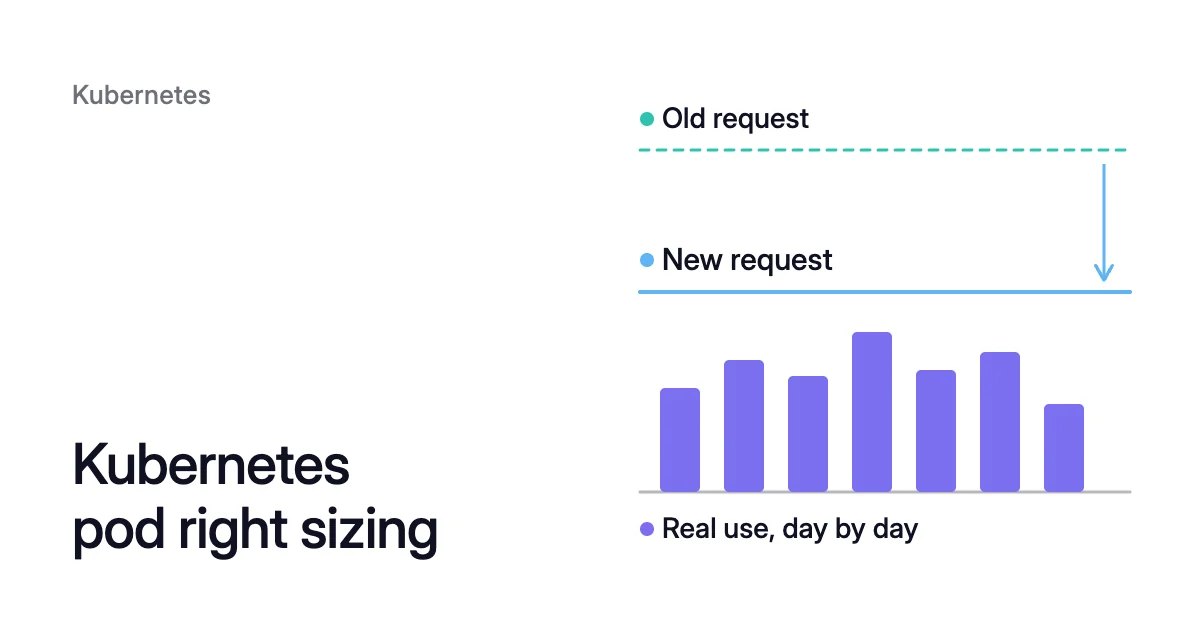
Short answer. Kubernetes pod right sizing means setting each container’s CPU and memory requests from what it really uses. The scheduler and the Cluster Autoscaler count requests, not use, so requests decide how many nodes you pay for. Set CPU at a high percentile of several days of use and memory at the peak, both plus headroom, and don’t reduce limits until you know why they were set.
Why requests, not use, set what you pay for
Picture a Deployment of 20 replicas, each requesting 1 CPU and using 150m (0.15 CPU). Together they use 3 CPU but request 20 CPU of node capacity, and your bill covers the nodes that provide it.
A container can declare a request and a limit for CPU and memory. Of the two, only the request decides where its pod can run. The scheduler places a pod on a node only while the requests there sum to less than the node’s capacity, and refuses it even when real use there is very low.
The Cluster Autoscaler counts requests too. It considers a node for removal only when its pods’ CPU requests and memory requests each sum to under 50% of the node’s allocatable capacity, the default --scale-down-utilization-threshold. Actual use doesn’t enter that check. When requests sit far above use across a whole cluster, that’s Kubernetes overprovisioning, and right sizing Kubernetes pods brings it back down.
Kubernetes requests vs limits: what each one controls
Requests and limits do different jobs, and CPU and memory behave differently once a container goes past them:
| Setting | What Kubernetes uses it for | When the container goes above it |
|---|---|---|
CPU request | Scheduling, and a weight when containers compete for CPU | It can use idle CPU on the node |
CPU limit | A hard ceiling the kernel enforces | It is throttled. Runtimes don’t kill containers for CPU use |
Memory request | Scheduling. On cgroup v2 nodes the runtime may also use it as a hint to set memory.min and memory.low | Allowed while the node has memory free. If the node runs short, the pod is likely to be evicted |
Memory limit | A memory ceiling the kernel enforces | The kernel may kill the container for running out of memory (an OOM kill) once it detects memory pressure |
CPU is shared out in time, so running past a CPU request is free while the node has idle CPU. Memory can’t be shared out that way. The documentation calls memory limits “enforced reactively”: a container may run past its limit for a while, and then it may be killed.
Write units in one consistent form: millicpu for CPU below one core (100m is 0.1 CPU, and 1m is the finest precision Kubernetes accepts) and binary suffixes such as Mi and Gi for memory. Case matters: a memory request of 400m is 0.4 bytes, and 400Mi is 400 mebibytes.
How to read real CPU and memory use
kubectl top pod shows only the current reading that Metrics Server serves to the HPA and the Vertical Pod Autoscaler (VPA). Sizing needs history that includes last Monday’s peak, from a monitoring system such as Prometheus, scraping cAdvisor, the container-metrics daemon built into the kubelet.
Two series carry what you need. container_cpu_usage_seconds_total counts CPU seconds, so its rate is cores in use. container_memory_working_set_bytes is the working set, an estimate of the memory in use that can’t be freed under pressure, and it typically includes some file cache too. On Azure Kubernetes Service (AKS), the Azure Monitor metrics add-on scrapes the cAdvisor target by default and keeps both, plus the throttling counters used below.
These return the highest CPU percentile and memory peak among one Deployment’s pods:
max(
  quantile_over_time(0.95,
    rate(container_cpu_usage_seconds_total{
      namespace="<namespace>",
      pod=~"<deployment>-[a-z0-9]+-[a-z0-9]{5}",
      container="<container>"
    }[5m])[7d:5m]
  )
)

max(
  max_over_time(container_memory_working_set_bytes{
    namespace="<namespace>",
    pod=~"<deployment>-[a-z0-9]+-[a-z0-9]{5}",
    container="<container>"
  }[7d])
)Choose the window from the workload’s cycle: a week or more for a service that’s busy on weekdays, several runs for a batch job. A startup burst pulls a CPU percentile up with every restart, so look at it separately before you decide whether the request should cover it.
The VPA can manage these recommendations too: the comparison of the VPA and the HPA covers running it beside an HPA.
Kubernetes pod right sizing, step by step
- Set the CPU request from a high percentile plus headroom, for example the 7-day P95 plus 10%. A CPU request below the peak won’t get a container killed: it borrows idle CPU at busy moments, and under contention the kernel still weights its share of CPU time by its request.
- Set the memory request from the peak of a window that includes the workload’s busiest day, plus headroom. A pod whose container is above its memory request is likely to be evicted when the node runs short of memory, so a percentile isn’t enough here.
- Don’t reduce limits on the first pass. If a memory peak already sits close to the memory limit, that container is one spike from an OOM kill, so raise the limit before anything else.
- Check what caps requests in the namespace, its LimitRange and ResourceQuota, against the new request and the unchanged limit.
- Check the HPA, if the workload has one. It measures CPU utilization as a percentage of the request, so the same load reads higher against a smaller one. If any container in the pod has no CPU request at all, the HPA can’t compute CPU utilization and takes no action on that metric.
- Apply through the Pod template, in your manifest or Git, and let the controller replace the pods. In-place resize has been stable since Kubernetes 1.35, so a running container’s requests can also change through the pod’s
/resizesubresource without recreating the pod. For the Worked example,resourcesbecomes:
resources:
  requests:
    cpu: 165m
    memory: <peak plus headroom>
  limits:
    cpu: <unchanged>
memory: <unchanged>CPU throttling: a container can hit its CPU limit while averaging well under it
On Linux the kernel enforces a CPU limit as a quota of CPU time per period, and the default period is 100 ms. A 500m limit therefore allows 50 ms of CPU time in each 100 ms, and once that quota is spent, the container’s threads are throttled until the next period refills it.
Multi-threaded services feel this first, because every thread draws on the same quota. Four busy threads on four cores spend the whole 50 ms quota in 12.5 ms of wall-clock time, then wait 87.5 ms. A 5-minute CPU rate averages those bursts away. If one period in ten is busy like this, the rate reads 50 ms per second, or 50m, a tenth of the limit, though every busy period was throttled for 87.5 ms.
The kernel counts elapsed and throttled periods for each container, and cAdvisor exposes them as container_cpu_cfs_periods_total and container_cpu_cfs_throttled_periods_total. Their ratio is the share of periods in which the container hit its limit, the number to watch after any change to a CPU limit:
rate(container_cpu_cfs_throttled_periods_total{
  namespace="<namespace>", container="<container>"
}[5m])
/
rate(container_cpu_cfs_periods_total{
  namespace="<namespace>", container="<container>"
}[5m])When a throttled service is also slow, look at its limit first. A bigger request reserves more of a node but leaves the ceiling where it was. A higher CPU limit, or none, lets the container take idle CPU when it bursts, at the price of CPU its neighbours might want. For pod right sizing itself, change requests and leave CPU limits for a separate change.
Rollback rules that come before any saving
- Change one workload at a time. Sizing a whole namespace in one change hides which workload caused the trouble.
- Decide what will make you revert before the change: a restart with reason OOMKilled, failing probes or slower responses at busy times, or the HPA’s replica count jumping.
- Make each change its own commit in Git, so a rollback is a revert and an ordinary rollout.
Afterwards, kubectl describe pod <pod> shows a container that ran out of memory with Last State Terminated, Reason OOMKilled and a growing Restart Count (what to do after an OOM kill). Watch a full cycle of the workload, a week for most services, before you change it again.
How Coral rebalances requests from observed use
Coral is Zoorik’s Kubernetes optimization for AKS and Amazon Elastic Kubernetes Service (EKS), and it rebalances each container’s CPU and memory requests from observed use, on a policy you choose.
- The figures. On the balanced policy, the default for Deployments, DaemonSets and Argo Rollouts, the CPU request is the 80th percentile of the last 3 days plus 10%, and memory is the 8-day peak plus 10%. By default Coral ignores the first 2 minutes of CPU after a container starts.
- The HPA keeps scaling. The HPA decides how many pods run, and Coral decides how big each pod is. For a workload with a CPU-based HPA, Coral picks the request by replaying past load through that HPA’s own settings, and a smaller request wins only if its saving beats the cost of unserved load and extra scaling.
- Regular pods’ limits stay or rise. On the built-in policies, Coral never reduces the CPU or memory limit of a regular (non-Guaranteed) pod, so startup can still burst above the request into free CPU on the node. When Coral changes a memory request, the limit becomes the largest of your own limit, 1.5 times the new request and 128 MiB, and a container with no limit keeps none. A custom policy can set limits its own way.
- How a change lands. Coral only recommends until you switch on “Automatically optimize” for a policy or a workload. Your manifest is never changed. Coral sets new requests as pods start, resizes running pods in place on 1.33+ nodes, or else restarts them one at a time within their PodDisruptionBudgets. Through a policy, reductions in the first 24 hours of data are capped at 10%, then 25%, then 35%. Every change respects your minimums, LimitRanges and quotas.
- Going back. Failing probes and CPU pressure make Coral raise requests back up, and a replacement pod that isn’t Ready within 10 minutes goes back to its original size, except in StatefulSets. After an OOM kill, with automation on, Coral raises that container’s memory request straight away by 20% of its base size per kill, or 100 MiB if that is more, and the memory limit rises with it. With automation off, new pods start at your manifest’s size, and running pods keep theirs until they restart.
On our own AKS development cluster, Coral had rebalanced the requests of 14 apps by 12 October 2026. CPU reserved by the cluster’s own apps went from 0.78 to 0.43 cores, 45% less, and memory from 6.4 to 5.4 GiB, 16% less. How we reduced our own cluster’s machine bill by 58% has the full run.
Sources: Kubernetes, “Resource Management for Pods and Containers” (opens in a new tab); Kubernetes, “Resize CPU and Memory Resources assigned to Containers” (opens in a new tab); Kubernetes, “Resource metrics pipeline” (opens in a new tab); Kubernetes, “Horizontal Pod Autoscaling” (opens in a new tab); Kubernetes autoscaler, “Cluster Autoscaler FAQ” (opens in a new tab); The Linux Kernel documentation, “CFS Bandwidth Control” (opens in a new tab); Microsoft Learn, “Default Prometheus metrics configuration in Azure Monitor” (opens in a new tab); Kubernetes perf-tests, “clusterloader2/testing/load/modules” (opens in a new tab) (the ContainerCPU, ContainerMemory and ResourceSize queries in measurements.yaml, and the KubeletMemory and KubeletCPU queries in kubelet-measurements.yaml).