Published 25 October 2026 · By Saumya Shukla (opens in a new tab), Guest author · Software engineer at Samsung · Published by Zoorik
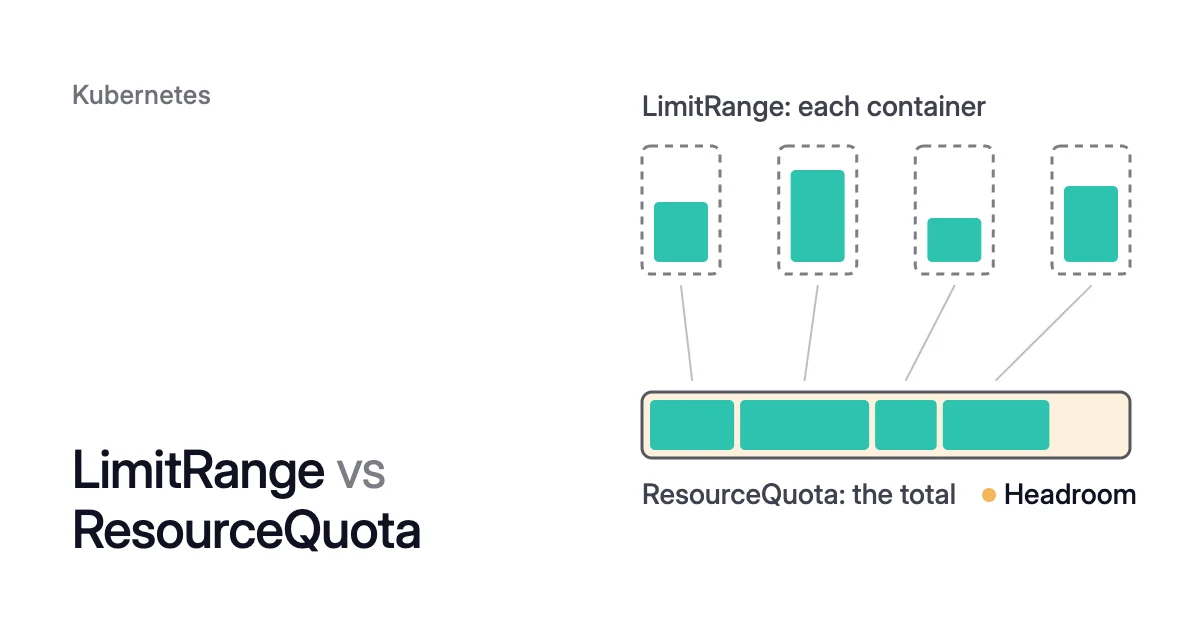
Short answer. LimitRange vs ResourceQuota is per-object rules against a namespace-wide total. A LimitRange works on each container, pod or PersistentVolumeClaim (PVC): it fills in default requests and limits for containers, and refuses values below a minimum, above a maximum or past a limit-to-request ratio. A ResourceQuota caps the namespace’s requests, limits and object counts. Use both with a CPU or memory quota: it may refuse pods with no requests or limits, and LimitRange defaults fill them in and count against it.
When to use LimitRange vs ResourceQuota, and why you want both
Picture a namespace with two objects. Its LimitRange gives containers a default CPU request of 100m, which is 0.1 CPU (m means thousandths of a CPU). Its ResourceQuota caps CPU requests at 4 CPU. Every container that sets no CPU request or limit gets the 100m, and the quota adds it to the namespace’s total, so 40 such pods fill the quota and a 41st is refused. At a 500m default only 8 fit, and at 2 CPU only 2. So the default you write in one object decides how many pods the other admits.
Both are namespaced objects in the core v1 API. They act at admission, when the API server receives a create or an update. Which you need depends on the job:
- Use a LimitRange to bound each container and fill in its defaults.
- Use a ResourceQuota to cap what the whole namespace asks for.
- Use both when the quota tracks CPU or memory. Every new pod then has to specify requests or limits for that resource, or the control plane may reject it. The Kubernetes docs suggest a LimitRange to supply defaults for pods that set none.
Here is resource quota vs limit range, point by point.
| LimitRange | ResourceQuota | |
|---|---|---|
Works on | Each container, pod or PVC in the namespace | The namespace’s total |
What it checks | Minimum and maximum per object, and the ratio of limit to request | Sums of CPU and memory requests and limits, storage, and counts of objects such as pods or Services |
Fills in values | Yes: a default request and limit for containers that leave them out | No |
When it acts | When a pod or PVC is created or updated, including an in-place resize | When anything it counts is created or updated |
Over the line | 403 Forbidden, with the rule that was broken | 403 Forbidden, with “exceeded quota” and the numbers (for a Deployment’s pods, in the Deployment’s status, not at apply) |
Pods already running | Kept as they are when you add or edit it | Kept as they are when you add or reduce it |
The job it does | Stops one container asking for too much or too little | Stops one team or app taking more than its share |
A LimitRange sets defaults and bounds for each container
A LimitRange takes effect as soon as one exists in the namespace, and each item in its limits list names what it applies to in type: Container, Pod or PersistentVolumeClaim. This Kubernetes LimitRange example covers the fields you’ll use most for containers:
apiVersion: v1
kind: LimitRange
metadata:
  name: container-defaults
  namespace: <namespace>
spec:
  limits:
  - type: Container
    defaultRequest:
      cpu: 100m
      memory: 256Mi
    default:
      cpu: 500m
      memory: 512Mi
    min:
      cpu: 50m
      memory: 64Mi
    max:
      cpu: "2"
      memory: 2Gi
    maxLimitRequestRatio:
cpu: "10"min and max bound what a container may ask for: a request under the minimum or a limit over the maximum is refused with 403 Forbidden and a message naming the rule. The Kubernetes CPU walkthrough, with a 200m minimum and an 800m maximum, shows minimum cpu usage per Container is 200m, but request is 100m. maxLimitRequestRatio caps the ratio of limit to request, so with cpu: "10" a 100m request allows a CPU limit of at most 1 CPU.
Two more rules:
- Keep one LimitRange per namespace. With two or more, which default gets applied isn’t deterministic.
- Set the request and the limit together. A LimitRange doesn’t check its defaults against your values. A container that requests 700m CPU with no limit, where the default CPU limit is 500m, fails with
must be less than or equal to cpu limit.
The minimum and maximum also hold for an in-place pod resize. The CPU walkthrough says a resize past them is rejected, and the pod keeps its previous values.
LimitRange default vs defaultRequest
default is a limit and defaultRequest is a request. Kubernetes applies each one only to the value a container leaves out, as the Kubernetes memory walkthrough shows with a defaultRequest of 256Mi and a default of 512Mi:
- With neither set, the container gets both defaults.
- With only a 1Gi limit, it gets a 1Gi request, matching its own limit, not the 256Mi default.
- With only a 128Mi request, it keeps that request and gets the 512Mi limit.
The LimitRange gets defaults of its own too. Where a Container item leaves fields out, Kubernetes fills the gaps in this order, set in its source code:
- A missing
defaulttakes themax. - A missing
defaultRequestthen takes thedefault, or theminwhen there’s neither a default nor a max to copy.
To see what resulted, read the object back:
$ kubectl get limitrange --output=yaml --namespace=<namespace>
A Kubernetes resource quota caps what the whole namespace asks for
A ResourceQuota is enforced as soon as one exists in a namespace. Its hard map sets the caps:
- Compute keys
requests.cpu,requests.memory,limits.cpuandlimits.memorycap the sums across every pod in a non-terminal state, and plaincpuandmemorymean the same as therequests.forms. - Storage keys cap the total that PVCs request, overall or per StorageClass.
- Object counts cap kinds such as
pods,services.loadbalancersorcount/deployments.apps.
apiVersion: v1
kind: ResourceQuota
metadata:
  name: team-a
  namespace: <namespace>
spec:
  hard:
    requests.cpu: "4"
    requests.memory: 16Gi
    limits.memory: 32Gi
pods: "50"A quota doesn’t make a cluster smaller by itself: it stops one namespace from asking for more than its share. It counts what pod specs ask for, in absolute units, so adding nodes doesn’t raise any namespace’s share. Nor does it restrict which nodes a namespace’s pods land on.
Scopes narrow what a quota counts: with a scope such as BestEffort, NotBestEffort or PriorityClass, it counts only the pods that match. The PriorityClass scope, stable since Kubernetes 1.17, lets you give high-priority pods a budget of their own.
LimitRange defaults decide how many pods the quota admits
A container with no CPU request or limit counts against requests.cpu at whatever defaultRequest says, and one that sets only a limit is charged its limit, because its request is copied from it. Admission runs mutating controllers, which can change a pod, before validating ones: the LimitRange admission controller fills in its defaults in the first phase, and the ResourceQuota controller adds the pod up in the second, defaults included.
To set up both, in order:
- Write the LimitRange with a
defaultRequestyou chose, never amaxalone. - Size the quota to current requests plus the largest surge.
- Check the room with
kubectl describe quota.
How to set an AKS namespace resource quota
On Azure Kubernetes Service (AKS), you can apply both objects with kubectl, or create a managed namespace through Azure Resource Manager. It can carry a quota on the namespace’s total CPU and memory requests and limits, plus network policies and optional labels and annotations:
$ az aks namespace add \
  --name <namespace> \
  --cluster-name <cluster-name> \
  --resource-group <resource-group> \
  --cpu-request 250m \
  --cpu-limit 500m \
  --memory-request 512Mi \
  --memory-limit 2Gi
Memory takes power-of-two units such as Mi and Gi. A namespace admin with the built-in Azure Kubernetes Service RBAC Admin role can’t raise the cap, because that role has no write access to the resource quota.
Before you convert an existing namespace, compare its pods’ current requests with the values you plan: if they already ask for more, existing deployments aren’t affected, but new pods and scale-ups are refused.
On Amazon Elastic Kubernetes Service (EKS), you apply the same two YAML objects with kubectl.
When a Kubernetes resource quota is exceeded, find the refusal and free room
Where the refusal shows up depends on what creates the pod. A pod you create directly fails at once, with 403 Forbidden and an exceeded quota message that gives the numbers. A Deployment is created successfully, so kubectl apply reports nothing wrong. Its ReplicaSet then fails to create some or all of its pods.
kubectl describe deployment shows the condition ReplicaFailure with reason FailedCreate, and the Deployment’s status carries the message, as in this example from the Kubernetes docs:
Error creating: pods "nginx-deployment-4262182780-" is forbidden: exceeded quota:
  object-counts, requested: pods=1, used: pods=3, limited: pods=2
The message names the quota, the resource and the amounts requested, used and allowed. To clear a refusal:
- Check which object refused the pod. A quota refusal says
exceeded quota. A LimitRange refusal names a per-container rule instead, such as the CPU walkthrough’smaximum cpu usage per Container is 800m, but limit is 1500m. Its fix is in the pod spec or the LimitRange, not the quota. - See every cap beside its current use with
kubectl describe quota --namespace=<namespace>. - Free room. The Deployments page lists three ways out: scale the Deployment down, scale down other controllers in the namespace, or raise the quota.
- When a request cap is full, rebalance requests. Compare each workload’s requests, LimitRange defaults included, with what its containers really use, and reduce those far above it. That frees quota without taking a replica away. Kubernetes pod rebalancing walks through it.
Where Coral fits with LimitRange and ResourceQuota
Coral optimizes Kubernetes on AKS and EKS, and rebalances each container’s CPU and memory requests from observed use. A quota adds up requests, so smaller ones leave more of requests.cpu and requests.memory free.
- Rebalancing. Every change respects your minimums, LimitRanges and quotas, and routine changes under 10% are skipped (how Coral decides a change is safe). Coral never changes your manifest. It sizes pods as they start, and resizes running pods in place on 1.33+ nodes where possible, or else restarts them one at a time.
- Limits. Where a ResourceQuota caps
limits.cpuorlimits.memory, Coral keeps the limits as they are. - Warm handover. When Coral drains a node, it starts one extra copy of an eligible Deployment or Argo Rollout pod and waits for it to be Ready before the old pod goes. With no quota room for that copy, Coral falls back to eviction within the PodDisruptionBudget. A single-replica app then restarts briefly.
- Quotas and refusals. The agent’s inventory, sent every 5 minutes, covers nodes, namespaces, workloads with their requests, limits and labels, autoscalers, PodDisruptionBudgets and quotas. The only event text sent is the message when a pod can’t be created because of a quota, a limit range or an admission policy (what never leaves).
- Opt-in. Pod sizing waits until you switch on “Automatically optimize”.
Smaller requests reduce the bill only when a node goes. On our own AKS development cluster, Coral removed a spare worker and rebalanced the requests of 14 apps by 12 October 2026. The CPU the apps reserve went from 0.78 to 0.43 cores, 45% less, and memory from 6.4 to 5.4 GiB, 16% less. Then Coral swapped the remaining worker for a cheaper machine of the same size. Eight days after we connected it, the machine bill was $154.76 a month instead of $368.65, 58% less.
Sources: Kubernetes, “Limit Ranges” (opens in a new tab); Kubernetes, “Configure Default Memory Requests and Limits for a Namespace” (opens in a new tab); Kubernetes, “Configure Minimum and Maximum CPU Constraints for a Namespace” (opens in a new tab); Kubernetes on GitHub, “pkg/apis/core/v1/defaults.go” (opens in a new tab) (SetDefaults_LimitRangeItem and SetDefaults_Pod); Kubernetes, “Resource Quotas” (opens in a new tab); Kubernetes, “Admission Control in Kubernetes” (opens in a new tab); Kubernetes, “Deployments” (opens in a new tab); Microsoft Learn, “Overview of managed namespaces in Azure Kubernetes Service (AKS)” (opens in a new tab).