Published 25 October 2026 · By Sonia (opens in a new tab), Developer relations, Zoorik · Published by Zoorik
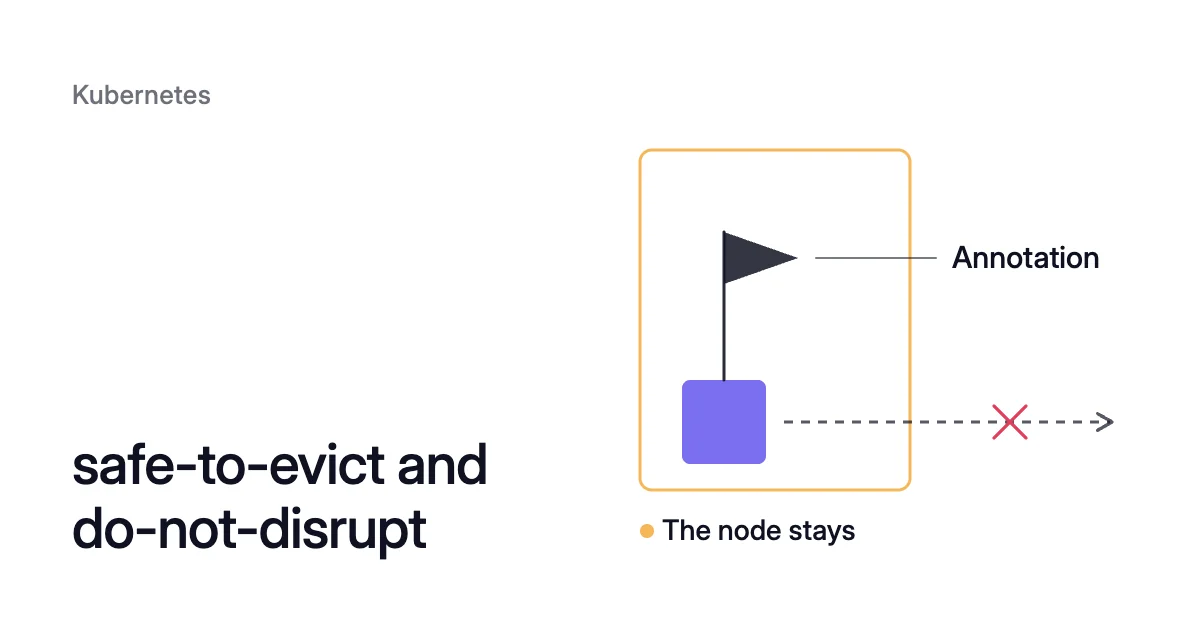
Short answer. The cluster-autoscaler.kubernetes.io/safe-to-evict and karpenter.sh/do-not-disrupt annotations tell a node autoscaler whether it may evict a pod, and so whether the pod’s node can be removed. Set the one your autoscaler reads. The Cluster Autoscaler reads safe-to-evict: "false" holds the node, and "true" releases pods it would otherwise keep, such as ones with emptyDir or hostPath data. Karpenter, AKS node auto-provisioning and EKS Auto Mode read do-not-disrupt, which keeps the node out of consolidation.
One annotation can keep a whole node running
Picture a node that runs a long batch job, with no checkpoints, beside a few web pods. Overnight all of them, the job included, would fit elsewhere. The Cluster Autoscaler could remove the node. But the batch pod carries safe-to-evict: "false", so the node keeps running, and stays on your bill, while that pod is there. Without the annotation, the job could be evicted halfway and start over.
That is the trade both annotations decide. To remove a node, an autoscaler evicts its pods, so it first checks whether each pod may move. Most of that check reads what you already have: PodDisruptionBudgets (PDBs), the pod’s controller and its scheduling rules. You write the two annotations, or markers, by hand for each workload.
Each autoscaler reads its own annotation
The Cluster Autoscaler’s FAQ documents safe-to-evict and never mentions Karpenter’s annotation, while Karpenter’s disruption docs never mention safe-to-evict, so don’t count on it there. On Azure Kubernetes Service (AKS), node auto-provisioning (NAP) documents karpenter.sh/do-not-disrupt too, and so does EKS Auto Mode on Amazon Elastic Kubernetes Service (EKS). How the native autoscalers fit together covers which one runs where.
So set the annotation your autoscaler reads. If you’re moving from one autoscaler to the other, or different pools use different ones, set both in the pod template:
apiVersion: batch/v1
kind: Job
spec:
  template:
    metadata:
      annotations:
        # read by the Cluster Autoscaler
        cluster-autoscaler.kubernetes.io/safe-to-evict: "false"
        # read by Karpenter, NAP and EKS Auto Mode
karpenter.sh/do-not-disrupt: "true"safe-to-evict | do-not-disrupt | |
|---|---|---|
Full key | cluster-autoscaler.kubernetes.io/safe-to-evict | karpenter.sh/do-not-disrupt |
Read by | Cluster Autoscaler | Karpenter, NAP, EKS Auto Mode |
Set on | Pod (a node uses scale-down-disabled) | Pod or node |
Values | "false" holds the node, "true" releases the pod | "true", or a duration such as "30m" (on a pod, Karpenter 1.12.0 and later) |
What it holds back | Scale-down of the pod’s node | Consolidation, and drift unless terminationGracePeriod is set |
What it doesn’t change | A PDB or a scheduling constraint still applies | Expiration, interruption, manual node deletion and node auto repair still start (the drain waits for the pod) |
The Cluster Autoscaler reads safe-to-evict in both directions
The Cluster Autoscaler removes a node only when every pod that matters on it can move elsewhere, and its FAQ lists the pods that stop it from scaling a node down:
- pods with a restrictive PDB
- kube-system pods with no PDB, or too strict a one (DaemonSet and mirror pods aside)
- pods that no controller manages, such as a Deployment, ReplicaSet, Job or StatefulSet
- pods with local storage
- pods that fit on no other node, which it works out by simulating the scheduler
- pods annotated
cluster-autoscaler.kubernetes.io/safe-to-evict: "false"
The Cluster Autoscaler safe-to-evict annotation changes the FAQ’s list in both directions. "false" adds a pod to it. "true", supported from Cluster Autoscaler 1.0.3, takes three kinds of pod off it: kube-system pods, pods without a controller and pods with local storage.
Two checks still apply to a pod marked "true". It doesn’t override a PDB: the autoscaler removes pods through the eviction API, which respects PDBs, and a failed eviction keeps the node. It doesn’t help a pod that fits nowhere else either. Mark a pod without a controller "true" only if you can lose it: nothing will start it again.
When to set safe-to-evict “false”
Set it on a pod that would lose real work if it restarted, such as the batch job in the opening. Put it in the pod template, as above, so every pod the controller creates carries it: kubectl annotate on a running pod marks that pod only, and its replacement comes up without it.
To keep a whole node, the Cluster Autoscaler reads a node marker instead, cluster-autoscaler.kubernetes.io/scale-down-disabled: "true", available from version 1.0:
$ kubectl annotate node <node-name> cluster-autoscaler.kubernetes.io/scale-down-disabled=true
Safe to evict local volumes: emptyDir and hostPath
Local storage is on the FAQ’s list because the data can’t follow the pod. When a pod is removed from its node, Kubernetes deletes its emptyDir data permanently. A hostPath volume is a directory on the node’s own filesystem, so a pod rescheduled to another node leaves it behind.
The FAQ’s examples of local storage are a hostPath volume and an emptyDir volume that doesn’t set medium: Memory. ConfigMaps, Secrets, projected volumes and memory-backed emptyDir volumes don’t count.
Whether local storage holds a node depends on one flag, --skip-nodes-with-local-storage. Upstream it defaults to true, so a Cluster Autoscaler you install yourself, as on EKS, keeps any node running such a pod unless its arguments set the flag to false.
The AKS cluster autoscaler profile sets the same option to false by default, so on AKS local data alone doesn’t keep a node, and an evicted pod’s emptyDir data is deleted. If that data matters, mark the pod safe-to-evict: "false" or move the data to a persistent volume.
For scratch data the pod can rebuild, list the volume names, comma-separated, in cluster-autoscaler.kubernetes.io/safe-to-evict-local-volumes, which lifts the local-storage rule only when all the pod’s local volumes are in the list.
metadata:
  annotations:
cluster-autoscaler.kubernetes.io/safe-to-evict-local-volumes: "scratch,cache"That’s narrower than "true", which would also lift the kube-system and controller rules for the pod, and it names exactly the data you agree to lose.
Karpenter’s do-not-disrupt holds back consolidation, and drift unless a grace period is set
The Karpenter do-not-disrupt annotation keeps a pod’s node out of two of Karpenter’s graceful methods. Consolidation deletes a node whose pods fit elsewhere, or replaces it with a cheaper one. Drift replaces a node that no longer matches the spec set by its NodePool (the Karpenter resource that defines a group of nodes) or its node class.
Karpenter’s docs suggest treating the annotation as a blocking PDB for a single pod. Consolidation skips a node with an active do-not-disrupt pod. Drift skips it too, unless the node’s NodeClaim, the object Karpenter keeps for each node, sets terminationGracePeriod. On a pod, the annotation takes two forms:
karpenter.sh/do-not-disrupt: "true"protects the pod for as long as it runs.- A Go duration such as
"30m", a form added in Karpenter 1.12.0 (April 2026), protects it for that long after it starts running. An invalid duration voids the annotation, and Karpenter records an event on the pod.
The NAP and EKS Auto Mode docs show only the "true" form, so use that there unless they add the duration.
On a node, karpenter.sh/do-not-disrupt: "true" blocks voluntary disruption of that node. Node auto repair, an alpha feature that stays off until you enable its NodeRepair feature gate, still overrides it. The NAP docs also put the annotation in a NodePool’s spec.template.metadata.annotations, which marks every node the pool creates.
Karpenter’s disruption docs give no rule for emptyDir or hostPath volumes. Their pod-level controls for blocking disruption are blocking PDBs and this annotation. So don’t count on local data to hold a node that Karpenter manages: mark the pod or move its data to a persistent volume.
Expiry, interruption and deletion still go ahead
The annotation doesn’t exclude a node from Karpenter’s forceful methods: expiration (the node reaching its expireAfter lifetime, 720 hours or 30 days by default), interruption (such as a Spot interruption warning), and manual deletion with kubectl delete node. Node auto repair isn’t held back by it either.
Even then, the drain waits for the marked pod. Karpenter’s termination controller doesn’t evict it, so the node can’t finish terminating until the pod is gone, its duration ends, it reaches Succeeded or Failed, or the NodeClaim’s terminationGracePeriod runs out. Interruption and node repair put an upper bound on that wait. Expiration and manual deletion don’t.
When a marker is worth the node it holds
A marker holds a whole node for one pod. AWS’s EKS Auto Mode cost guide names the trade: the annotation “is an availability mechanism. It does not account for cost.” The node keeps its instance size whatever its load, and when marked pods sit on many nodes, consolidation across the cluster drops.
Match the tool to what the pod needs:
- The pod has replicas and can restart one at a time. Use a PDB, not a marker: it limits how many pods go at once and still lets the node go. The settings are in PDB best practices.
- The pod runs for a known stretch and would start over if stopped. On Karpenter 1.12.0 or later, use a duration. Elsewhere, add the marker for the run and remove it when the run ends, as the AWS guide suggests.
- The pod must not be interrupted while it runs. Use the annotation your autoscaler reads, or both, though a Karpenter grace period still ends the hold.
- The pod’s rebuildable scratch volume holds its node. List it in
safe-to-evict-local-volumes. - The pod’s local data has to survive losing its node. Move it to a persistent volume. A marker only stops the autoscaler, and a node can still go through expiration, interruption or manual deletion.
How to find and remove old markers
Apart from a duration, a marker never expires.
- List the pods and nodes that carry a marker. The first command catches every do-not-disrupt value on a pod, durations included, plus safe-to-evict
"false", and the second lists the marked nodes:
$ kubectl get pods -A -o json | jq -r '.items[] | select(.metadata.annotations["karpenter.sh/do-not-disrupt"] != null or .metadata.annotations["cluster-autoscaler.kubernetes.io/safe-to-evict"] == "false") | .metadata.namespace + "/" + .metadata.name'

$ kubectl get nodes -o json | jq -r '.items[] | select(.metadata.annotations["karpenter.sh/do-not-disrupt"] == "true" or .metadata.annotations["cluster-autoscaler.kubernetes.io/scale-down-disabled"] == "true") | .metadata.name'
- Take each marker out of the template it came from, the pod template or a NodePool’s.
- Check what runs on the node first:
$ kubectl get pods -A --field-selector spec.nodeName=<node-name>
- Remove the node marker, which lets the autoscaler drain and delete the node:
$ kubectl annotate node <node-name> karpenter.sh/do-not-disrupt-
$ kubectl annotate node <node-name> cluster-autoscaler.kubernetes.io/scale-down-disabled-
Where Coral fits with safe-to-evict and do-not-disrupt
Coral optimizes Kubernetes on AKS and EKS: it rebalances CPU and memory requests, and drains spare nodes one at a time so your autoscaler can remove them. Coral honours the markers and holds below.
- Markers. A pod annotated
karpenter.sh/do-not-disrupt: "true"orcluster-autoscaler.kubernetes.io/safe-to-evict: "false"is never moved, and its node is kept.karpenter.sh/do-not-disrupt: "true"on a node keeps that node. - Local data. When Coral drains spare nodes, a pod with hostPath data holds its node unless it is marked safe to evict. An emptyDir volume holds no node, so if its data matters, mark the pod
karpenter.sh/do-not-disrupt: "true". - Bare pods. A bare pod with no controller keeps its node, unless it is marked safe to evict.
- Coral’s own marker.
coral.zoorik.com/removal-disabled: "true", as a label or annotation on a node or pod, keeps it out of every Coral move. - Nodes held. Node list → “What’s holding them” shows each held node with its reason and fix, so a marker that outlived its reason turns up as a node you can release.
- Short restarts. When Coral removes a node, a pod whose replacement can’t start first gets a short restart, and marking it do-not-disrupt prevents that, at the price of keeping its node. For databases, the Coral FAQ suggests the Read-only policy and do-not-disrupt for a careful start.
On our own AKS development cluster, Coral removed a spare 4-CPU worker, taking the machine bill from $368.65 to $221.19 a month. Then it swapped the remaining worker for a cheaper machine of the same size. Each time, single-copy apps restarted once. Eight days after we connected Coral, the bill was $154.76 a month, 58% less.
Sources: Kubernetes autoscaler, “Cluster Autoscaler FAQ” (opens in a new tab); Karpenter, “Disruption” (opens in a new tab); Karpenter, “Release v1.12.0” (opens in a new tab); Microsoft Learn, “Use the Cluster Autoscaler in Azure Kubernetes Service (AKS)” (opens in a new tab); Microsoft Learn, “Configure disruption policies for node auto-provisioning (NAP) nodes in Azure Kubernetes Service (AKS)” (opens in a new tab); AWS, “Cost optimization in EKS Auto Mode” (opens in a new tab); Kubernetes autoscaler, “System pod drainability rule, cluster-autoscaler-1.33.0” (opens in a new tab); Kubernetes, “Volumes” (opens in a new tab).