Published 1 November 2026 · By Aditya Keshari, Guest author · Full stack engineer at ZS · Published by Zoorik
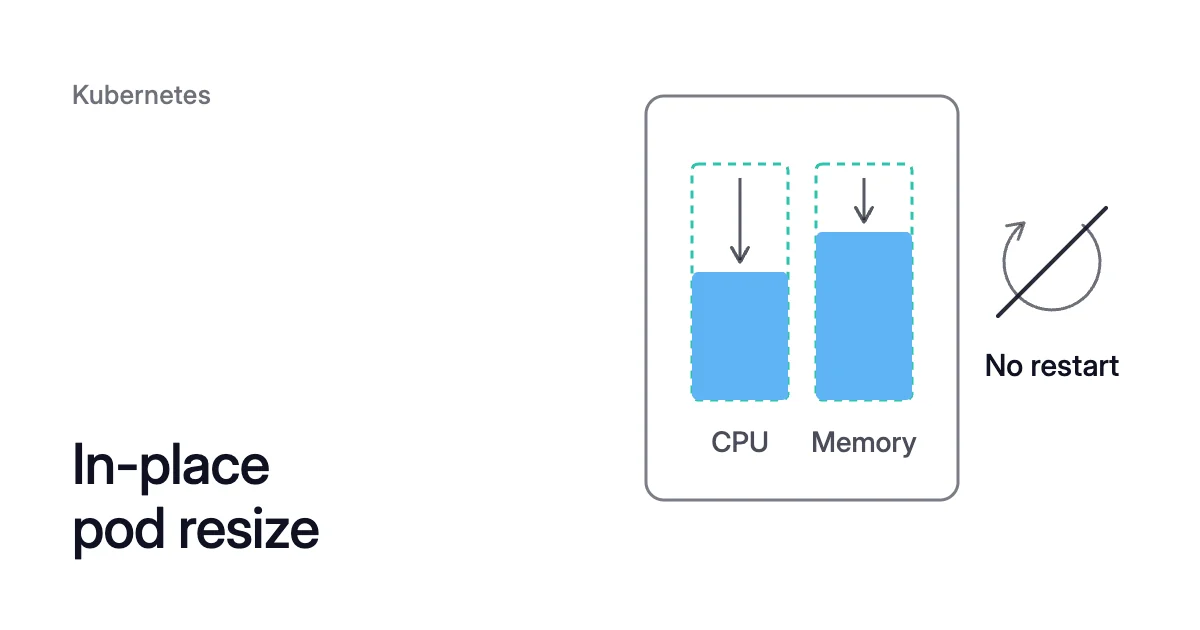
Short answer. In-place pod resize changes a running container’s CPU and memory requests and limits without recreating its pod. From Kubernetes 1.33 it is on by default, from 1.35 it is stable, and each container’s resizePolicy decides whether a resize restarts it.
In-place pod resize changes a running pod instead of replacing it
Picture a Burstable pod whose container requests 1 CPU, and you want that request at 300m. Before in-place resize, a container’s CPU and memory were fixed for the life of its pod.
To change them, you edited the Pod template in its Deployment or StatefulSet. The controller then replaced each pod with one at the new size. That route still works on every version and can change any field.
In-place pod resize, also called in-place pod vertical scaling, lets you patch the running pod instead. With the default resize policy, its container keeps running on the same node, now at 300m.
A container’s spec.containers[*].resources becomes the size you want. Its status.containerStatuses[*].resources reports the size the node has applied. When the two differ, the kubelet on that node tries to apply the new size and reports the result as a pod condition:
| Condition | Reason | What it means |
|---|---|---|
PodResizeInProgress | none, or Error | The kubelet accepted and allocated the new size and is still applying it |
PodResizePending | Deferred | The new size doesn’t fit right now but might later, for example once another pod leaves. The kubelet retries |
PodResizePending | Infeasible | The new size is impossible on this node, for example a request larger than the node itself |
Deferred resizes are retried in a fixed order:
- higher PriorityClass first
- then Guaranteed pods before Burstable ones
- then the longest wait
Kubernetes 1.37 adds an alpha gate that is off by default, InPlacePodVerticalScalingSchedulerPreemption. With it, the scheduler can evict pods of lesser priority from the node to make room for a deferred resize. Without it, the resize waits on its node until room frees up there.
Changing the template doesn’t resize anything in place either. The controller replaces the pods, as before.
A resize frees room on a node, but only an emptied node reduces cost
For cost, the request is what matters. The scheduler places a pod on a node only while the requests there add up to less than the node’s capacity. That holds even when real use is far below the requests.
A smaller request leaves room for more pods on the same node, but only once the kubelet has applied it. While a resize is pending or unfinished, the scheduler uses the largest of the container’s desired, allocated and actual requests.
Once the status shows 300m, the scheduler counts 300m. That leaves 1 CPU − 300m = 700m of the node free for other pods.
A resize never moves a pod, so it can’t empty a node by itself. Cost is reduced only when pods move off a node and the node is removed.
Choosing the new size means setting requests from real use. The Kubernetes cost optimization guide takes both steps in order: requests first, then nodes.
Which Kubernetes versions support in-place resize
The feature was alpha from Kubernetes 1.27, behind the InPlacePodVerticalScaling feature gate. Kubernetes 1.33 in-place pod resizing was beta and on by default.
Kubernetes 1.35 made it stable. From 1.35 the feature is always enabled, and the gate can’t disable it.
Three versions decide whether a resize works:
- The control plane, at 1.33 or later.
- The node the pod runs on, because its kubelet does the work, and the docs require the feature on every node too.
- kubectl, at 1.32 or later, for the
--subresource resizeflag. Older clients report an invalid subresource error.
How to resize a Kubernetes pod without a restart
Each container’s resizePolicy sets, per resource, whether a resize restarts that container or changes it while it keeps running:
resizePolicy:
- resourceName: cpu
  restartPolicy: NotRequired
- resourceName: memory
  restartPolicy: RestartContainer
NotRequired is the default: the kubelet applies the change to the running container. RestartContainer applies it with a restart. A pod whose own restartPolicy is Never can use only NotRequired.
With the policy above, a CPU change applies in place and a memory change restarts the container. So does a change to both.
Java and Python services should set memory to RestartContainer. The Kubernetes 1.35 announcement notes that neither runtime supports resizing memory without a restart.
With memory on NotRequired, the kubelet tries to avoid an out-of-memory kill. It applies the smaller limit only if the container’s memory use is below it at that moment.
That check is “best-effort and not guaranteed,” in the announcement’s words. If use is above the new limit, the resize is skipped and stays in progress.
Resize a pod with kubectl
- Patch the pod’s resize subresource.
kubectl edit pod <pod> --subresource resizeworks too, and so does a server-sidekubectl applywith the same flag. A Guaranteed pod would have to change its limit in the same patch. The patch below sets one container’s CPU request to 300m on a Burstable pod:
$ kubectl patch pod <pod> -n <namespace> --subresource resize --patch \
'{"spec":{"containers":[{"name":"<container>","resources":{"requests":{"cpu":"300m"}}}]}}'- Read the pod back:
$ kubectl get pod <pod> -n <namespace> -o yaml
- Check three fields.
status.containerStatuses[].resourcesshows the applied values.restartCountshows whether the container restarted. APodResizePendingorPodResizeInProgresscondition marks a resize that hasn’t finished, and itsreasonandmessagesay why. - Change memory one replica at a time if memory is set to
RestartContainer. Each resize is a direct change to one pod, so patching every replica together restarts that container in every replica at once.
VPA in-place pod resize, with eviction as the fallback
The Vertical Pod Autoscaler (VPA), a separate Kubernetes project, applies its recommendations through the same feature. Its InPlaceOrRecreate update mode tries an in-place resize first. Eviction is the fallback, for example when the resize:
- is infeasible
- is deferred for more than 5 minutes
- is still in progress after an hour
- would change the pod’s Quality of Service (QoS) class
InPlaceOrRecreate has been generally available since VPA 1.6.0 and needs Kubernetes 1.33 or later. The InPlace mode, alpha in VPA 1.7.0, never evicts. Auto mode is deprecated and now behaves as Recreate.
VPA vs HPA covers how the VPA fits beside a Horizontal Pod Autoscaler (HPA).
A resize changes only CPU and memory, within the pod’s QoS class
As of Kubernetes 1.37, the documentation lists these limits:
- Only CPU and memory can be resized, apart from one alpha gate in Kubernetes 1.37, off by default. It lets
/resizechange thesizeLimitof a memory-backed emptyDir volume on cgroup v2 nodes. Disk-backed emptyDir volumes and persistent volumes can’t be resized through/resize. - The QoS class is fixed when the pod is created. A Guaranteed pod must keep requests equal to limits for both CPU and memory. A Burstable pod can’t make them equal for both. A BestEffort pod can’t gain requests or limits.
- Requests and limits can’t be removed once set, only changed.
- Non-restartable init containers and ephemeral containers can’t be resized. Sidecar containers can.
- Windows pods don’t support in-place resize.
- Pods managed by the static CPU Manager or Memory Manager policy can’t be resized in place.
- A pod that uses swap can resize its memory request only if its memory policy is
RestartContainer.
A Guaranteed pod with a 1 CPU request and a 1 CPU limit can move to 2 CPU only if both values move together.
When a resize is Infeasible, the kubelet leaves the running size as it was. The docs’ fix is to patch the pod again with a size that fits.
If the pod really needs the larger size, take the older route. Change the Pod template and let the controller replace the pod. The scheduler can then place it on a node with room.
In-place pod resize on AKS and EKS: check every node pool’s version
In-place pod resize on Azure Kubernetes Service (AKS) depends on the versions Microsoft supports. On the AKS calendar, 1.33 reached end of life in July 2026. Version 1.34 reaches it in November 2026, and 1.37 reached general availability on AKS in October 2026.
Outside long-term support, every AKS version still in its support window is therefore 1.34 or later. On AKS 1.35 and later the feature is always on.
AKS lets the control plane run up to three minor versions ahead of node pools. Check each pool, not only the cluster. Below 1.33 the feature was alpha and off by default.
In-place pod resize on Amazon Elastic Kubernetes Service (EKS) needs the same versions, on the control plane and on each node. As of October 2026, EKS standard support covers 1.34 to 1.37. Versions 1.31 to 1.33 are in extended support, which costs more per cluster hour.
EKS says alpha features aren’t supported, so in-place resize isn’t supported on clusters at 1.31 or 1.32, where the feature was still alpha. Neither is the 1.37 preemption gate.
Managed and self-managed node groups aren’t upgraded when their control plane is, so check the nodes after every control-plane upgrade. One command shows each node’s kubelet version and operating system on either cloud:
$ kubectl get nodes -o custom-columns=NAME:.metadata.name,KUBELET:.status.nodeInfo.kubeletVersion,OS:.status.nodeInfo.operatingSystem
In that output, a Linux node needs v1.33 or later, and pods on a Windows node can’t be resized in place.
How Coral applies a new size to running pods
Coral is Zoorik’s Kubernetes optimization for AKS and EKS, for clusters at Kubernetes 1.30 or later. It rebalances each container’s CPU and memory requests from observed use. Where the node allows it, Coral applies each new size through in-place resize:
- Running pods. On nodes at 1.33 or later, Coral resizes running pods in place. On older nodes it restarts pods one at a time to apply the new size, within their PodDisruptionBudgets.
- New pods. Coral never changes your manifest. It sizes pods as they start, so a pod created from your unchanged template still starts at the new size.
- Single replicas. One replica is resized in place where it can be. Otherwise a new pod starts and becomes Ready before the old one goes. Where that isn’t safe, the new size waits for the pod’s next natural restart. The Recreate strategy and a ReadWriteOnce volume are two such cases.
- Your VPA. Coral switches an active VPA to Off while automation is on. It restores the VPA when you switch automation off.
- Your switch. Until you turn on “Automatically optimize” for a policy or a workload, Coral only recommends sizes and resizes nothing.
Windows nodes are listed and costed, but Coral doesn’t rebalance their workloads.
A smaller request reduces your cloud cost only when the freed capacity lets a node go. So Coral also drains spare nodes one at a time, for your autoscaler to remove.
On our own AKS development cluster, Coral rebalanced 14 apps by 12 October. The CPU they reserve went from 0.78 to 0.43 cores, and their memory from 6.4 to 5.4 GiB (the case study). The Coral guide shows how each size is worked out.
Sources: Kubernetes, “Resize CPU and Memory Resources assigned to Containers” (opens in a new tab); Kubernetes Blog, “Kubernetes 1.35: In-Place Pod Resize Graduates to Stable” (opens in a new tab); Kubernetes, “Feature Gates” (opens in a new tab); Kubernetes, “Resource Management for Pods and Containers” (opens in a new tab); Kubernetes API reference, “Node” (opens in a new tab); Kubernetes Autoscaler (GitHub), “Vertical Pod Autoscaler: features” (opens in a new tab); Microsoft Learn, “Supported Kubernetes versions in Azure Kubernetes Service (AKS)” (opens in a new tab); AWS, “Understand the Kubernetes version lifecycle on EKS” (opens in a new tab).