Published 1 November 2026 · By Sonia (opens in a new tab), Developer relations, Zoorik · Published by Zoorik
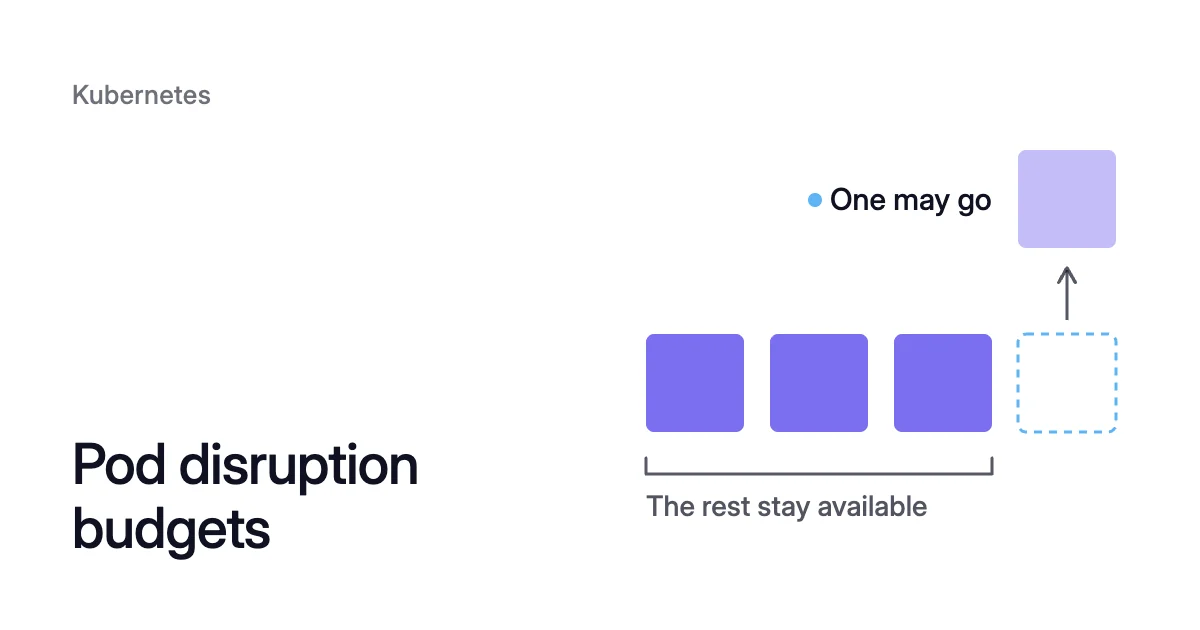
Short answer. Pod disruption budget best practices start from one rule: every PodDisruptionBudget (PDB) should allow at least one disruption at the replica count you run. Set maxUnavailable to 1 for most workloads, because a PDB that allows none stalls or fails drains, upgrades and scale-down on AKS and EKS.
A budget that allows no disruption keeps its node running
Picture a Deployment whose PDB sets minAvailable to 2 and whose Horizontal Pod Autoscaler (HPA) has a minReplicas of 2.
By day the HPA adds pods, so a disruption is allowed. Overnight it sits at its minimum, the budget allows none, and neither pod’s node can be emptied, however little the pods use.
That’s where a budget meets cloud cost, because Kubernetes cost optimization relies on removing spare nodes.
The Cluster Autoscaler removes a node only after checking that its pods’ PDBs allow at least one eviction. If an eviction still fails, it keeps the node. Karpenter won’t consolidate a node while any pod on it has a blocking PDB.
How a PDB decides which evictions go ahead
A PodDisruptionBudget limits how many pods of a replicated app voluntary disruptions can take down at once. It has been stable since Kubernetes 1.21, in the policy/v1 API.
Voluntary means chosen by a person or a controller, such as a drain for an upgrade or a scale-down. A PDB can’t prevent involuntary ones, such as a hardware failure. Even so, they count against its budget.
The budget works through the Eviction API. A tool that respects PDBs asks to evict a pod, and the API server refuses while the eviction would break the budget. So kubectl drain retries until the node is empty or its timeout runs out.
Two things skip the check: deleting a pod directly, and a Deployment or StatefulSet rolling update. Pods a rollout takes down still count against the budget.
The disruption controller works out allowed disruptions by counting the selected pods whose Ready condition is True. From that it takes away how many must stay healthy, so 3 healthy pods against 2 required leave 1.
At 0, every eviction is refused. If the budget can never rise above 0, you “cannot successfully drain a Node running one of those Pods.”
Pod disruption budget best practices: the checklist
These Kubernetes PDB best practices protect an app and let a drain finish.
Allow at least one disruption at the replica count you run
A budget allows nothing when maxUnavailable is 0, or when minAvailable is 100% or equal to the replica count. Kubernetes calls that “requiring zero voluntary evictions”. Keep an integer minAvailable below your smallest replica count.
Besides the opening case, percentage rounding gets you there, because Kubernetes rounds minAvailable up to a whole pod.
At 10 replicas, 90% is exactly 9 and leaves 1. Under a maxUnavailable of 1, the same 9 replicas need 9 − 1 = 8 healthy and leave 1.
maxUnavailable vs minAvailable: pick by replica count
A PDB sets one of the two, never both, and each takes a number or a percentage. With maxUnavailable, you set how many selected pods may be unavailable after an eviction. With minAvailable, you set the minimum that stays available.
Kubernetes recommends maxUnavailable because it “automatically responds to changes in the number of replicas”. That suits anything an HPA scales. Its percentages round up too, so 30% of a single replica lets that pod go.
| Workload | Budget | Allowed disruptions |
|---|---|---|
Stateless, 2 or more replicas, with or without an HPA | maxUnavailable: 1 | 1, at any replica count |
Stateless frontend that must keep 90% serving | minAvailable: "90%" | 0 below 10 replicas, then 10% of them, rounded down |
Quorum app such as etcd, ZooKeeper or Consul, 5 members | maxUnavailable: 1, or minAvailable: 3 | 1, or 2 |
Restartable Job | No budget | Not limited. The Job controller creates a replacement pod |
Bare pods, or an operator’s pods with no scale subresource | An integer minAvailable only | Healthy pods minus that integer |
These numbers assume every selected pod is Ready. One that isn’t uses up an allowed disruption.
A budget for a Deployment labelled app: <app>:
apiVersion: policy/v1
kind: PodDisruptionBudget
metadata:
  name: <app>-pdb
  namespace: <namespace>
spec:
  maxUnavailable: 1
  unhealthyPodEvictionPolicy: AlwaysAllow
  selector:
    matchLabels:
app: <app>Spread the replicas. A drain in the Kubernetes walkthrough evicts one of two pods on the same node. Then it is refused the second until a replacement is Ready elsewhere.
Pod anti-affinity or topology spread constraints keep a Deployment’s pods on different nodes.
Use maxUnavailable: 0 only as a deliberate hold
A PDB with maxUnavailable set to 0 blocks every voluntary eviction of the pods it selects. Kubernetes gives it one use, a single-instance stateful app whose owner wants to be asked first. The owner deletes the PDB when ready for the downtime, then recreates it.
Without that agreement, it pins the node against drains, budget-honouring upgrades and scale-down. A single replica that can take a short restart needs no budget. An app that can run two replicas on separate nodes is better served by a maxUnavailable of 1.
Give kube-system pods that can move a budget
A kube-system pod with too strict a PDB keeps the Cluster Autoscaler from removing its node. So can one with no PDB. The autoscaler’s FAQ gives the fix, a PDB for each kube-system workload that can safely run elsewhere:
$ kubectl create poddisruptionbudget <pdb-name> --namespace=kube-system --selector app=<app-name> --max-unavailable 1
The FAQ adds one exception. Restarting Metrics Server loses metrics for more than a minute, and the HPA relies on them. Leave it alone unless you accept that gap.
Let unhealthy pods be evicted
Under the default policy, IfHealthyBudget, a running pod that isn’t Ready can be evicted only while the app isn’t already disrupted. An app whose pods crash-loop can then block a drain.
Setting unhealthyPodEvictionPolicy to AlwaysAllow lets those pods go. It has been stable since Kubernetes 1.31, and the Kubernetes Disruptions page recommends it.
One budget per workload, on its controller’s selector
Copy the controller’s .spec.selector into the PDB, and keep selectors from overlapping. The Eviction API refuses to evict any pod that more than one PDB selects. An empty selector, {}, matches every pod in the namespace.
Check allowed disruptions before you drain
- List every budget. Kubernetes shows each one’s allowed disruptions in the ALLOWED DISRUPTIONS column:
$ kubectl get poddisruptionbudgets --all-namespaces
- Read any budget at 0 in full. A 0 means a drain of any node running those pods will wait. As Microsoft puts it, “An ALLOWED DISRUPTIONS value of 0 can block an AKS node drain”. The status fields
currentHealthy,desiredHealthy,disruptionsAllowedandexpectedPodsshow why, and a 0 can also mean the selector matches no pods:
$ kubectl get poddisruptionbudgets <pdb-name> --namespace <namespace> -o yaml
Pod disruption budgets on AKS: a blocked drain fails the upgrade
During an Azure Kubernetes Service (AKS) rolling upgrade, AKS adds surge capacity, cordons and drains a node, then reimages or replaces it. The Eviction API checks each PDB during the drain. Microsoft’s advice is to “allow at least one disruption when the workload permits so that cluster maintenance can proceed.”
Microsoft lists a check for misconfigured PDBs, such as maxUnavailable=0, among its pre-upgrade validations. On AKS Standard, those checks are part of your own workflow.
The node drain timeout, 30 minutes by default, sets how long AKS waits on pod evictions. When a strict budget still blocks a drain, the upgrade fails with UpgradeFailed and a message that the eviction “would violate the pod’s disruption budget”.
For AKS Standard, Microsoft lists three ways forward:
- Cordon keeps honouring PDBs. With undrainable node behaviour
Cordon, a node that can’t drain is cordoned and labelledkubernetes.azure.com/upgrade-status=Quarantined. Up to--max-blocked-nodesof them are tolerated, and you resolve them afterwards. - Force upgrade bypasses PDBs. Microsoft warns that it “might cause service disruption by draining all pods simultaneously”. Fix the budget before you reach for its flag,
--enable-force-upgrade. - Automatic PDB management adds replicas. This preview extension adds them during a drain when a PDB blocks eviction on a cordoned node. It can also create PDBs for Deployments without one.
Cordon is set per node pool:
$ az aks nodepool update \
  --resource-group <resource-group> \
  --cluster-name <cluster-name> \
  --name <node-pool> \
  --undrainable-node-behavior Cordon \
  --max-blocked-nodes 2 \
  --drain-timeout 30
From 1 June 2027, AKS also upgrades any cluster that stays on an unsupported Kubernetes version past its 60-day grace period. Microsoft says such a platform-initiated upgrade “can override a Pod Disruption Budget that blocks a node drain”.
Pod disruption budgets on EKS: a refused eviction ends four ways
On Amazon Elastic Kubernetes Service (EKS), managed node groups, the Cluster Autoscaler, Karpenter and EKS Auto Mode each treat a refused eviction differently.
A managed node group update drains each old node. It fails with PodEvictionFailure if the node’s pods haven’t left within 15 minutes. AWS lists an aggressive PDB, or several PDBs on one pod, among the causes.
Forcing the update, with the force flag on the update-nodegroup-version request, deletes pods that won’t leave and bypasses their budgets. The lasting fix is a budget that allows one eviction.
When a PDB blocks consolidation, Karpenter reports an Unconsolidatable event that names the budget, such as “pdb default/inflate-pdb prevents pod evictions”. Karpenter consolidation covers the rest of its rules.
A NodePool’s terminationGracePeriod caps how long a budget can hold a node that Karpenter is removing. When it runs out, the remaining pods are forcibly deleted, blocking PDBs included. A node with one set can also be replaced for drift while a budget blocks.
By default, Auto Mode also terminates instances after 336 hours (14 days). It replaces nodes for drift roughly once a week, as new Auto Mode AMIs come out.
So a budget at 0 fails an update, keeps a node or, on Auto Mode, is overridden.
How Coral works within your pod disruption budgets
Coral optimizes Kubernetes on AKS and EKS. When it resizes or moves a healthy pod, it stays within your budgets.
Resizing pods and draining nodes
- Pods. Pods are resized in place where possible, or else replaced one at a time within your PDBs.
- Drains. Coral tries a warm handover first: for a Deployment or an Argo Rollout that qualifies, it scales the owner up by one. It waits until the new pod is Ready on another node, then evicts the old pod within its PDB. Other pods are evicted within their PDBs, and a single-replica app gets a short restart.
- Consolidation. Before draining, Coral simulates the scheduler on the live cluster. It respects PDBs and do-not-disrupt, and drains one node at a time. If a drain can’t finish, the node goes back into service.
- The Evictor. It moves pods off lightly used nodes and never overrides a PodDisruptionBudget.
Seeing what a budget holds
- Held nodes. A PDB at 0 keeps its pods’ node in place. Node list → “What’s holding them” names each held node and its fix. Add replicas or relax the budget, or give a kube-system pod a budget that allows at least one disruption.
- Optimization constraints. This advisory page lists workload setups that make optimization risky, PodDisruptionBudgets among them, with the fix for each.
Rebalancing within your budgets
A rebalance replaces the nodes you choose with cheaper machines that your Karpenter or AKS node auto-provisioning launches. It never goes past a PDB either.
In a warm handover, the new copy must be Ready and serving, with no restarts, before the old pod goes. When a PDB says “not now”, Coral keeps that copy and retries. A node that can’t be emptied in time is kept.
On our own AKS development cluster, node optimization removed one 4-CPU worker in under 10 minutes, and single-copy apps restarted once. The case study has the figures.
Sources: Kubernetes, “Specifying a Disruption Budget for your Application” (opens in a new tab); Kubernetes, “Disruptions” (opens in a new tab); Kubernetes autoscaler, “Cluster Autoscaler FAQ” (opens in a new tab); Microsoft Learn, “Best practices for basic scheduler features in Azure Kubernetes Service (AKS)” (opens in a new tab); Microsoft Learn, “Upgrade options and recommendations for Azure Kubernetes Service (AKS) clusters” (opens in a new tab); Amazon EKS, “Understand each phase of node updates” (opens in a new tab); Amazon EKS, “Create a Node Pool for EKS Auto Mode” (opens in a new tab); Karpenter, “Disruption” (opens in a new tab).