Published 1 November 2026 · By Swati Bhatia (opens in a new tab), Backend engineer, Zoorik · Published by Zoorik
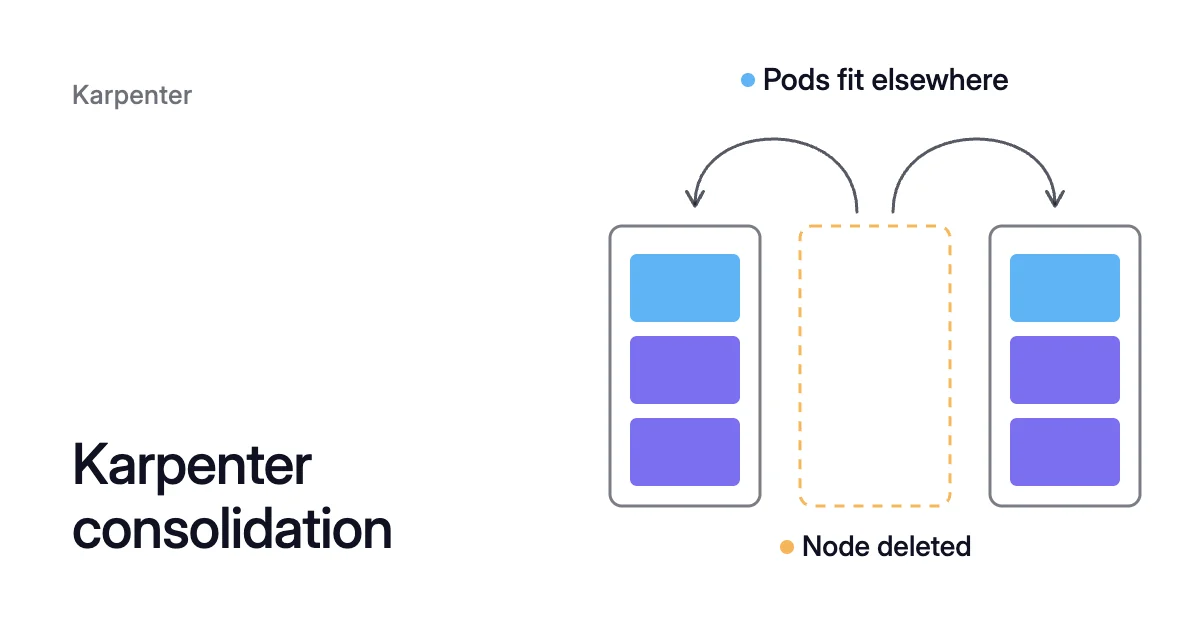
Short answer. Karpenter consolidation removes a node when its pods’ requests, not their use, fit on other nodes, or replaces it with one cheaper node. Each NodePool controls it with consolidationPolicy (default WhenEmptyOrUnderutilized), consolidateAfter (default 0s) and disruption budgets (default 10% of nodes at a time).
How Karpenter consolidation decides which nodes go
Picture a NodePool of three nodes, each with 4 CPU allocatable for pods. Each node’s pods request 3 CPU and use about 0.6 CPU. The whole pool uses 1.8 of its 12 CPU, yet consolidation can’t delete any of the three nodes.
Consolidation decides with a scheduling simulation, and the simulation works in requests. Karpenter’s troubleshooting guide says it “bin-packs pods based on the resource requests”.
The Kubernetes scheduler places a pod only where the requests on a node, plus the new pod’s, fit its capacity. That holds however little CPU and memory the node is really using.
To delete one of the three nodes, Karpenter needs room for its 3 CPU of requests. The other two have only 1 CPU free each.
So “underutilized” in Karpenter’s terms doesn’t mean idle CPU. It means the node’s pods, counted by their requests, fit somewhere else.
Deletion and replacement
Consolidation looks for two kinds of action. A deletion removes a node whose pods can all run on free capacity of other nodes. A replacement removes a node and moves its pods onto a mix of free capacity elsewhere and a single new node that costs less.
It tries these in a fixed order:
- Empty nodes go first, deleted in parallel.
- Multi-node consolidation comes next. It removes two or more nodes, possibly launching one cheaper replacement for all of them.
- Single-node consolidation then checks each node on its own.
The steps of one consolidation action
When several nodes qualify for consolidation, Karpenter picks the one that disrupts least. It prefers a node:
- with fewer pods
- that will expire soon
- whose pods have less priority
- with a smaller total
karpenter.sh/disruption-cost, an annotation new in v1.15
Each action follows the same steps:
- Karpenter checks the NodePool’s disruption budget.
- It runs a scheduling simulation with the node’s pods.
- It adds the
karpenter.sh/disrupted:NoScheduletaint and starts any replacement. - Once the replacement is ready, it deletes the old node.
- The Termination Controller drains the old node through the Kubernetes Eviction API, which respects PodDisruptionBudgets (PDBs).
If a replacement fails to initialize, Karpenter removes the taint and begins again from the first method.
Which Karpenter consolidation policy to choose
Each NodePool’s spec.disruption.consolidationPolicy decides which nodes Karpenter considers. As of Karpenter v1.15, the current release (10 October 2026), the karpenter.sh/v1 API accepts three values:
| Policy | Nodes Karpenter considers | Pick it when |
|---|---|---|
WhenEmpty | Only empty nodes: those running nothing but pods with no disruption cost, such as DaemonSet pods | Running pods must never move for cost |
Balanced | The same nodes as the default, but it acts only when the saving outweighs the pod disruption | You want most of the saving without marginal moves |
WhenEmptyOrUnderutilized (default) | Any node that can be removed or replaced to reduce cost | You want the most capacity back and accept the pod moves |
Because consolidationPolicy: WhenEmptyOrUnderutilized is the default, a NodePool with no disruption block already consolidates underused nodes.
How the Balanced policy scores a move
Balanced is newer, added in v1.14. Each action gets a score that weighs the saving against the disruption it causes. Karpenter measures the saving as a percentage of the NodePool’s cost, and the disruption as a share of the pool’s total pod disruption.
By default every pod weighs the same. So the score comes down to the saving against the number of pods evicted. Approved actions emit a ConsolidationApproved event that carries the score.
Policy support in EKS Auto Mode and NAP
Where Karpenter is managed for you, support differs. Amazon EKS Auto Mode NodePools accept all three values.
Microsoft’s page on node auto-provisioning (NAP), which runs Karpenter inside Azure Kubernetes Service (AKS), lists only WhenEmpty and WhenEmptyOrUnderutilized. So don’t assume Balanced works there. If you’re setting NAP up, enabling NAP on AKS walks through it.
How Karpenter’s consolidateAfter works
consolidateAfter is how long a node must stay stable before it becomes a candidate. Karpenter resets that timer whenever a pod is added to or removed from the node. So a node with pods coming and going may never reach it.
The field takes a duration such as 30s, 5m or 1h, or Never, which switches consolidation off for the whole NodePool. Its default is 0s.
From v1.0 to v1.14 the API required the field whenever you wrote a disruption block. From v1.15, it fills in 0s when you leave it out.
A longer wait, such as 10m, gives a workload that scales up and down often time to settle before its nodes are judged:
spec:
  disruption:
    consolidationPolicy: WhenEmptyOrUnderutilized
consolidateAfter: 10mHow a Karpenter disruption budget sets the pace
A disruption budget caps how many of a NodePool’s nodes can be disrupted at once. With no spec.disruption.budgets set, Karpenter uses one budget of nodes: 10%.
Budgets govern voluntary disruption only, meaning drift, emptiness, consolidation and node repair. They don’t prevent Karpenter from terminating a node that has expired.
A percentage rounds up, and nodes already deleting or NotReady count against it. The Karpenter docs give the formula as allowed_disruptions = roundup(total * percentage) - total_deleting - total_notready.
On a 3-node NodePool the default allows one node at a time, since 3 × 10% = 0.3 rounds up to 1. On 19 nodes, a 20% budget allows 4, since 19 × 20% = 3.8.
A plain number such as nodes: "5" is a fixed ceiling. With several budgets active, the most restrictive one wins.
Budgets by reason and time window
Budgets can also target reasons and time windows:
reasonstakesEmpty,Underutilized,Driftedand, from v1.15,Unhealthy. A budget with no reasons covers all of them.scheduleuses cron syntax and always runs in UTC.duration(minutes and hours, such as8h) must be set withschedule.
This NodePool lets any reason disrupt up to 10% of its nodes at a time. It allows no consolidation of underused nodes from 09:00 to 17:00 UTC on weekdays:
spec:
  disruption:
    consolidationPolicy: WhenEmptyOrUnderutilized
    consolidateAfter: 5m
    budgets:
    - nodes: "10%"
    - nodes: "0"
      schedule: "0 9 * * mon-fri"
      duration: 8h
      reasons:
- "Underutilized"To stop all voluntary disruption in a NodePool, give it a single budget of nodes: "0".
Limits and expiry sit beside consolidation
spec.limits caps the CPU, memory or node count a NodePool may provision. Once a limit is exceeded, Karpenter launches no more nodes from that pool until some terminate. A limit never removes a node, so it isn’t a consolidation control.
Expiry is a separate, forceful method. spec.template.spec.expireAfter defaults to 720h (30 days), and EKS Auto Mode sets 336 hours by default. A node that reaches its expiry starts draining whatever its disruption budget says.
Static NodePools aren’t consolidated at all. They set spec.replicas to keep a fixed node count, an alpha feature behind the StaticCapacity feature gate.
When Karpenter is not scaling down a node
Start with the node’s events. While consolidation is on, Karpenter periodically records Unconsolidatable events on nodes it can’t consolidate, with the reason in the message:
$ kubectl describe node <node-name>
Events:
  Type     Reason             Age                From       Message
  Normal   Unconsolidatable   66s                karpenter  pdb default/inflate-pdb prevents pod evictions
  Normal   Unconsolidatable   33s (x3 over 30m)  karpenter  can't replace with a lower-priced node
Nine causes, in the order worth checking
- The node isn’t initialized. Karpenter only considers nodes that carry the
karpenter.sh/initializedlabel. - No budget allows a disruption right now. That can be a
nodes: "0"budget or an active schedule window. It can also be an allowance already used by nodes that are deleting or NotReady. - A PDB allows no eviction. Every PDB matching every pod on the node must allow one. So a single PDB with
maxUnavailable: 0keeps the whole node. - A pod or the node carries
karpenter.sh/do-not-disrupt. The value"true"protects for good. A duration such as"30m"protects for that long after the pod starts. For both markers, see the safe-to-evict and do-not-disrupt annotations. - The simulation finds no place for a pod. Affinity, anti-affinity or topology spread rules leave it no other node, and preferred rules count too. Karpenter tries to satisfy preferences when it launches nodes. Consolidation follows them as well, so it doesn’t remove nodes right after launching them. Setting the controller’s
PREFERENCE_POLICYtoIgnoremakes Karpenter’s scheduler skip preferences, at the price of ignoring them at launch too. - The timer never runs out. Pods churn faster than
consolidateAfter, so it keeps resetting, or it’s set toNever. - The policy rules the node out. It’s
WhenEmptyand the node still runs workload pods, orBalancedscored the move as not worth it. - The node is spot. Consolidation can delete spot nodes by default. Replacing one with a cheaper spot node needs the alpha
SpotToSpotConsolidationfeature gate, which is off by default. A one-for-one spot swap also needs at least 15 cheaper instance types to choose from. - The requests fill the nodes. When each node’s requests leave too little free room for another node’s pods, there is nothing to delete. No single cheaper node fits the pods either.
Requests decide how many nodes consolidation can remove
Policies, timers and budgets decide how fast and how carefully nodes go. The requests decide how many can go.
Bring the requests near use, say 0.8 CPU per node’s worth of pods. All the pods then request 3 × 0.8 = 2.4 CPU, which fits on one node with 4 − 2.4 = 1.6 CPU to spare.
Under the default policy, Karpenter can now remove two nodes. They go one at a time, because the default 10% budget allows one node on a 3-node NodePool.
The opposite mistake has a price too. A request set below what a pod really needs lets Karpenter pack too many pods onto one node, where they compete for CPU. A pod using more memory than it requested is likely to be evicted when the node runs short of memory.
Kubernetes pod right sizing covers setting requests from measured use. Karpenter cost optimization covers the requests Karpenter’s own settings can’t fix.
Where Coral fits
Karpenter chooses and removes machines from pod requests, and it doesn’t change the requests. Coral rebalances them to measured use, plus headroom. For a workload with a CPU-based Horizontal Pod Autoscaler (HPA), it picks the CPU request by replaying past load through the HPA’s own settings.
The same Karpenter can then run fewer or smaller nodes. Request changes start only when you switch on “Automatically optimize” for a policy or a workload. Pods are resized in place on Kubernetes 1.33 and later nodes, and on older nodes they restart one at a time within their PDBs.
Coral leaves the pools Karpenter consolidates to Karpenter and never changes your Karpenter settings, as Coral works with Karpenter explains. If an EKS cluster has no autoscaler, connecting Coral can set up Karpenter, with your approval.
When you run a rebalance, Coral creates fixed-size NodePools named zoorik-rb-…. Your Karpenter launches the new machines, and the old nodes are drained one by one.
A pod annotated karpenter.sh/do-not-disrupt: "true" is never moved, and its node is kept. The same annotation on a node keeps that node.
For the product, see Kubernetes optimization with Coral. For the order of rebalancing and node removal, see the Kubernetes cost optimization guide.
Sources: Karpenter, “Disruption” (opens in a new tab); Karpenter, “NodePools” (opens in a new tab); Karpenter, “Troubleshooting” (opens in a new tab); Karpenter, “Settings” (opens in a new tab); Karpenter (kubernetes-sigs/karpenter on GitHub), “Releases” (opens in a new tab) (v1.14.0 and v1.15.0 notes); Kubernetes, “Resource Management for Pods and Containers” (opens in a new tab); AWS, “Create a Node Pool for EKS Auto Mode” (opens in a new tab); Microsoft Learn, “Configure disruption policies for node auto-provisioning (NAP) nodes in Azure Kubernetes Service (AKS)” (opens in a new tab).