Published 2 November 2026 · Published by Zoorik
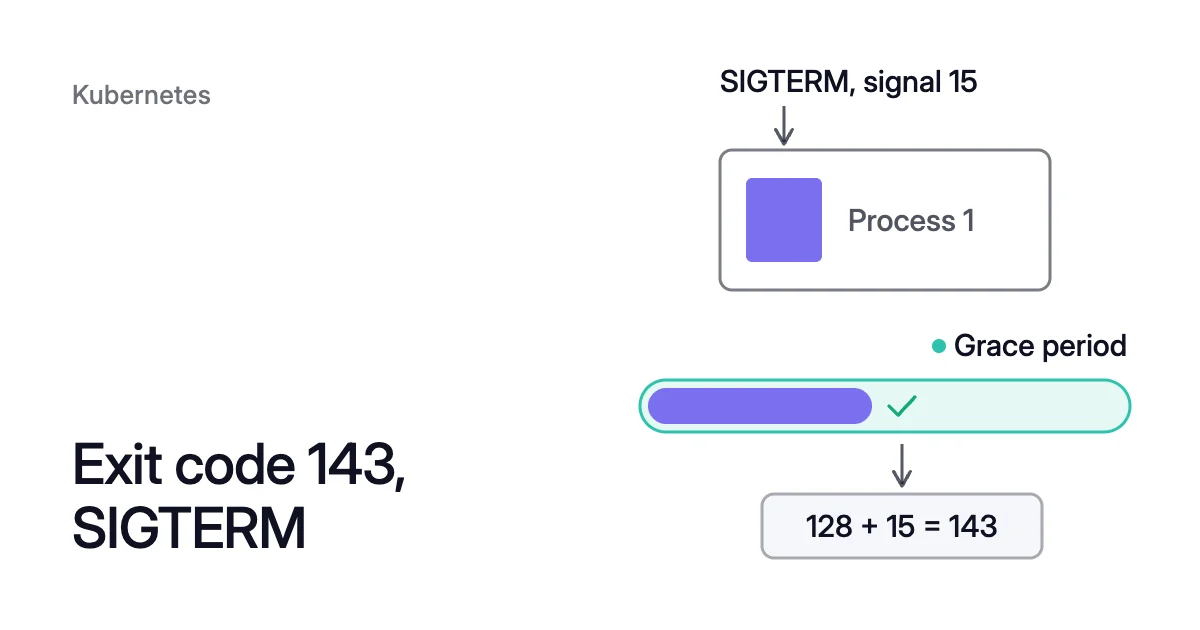
Short answer. In Kubernetes, exit code 143 means SIGTERM (signal 15) ended the container’s main process before its grace period ran out. The pod’s events show what sent it.
What exit code 143 means in Kubernetes
A process ended by a signal gets an exit status of 128 plus the signal’s number. SIGTERM is signal 15, so the code is 128 + 15 = 143.
In a shell, a command stopped by SIGTERM leaves exit status 143, which echo $? prints. Kubernetes shows that number as the container’s Exit Code in its Terminated state.
SIGTERM asks a process to end, and its default action terminates it. Unlike SIGKILL (signal 9), it can be caught, so the process can clean up and exit on its own. Kubernetes waits a grace period for that, then sends SIGKILL.
| Exit code after a stop | What happened |
|---|---|
0, or the app’s own code | The app caught SIGTERM, cleaned up and exited by itself |
143 | SIGTERM ended the process before the grace period ran out |
137 | The process was still running when the grace period ran out, so SIGKILL ended it |
Exit code 137 also follows an out-of-memory kill. OOMKilled exit code 137 covers that case in full.
Docker exit code 143
docker stop sends a container’s stop signal: SIGTERM, unless the image’s STOPSIGNAL sets another. After a timeout, SIGKILL follows. Amazon Elastic Container Service (ECS) StopTask issues the equivalent of docker stop, with a 30-second default timeout.
So a Docker or ECS container that exits 143 stopped on the signal in time. One that exits 137 after a stop outlasted the timeout.
How Kubernetes stops a container with SIGTERM
A graceful pod deletion runs in order. The pod shows Terminating, and the kubelet runs any preStop hook. Then the container runtime sends TERM to process 1 in each container.
The grace period, terminationGracePeriodSeconds, is 30 seconds by default, and a preStop hook runs inside it. Processes still running when it ends get SIGKILL.
Three kinds of event start this stop:
- Deletion. You run
kubectl delete, a rolling update replaces old pods, or a scale-down leaves fewer replicas. - Eviction.
kubectl drainand node upgrades evict pods through the Eviction API. It respects PodDisruptionBudgets (PDBs) and the pod’sterminationGracePeriodSeconds. - Probe failure. When a liveness or startup probe fails, the kubelet restarts the container. It respects the grace period, or the probe’s own
terminationGracePeriodSecondswhere one is set.
When exit code 143 is normal, and when it’s a warning
Read the container’s Last State and Restart Count, then the namespace’s events in time order. Together they show what stopped it.
$ kubectl describe pod <pod-name> -n <namespace>
$ kubectl get events -n <namespace> --sort-by=.lastTimestamp
For example, a container the kubelet has restarted shows this, trimmed:
    Last State:     Terminated
      Exit Code:    143
Restart Count: 3- Normal. A deletion, drain, rollout or scale-down stopped it, and the replacement runs. The old pod’s 143 shows only until the API server deletes its object.
- A warning. The pod is still there, with 143 in Last State and Restart Count climbing. Failed liveness or startup probes in its events mean the kubelet keeps restarting it.
- 137 where you expected 143. The app outlasted its grace period. It stopped too slowly, or a shell script running as process 1 never passed SIGTERM on.
How to make a SIGTERM stop clean
- Catch SIGTERM in the app. Stop taking new work, finish open connections, then exit by itself.
- Make sure the app gets the signal. Kubernetes sends TERM only to process 1. A shell script that starts the app should end with
exec, so the app replaces the shell as process 1:$ exec /app/server "$@"
- Set
terminationGracePeriodSecondsabove your slowest clean shutdown. Include the preStop hook’s time, so SIGKILL never arrives first. - Give probes room. Use a startup probe for slow starts, and liveness timeouts a busy app can meet. Then the kubelet doesn’t restart healthy containers under load.
For the requests still in flight, how to drain a Kubernetes node without any downtime covers preStop hooks, readiness and PDBs.
Exit code 143 during AKS and EKS node upgrades
On Azure Kubernetes Service (AKS), a rolling upgrade adds one surge node by default. It then cordons and drains the old nodes one at a time. If pods still run when the drain timeout ends, 30 minutes by default, the upgrade stops.
On Amazon Elastic Kubernetes Service (EKS), a managed node group update cordons and drains each old node. If its pods don’t leave within 15 minutes, the update fails with a PodEvictionFailure error. With the force flag, EKS deletes those pods instead.
So a wave of 143s across workloads during an upgrade window is those drains working. Exit code 137 in the same window marks apps that outlasted their grace period.
Exit code 143 when Coral drains a node
Coral, Zoorik’s Kubernetes optimization for AKS and EKS, drains spare nodes in two ways. Warm handover comes first, then eviction through the Eviction API, within each pod’s PDB. Old pods get the usual SIGTERM and grace period, so 143 is normal.
For eligible Deployment and Argo Rollout pods, a new copy turns Ready on another node before the old one is evicted. Open connections to the old pod still end.
StatefulSet and Job pods, and Deployments with the Recreate strategy, are evicted without a handover. A single-replica app among them gets a short restart. DaemonSet and static pods stay where they are.
Sources: Kubernetes, “Pod Lifecycle” (opens in a new tab); Kubernetes, “Liveness, Readiness, and Startup Probes” (opens in a new tab); Kubernetes, “API-initiated Eviction” (opens in a new tab); Linux man-pages, “signal(7)” (opens in a new tab); Linux man-pages, “bash(1)” (opens in a new tab); Microsoft Learn, “Configure rolling upgrades for Azure Kubernetes Service (AKS) node pools” (opens in a new tab); AWS, “Understand each phase of node updates” (opens in a new tab); AWS, “StopTask” (opens in a new tab).