Published 1 November 2026 · By Sourabh Singh (opens in a new tab), Senior software engineer, Zoorik · Published by Zoorik
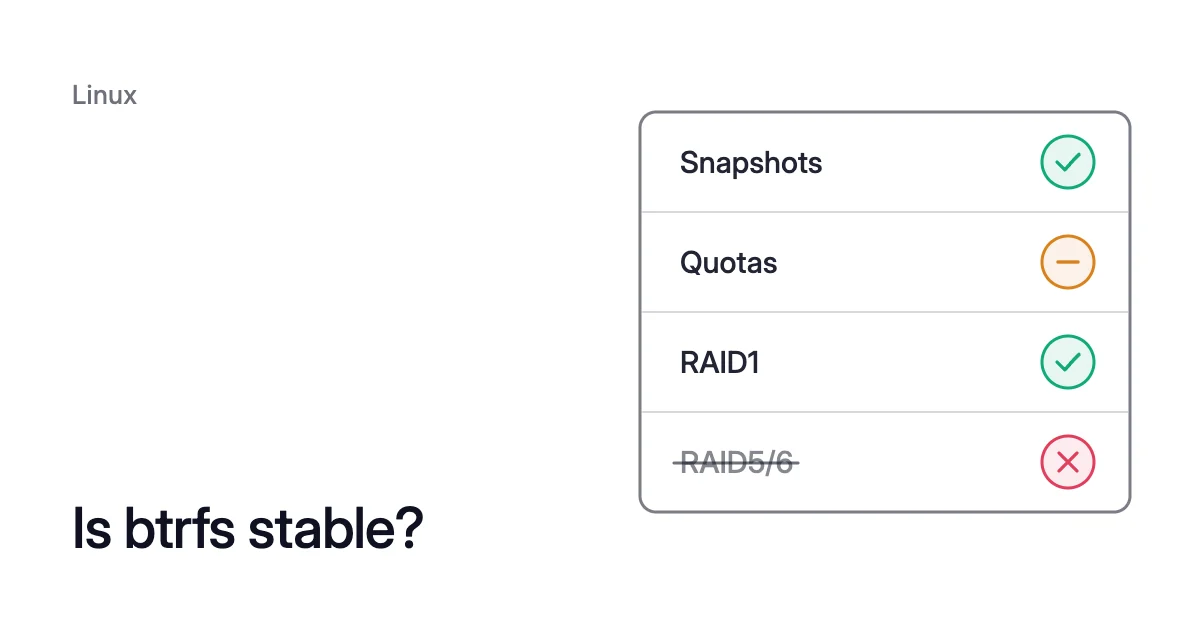
Short answer. btrfs is stable for its core features, and the profile you pick decides most of the rest. The official status table for Linux kernel 7.3 rates snapshots, checksums, scrub, resize and the single, DUP and RAID1 profiles OK. RAID5 and RAID6 are rated unstable, not for production, and a few features, quotas among them, are mostly OK.
Is btrfs stable? What the status table marks OK and mostly OK
Picture a cloud VM whose data mounts sit on one btrfs filesystem across two disks. Each mount is a subvolume. You take a snapshot before a risky change, and you grow the filesystem when a disk grows.
A scrub checks every block once a month. The data uses the single profile and the metadata raid1. A profile is the setting for how many copies btrfs keeps of each chunk of data or metadata, and where.
Look each feature up on btrfs’s status page, and every one is rated OK. That covers subvolumes, snapshots, resize, scrub and checksums, plus both profiles in use.
Only one later step carries a caveat: taking a disk out. The page files it under device replace, rated mostly OK: the removal stops if a read fails.
Switching the data to RAID5 or RAID6 would change the answer, since those are the only profiles the page marks unstable. Here is how it rates the features a data volume relies on.
| Feature | Stability | The page’s note, in short |
|---|---|---|
Subvolumes, snapshots | OK | |
Compression | OK | |
Checksumming algorithms | OK | |
Scrub | OK | |
Auto-repair | OK | Repairs from a correct spare copy, if one exists |
Balance | OK | Can be slow with quotas and many snapshots |
Filesystem resize | OK | Shrink and grow |
Send, receive | OK | |
Profiles single, DUP, RAID0 | OK | |
Profiles RAID1, RAID1C3, RAID1C4, RAID10 | OK | Performance mostly OK, see below |
Device replace | mostly OK | Aborts if a read fails |
Defragmentation | mostly OK | Shared extents get unshared |
Quotas, qgroups | mostly OK | Many snapshots slow down balance |
Zoned mode | mostly OK | Not yet feature complete |
RAID56 (RAID5, RAID6) | unstable | See below |
Three mostly OK notes deserve a closer read:
- Device replace. It and device delete “insist on being able to read or reconstruct all data”, says the page. A read that fails with an IO error aborts the operation. Remove or replace the damaged data, then try again. So data btrfs can’t read or rebuild from another copy stops a replace or a removal until you deal with it.
- Quotas. btrfs calls them qgroups. The note says qgroups with many snapshots slow down balance. That matters only on a filesystem that uses quotas, so if yours doesn’t, this row doesn’t apply.
- Defragmentation. It rewrites data. Extents that snapshots or reflinked copies shared become separate copies and take more space.
How to read the btrfs status page
One page of the btrfs documentation covers btrfs stability. Each feature on it gets a stability rating, a performance rating and a short note. The ratings are tied to one kernel.
In October 2026 the page names “the latest released linux kernel: 7.3”. Check which kernel your distribution ships before you lean on a rating.
The legend defines three ratings:
- OK means a feature “should be safe to use, no known major deficiencies”.
- Mostly OK means “safe for general use, there are some known problems that do not affect majority of users”.
- Unstable means testing only, with known severe problems or core parts not yet implemented.
Two columns are easy to mix up. Stability is about how complete the implementation is and which use cases it covers. Performance rates how far it could still be improved before it hits its inherent limits.
A feature can score OK on stability and mostly OK on performance. RAID1 is one of those.
Features still in development sit behind a separate kernel build option, CONFIG_BTRFS_EXPERIMENTAL. The status page lists them in a table of their own at the end, which the table above leaves out.
The old btrfs wiki is out of date
The archive says it “has been archived and the content is no longer updated”. Its status table is based on kernel 6.0, so a rating read there can be out of date. For a current answer, use btrfs.readthedocs.io.
Is btrfs RAID 1 stable?
Yes. RAID1 is rated OK for stability, as are RAID1C3, RAID1C4 and RAID10. So each is safe to use, with no known major deficiencies.
Each is rated mostly OK for performance, and the note gives the reason: “reading from mirrors in parallel can be optimized further”.
That note is only about reads, which aren’t spread across the copies as evenly as they could be. A read balancing feature is in development behind CONFIG_BTRFS_EXPERIMENTAL.
RAID1 keeps two complete copies, RAID1C3 three and RAID1C4 four. Each copy sits on a different device, so they need at least two, three and four devices.
That redundancy is what makes auto-repair possible. When btrfs reads a block whose checksum doesn’t match, it can repair it from a correct copy on another device. A scrub does the same for every block it reads.
Two limits come with RAID1:
- A two-device filesystem stays at two. RAID1 needs two devices. So
btrfs device removerefuses to take a two-device RAID1 filesystem down to one. Removal “must satisfy the profile constraints, otherwise the command fails”, as its manual puts it. - Each chunk needs room in two places. Every RAID1 chunk needs unallocated space on two devices at once. The article on btrfs on multiple disks works through that.
Why RAID5 and RAID6 stay unstable
The RAID56 profiles add parity, the same way traditional RAID5/6 does. RAID5 stripes one copy of the data across the devices, with one device’s worth of parity. That’s enough to recover from one failed device.
RAID6 doubles the parity, so it recovers from two failed devices.
btrfs(5), the filesystem’s manual page, says they have “implementation and design deficiencies that make it unreliable for some corner cases”. It adds that the feature “should not be used in production, only for evaluation or testing”.
The write hole
One problem the manual lists is the write hole. An unclean shutdown, such as a power loss mid-write, can leave a stripe part old, part new. Some blocks and the parity are from old writes, and some from new ones. btrfs doesn’t record which is which.
Picture a RAID5 stripe on three devices: two data blocks and their parity. New data reached one device before the power went, but the new parity didn’t.
The manual notes three more limits of RAID56:
- Power failure safety for RAID56 metadata “is not 100%”.
- Space reporting is inaccurate when RAID56 shares a filesystem with other profiles.
- A scrub started on the whole filesystem degrades performance.
If you do run RAID5 or RAID6 for data, keep metadata off them, as the manual asks. Use raid1 metadata with RAID5 data, and raid1c3 metadata with RAID6 data. Those give metadata the same protection against the loss of one or two devices.
Is btrfs production ready on a cloud VM?
With the OK profiles, yes. On cloud block storage, the profile choice starts from what the cloud already does.
Azure locally redundant storage (LRS) managed disks already write “three copies in a single data center”. An Amazon EBS volume “is automatically replicated within its Availability Zone”. On such disks you can keep single data and let the cloud hold the copies.
The trade-off is repair. btrfs still checksums data and metadata by default, and it will detect a bad block. But with one copy of the data, there is nothing to repair it from.
Metadata is a different case. btrfs(5) says RAID1 is the default metadata profile on more than one device. So by default, metadata keeps a second copy to repair from, even when data is single.
DUP keeps two copies of every block on the same device, and RAID1 keeps them on two different devices. Either way, the same data takes twice the space.
Is btrfs good for a data volume? Yes, if you watch it
Three commands cover most of the watching.
- Check the error counters.
btrfs device statsprints five persistent error counters for each device. They count write, read and flush IO errors, checksum or header corruption, and generation errors. With-c, it adds 64 to the exit status when any counter isn’t zero. A cron job or a monitoring check can alert on that.
$ sudo btrfs device stats -c /data
- Scrub at least once a month. The manual recommends that interval.
btrfs scrubreads all data and metadata and verifies the checksums. It uses about 80% of a device’s bandwidth on an idle filesystem, so schedule it for a quiet hour.
$ sudo btrfs scrub start /data
- Read the scrub’s error summary.
btrfs scrub statusshows a running scrub, or the last finished one. Its summary counts Corrected errors, “bad blocks that were repaired from another copy”. It also counts Uncorrectable errors, “errors detected at read time but not possible to repair from other copy”.
$ sudo btrfs scrub status /data
Some files sit outside these checks. Setting the NOCOW attribute (chattr +C) on a file turns off its data checksums, so scrub can’t verify what’s in it. By default, systemd sets that attribute on its journals.
When something does go wrong, treat btrfs check --repair as a last resort. Its manual says not to use it “unless you are advised to do so by a developer or an experienced user”.
How Amoeba handles btrfs in its pool
Amoeba optimizes block storage on Azure managed disks and Amazon EBS volumes. It works on the data disks of running Windows and Linux VMs, and never touches the OS disk or root volume.
It moves a VM’s data disks onto one btrfs pool, sized to your data, with room to grow. Each data mount becomes a subvolume at the same path as before.
Where btrfs comes in
- The move. Amoeba copies your data while your services run. Then it switches each mount to the pool, with a short restart of the services that use it. If the switch fails, it puts the original mounts back and tries again.
- The check. After the switch, Amoeba reads the pool’s btrfs error counters. Any device error pauses the move.
- The old disks. Once the switch is checked, Amoeba snapshots each old disk and deletes the disk. It keeps the snapshot for a few days, then deletes it too.
- Growing. Amoeba grows the pool before it fills, and sooner when data arrives fast.
- Shrinking. When your data goes down and stays down, it shrinks the pool one disk at a time. It moves that disk’s data onto the others with
btrfs device remove. Then it deletes the empty disk. It never takes a disk out while the pool is nearly full, or while an urgent grow runs. - On Linux. The VM needs a recent kernel with btrfs. Every service that keeps a data mount open must run under systemd.
So you pay for close to what you use. Space goes back a whole disk at a time, because a cloud disk can’t shrink in place. The article on how to reduce Azure disk size explains why.
The FAQ answers whether a shrink can lose data. Amoeba’s pages on Azure managed disk cost optimization and EBS cost optimization cover each cloud.
Sources: BTRFS documentation, “Status” (opens in a new tab); BTRFS documentation, “btrfs(5)” (opens in a new tab), checksum algorithms, RAID56 status and recommended practices, and the glossary; BTRFS documentation, “btrfs-device(8)” (opens in a new tab); BTRFS documentation, “btrfs-scrub(8)” (opens in a new tab); BTRFS documentation, “btrfs-check(8)” (opens in a new tab); Microsoft Learn, “Redundancy options for Azure managed disks” (opens in a new tab); AWS, “Features and benefits of Amazon EBS volumes” (opens in a new tab); btrfs Wiki (archived), “Status” (opens in a new tab).