Published 1 November 2026 · By Rupeshankar (opens in a new tab), Marketing, Zoorik · Published by Zoorik
Short answer. Amazon EBS volume types come in two families, SSD (gp3, gp2, io2 and io1) and HDD (st1 and sc1). Use gp3 by default, with 3,000 IOPS included, io2 only past gp3’s limits, and st1 or sc1 only for large, sequential data.
EBS volume types compared: size, IOPS, throughput and price
Picture one new EC2 instance with three data volumes. A 200 GiB database makes small, random reads and writes all day. A 2 TiB log store is scanned in full each night, and a 500 GiB archive is read once a month.
Each suits a different EBS volume type, and the wrong one costs more or runs slower.
An Amazon Elastic Block Store (EBS) volume is block storage that you attach to an EC2 instance. AWS EBS volume types differ in performance and price, and you choose one for each volume.
The current generation has six types of EBS volumes, in two families:
- SSD, solid-state drive. For transactional work with frequent, small reads and writes, where input/output operations per second (IOPS) matter most. General Purpose SSD is gp3 and gp2, and Provisioned IOPS SSD is io2 Block Express and io1.
- HDD, hard disk drive. For large, streaming reads and writes, where throughput matters most. Throughput Optimized HDD is st1, and Cold HDD is sc1.
This EBS volume types comparison puts AWS’s limits beside the list prices for US East (N. Virginia), October 2026:
| Type | Use cases AWS lists | Size | Most IOPS | Most throughput | Storage, per GB-month | Charged on top |
|---|---|---|---|---|---|---|
gp3 | Most workloads: boot volumes, medium-sized databases, interactive apps, dev and test | 1 GiB to 64 TiB | 80,000 | 2,000 MiB/s | $0.08 | IOPS above 3,000 at $0.005, and MB/s above 125 at $0.040, each per month |
gp2 | The same as gp3, with performance set by size | 1 GiB to 16 TiB | 16,000 | 250 MiB/s | $0.10 | Nothing: I/O is included |
io2 Block Express | Steady sub-millisecond latency, or more than 80,000 IOPS or 2,000 MiB/s | 4 GiB to 64 TiB | 256,000 | 4,000 MiB/s | $0.125 | Every IOPS, from $0.065 per IOPS-month, with smaller rates past 32,000 and 64,000 |
io1 | I/O-intensive databases | 4 GiB to 16 TiB | 64,000 | 1,000 MiB/s | $0.125 | Every IOPS, at $0.065 per IOPS-month |
st1 | Big data, data warehouses, log processing | 125 GiB to 16 TiB | 500, at 1 MiB per I/O | 500 MiB/s | $0.045 | Nothing: I/O is included |
sc1 | Data read infrequently, where storage cost matters most | 125 GiB to 16 TiB | 250, at 1 MiB per I/O | 250 MiB/s | $0.015 | Nothing: I/O is included |
AWS calls Provisioned IOPS SSD its highest-performance volumes, and io2 Block Express is the faster of the two. It’s also the only type designed for 99.999% durability, against 99.8% to 99.9% for the rest.
Each instance has its own EBS limits, and a volume gets no more than they allow.
Magnetic (standard) volumes are the previous generation, from 1 GiB to 1 TiB, with a maximum of 40 to 200 IOPS. AWS recommends a current type when you need more performance, or steadier performance.
EBS volume types pricing: what each type charges for
Every type charges for capacity. AWS charges volume storage “by the amount of GB you provision per month”, until you release it. So a volume costs its full size, however little data it holds.
Beyond storage, the types charge in three ways:
- Storage only: gp2, st1 and sc1. “I/O is included in the price of the volumes,” AWS says. The performance comes with the size you choose.
- Storage plus extra performance: gp3. Each volume includes 3,000 IOPS and 125 MiB/s. You pay only for the IOPS and throughput you add above those.
- Storage plus every IOPS: io2 and io1. You pay for each IOPS you provision. On io2, the rate per IOPS steps down past 32,000 on a volume, and again past 64,000.
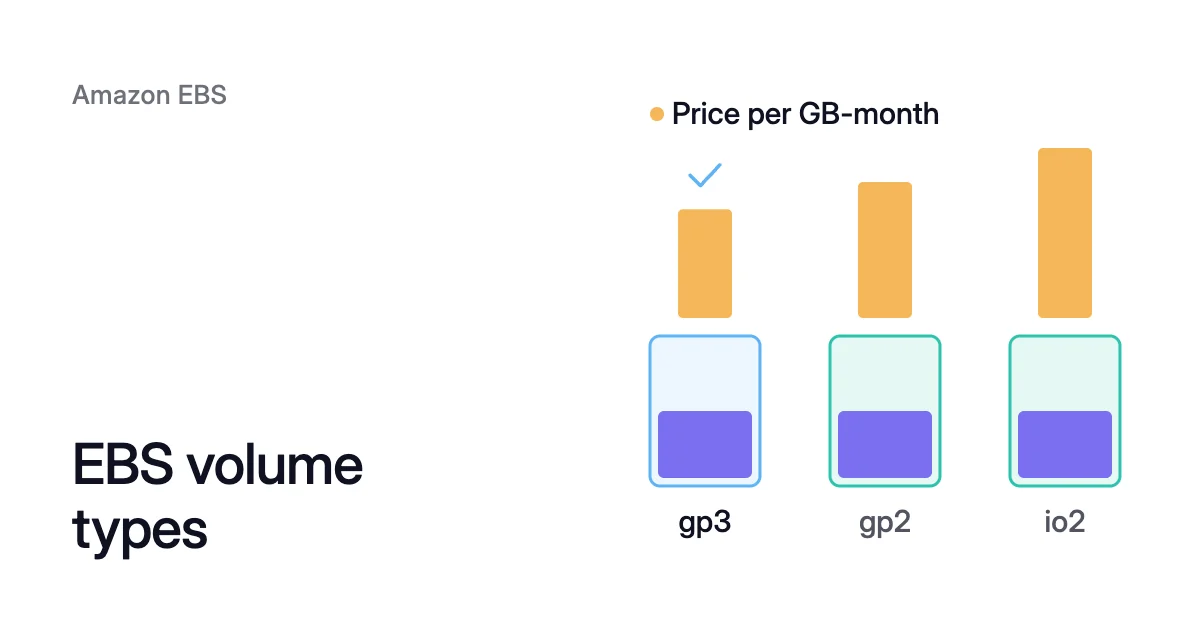
Per GB, the six prices span more than eight to one, from $0.015 to $0.125. Of the HDD types, sc1 costs a third of st1. Among the SSDs, gp3 costs 20% less than gp2, and io2 and io1 cost 56% more than gp3.
Prices differ by Region and change, so check AWS’s pricing page for yours. The EBS pricing calculator shows what a gp3 or gp2 volume costs a month at list price, and what its empty space costs.
How to choose an EBS volume type, in order
On EBS, the I/O pattern settles SSD vs HDD. Three checks, asked in order, then pick one type.
Measure what the volume does
On a Nitro instance, the Amazon CloudWatch metrics VolumeAvgIOPS and VolumeAvgThroughput give each minute’s average IOPS, and its throughput in KiB/s.
VolumeIOPSExceededCheck and VolumeThroughputExceededCheck read 1 when the application keeps asking for more than the volume has. On gp2, st1 and sc1, BurstBalance shows the share of credits left.
Three checks that pick the type
Ask these in order, and stop at the first yes:
- Does one volume need more than gp3 can give? That means more than 80,000 IOPS or 2,000 MiB/s, steady sub-millisecond latency, or 99.999% durability. It also covers Multi-Attach, one volume attached to several instances, which only io1 and io2 support. If so, use io2. io2 vs gp3 prices each case.
- Is the I/O large and sequential? HDD fits only a data volume of 125 GiB or more, since st1 and sc1 can’t boot. AWS points small, random I/O to SSD instead. If so, use st1 or sc1, as the next section explains.
- Everything else gets gp3. Provision the IOPS and throughput you measured, above the included 3,000 and 125 MiB/s.
Volumes you already have
Two types are worth moving away from:
- gp2 to gp3. gp3 costs 20% less per GiB and includes 3,000 IOPS at any size. A gp2 volume of 334 GiB or more has 250 MiB/s, though, so set gp3’s throughput to match. gp2 vs gp3 has the steps.
- io1 to io2. Both cost $0.125 per GB-month, and $0.065 per IOPS-month up to 32,000. Yet io2 allows 1,000 IOPS per GiB, against io1’s 50, and it’s designed for 99.999% durability.
st1 vs sc1: two HDD types for large, sequential data
Both HDD types measure performance in throughput and use a burst bucket of credits. Volume size sets the baseline, the rate at which credits build up. It also sets the burst rate, which lasts while credits do.
- st1 builds credits at 40 MiB/s per TiB and bursts at 250 MiB/s per TiB, up to 500 MiB/s. At 2 TiB, that’s 80 MiB/s baseline and 500 MiB/s burst.
- sc1 builds credits at 12 MiB/s per TiB and bursts at 80 MiB/s per TiB, up to 250 MiB/s. At 2 TiB, that’s 24 MiB/s and 160 MiB/s.
A full bucket holds enough credits for one full scan of the volume. AWS’s advice is to use st1 when scans must finish fast or run several times a day. Use sc1 when the data is read rarely and 250 MiB/s is enough.
While a snapshot of an st1 or sc1 volume runs, its performance may drop as far as its baseline. So schedule snapshots away from the nightly scan.
What a 2 TiB log store costs on each type
From a full bucket, AWS’s scan-time table puts a full 2 TiB scan at about 3.64 hours on sc1 and 1.17 hours on st1. Matching st1’s 500 MiB/s on gp3 costs more, since gp3 includes only 125 MiB/s:
- Storage is 2,048 × $0.08 = $163.84.
- The 375 MB/s above 125 add 375 × $0.040 = $15.
- That’s $178.84 a month, sustained rather than burst.
On gp2, the same volume costs 2,048 × $0.10 = $204.80, at 250 MiB/s. So for one scan a night, st1 does the job for about half the price of gp3.
At 80 MiB/s, an empty st1 bucket of that size refills in about 7.3 hours (2,097,152 MiB ÷ 80 MiB/s), well before the next night. The monthly archive suits sc1: 500 × $0.015 = $7.50 a month, against $40 on gp3.
The type can change later, the size only grows
Elastic Volumes is AWS’s name for changing a volume in place. On an instance that supports it, you can change a volume’s type, IOPS and throughput while it stays in use. The change itself costs nothing, and the new price applies from its start.
So the type isn’t a final choice. Each volume takes up to four changes in a rolling 24 hours, each after the last has completed.
The new size and performance must fit the target type. A 100 GiB gp3 volume becomes st1 only if it also grows to 125 GiB. A root volume of type io1, io2, gp2, gp3 or standard can’t become st1 or sc1 at all.
Size is the one setting that only grows. AWS says: “You can’t decrease the volume size.” A smaller volume means a new volume and a copy of the data.
So keep the size tight. Give a volume what its data needs, with room for near-term growth, and grow it when it fills.
A size increase usually takes effect within seconds, and increasing EBS volume size shows how to grow the filesystem while it stays mounted. Shrinking an EBS volume takes the copy and a short stop. EBS Elastic Volumes covers every change and its limits.
Where Amoeba fits
The type sets what each GiB costs. The size sets how many GiB you pay for, and on EBS it only grows.
Amoeba optimizes block storage on Azure and AWS, and on AWS it targets that second number.
What Amoeba does on AWS
- What it works on. The data volumes of running EC2 instances, on Windows and Linux. It never touches the root volume, and it leaves Multi-Attach volumes out.
- The pool. Amoeba moves an instance’s EBS data volumes onto one btrfs pool of gp3 volumes, sized to your data, with room to grow. Each pool volume gets at least gp3’s included performance, and more when the instance’s load needs it.
- The move. Amoeba copies your data while your services run. Then it switches each mount to the pool, with a short restart of the services that use it.
- Rightsizing. It grows the pool before it fills. When your data goes down and stays down, it shrinks the pool one volume at a time.
- The old volumes. Once the switch is checked, Amoeba snapshots and deletes each old volume, then deletes the snapshots a few days later. You pay for both sets of volumes only while the move runs, then for the snapshots while they’re kept.
Which volumes suit a gp3 pool
Amoeba acts only on the instances you onboard. Because the pool is gp3, it stops at gp3’s limits, so leave out an instance whose volumes need io2 under the first check above.
Per GiB, gp3 also costs more than either HDD type. At list price, sc1 costs 19% of gp3 and st1 56% ($0.015 and $0.045 against $0.08).
So run the numbers before you onboard an instance with st1 or sc1 volumes. A pool reduces cost there only when it needs far fewer GiB than the volumes have.
EBS cost optimization lists what each instance needs.
Sources: AWS, “Amazon EBS volume types” (opens in a new tab); AWS, “Amazon EBS General Purpose SSD volumes” (opens in a new tab); AWS, “Amazon EBS Provisioned IOPS SSD volumes” (opens in a new tab); AWS, “Amazon EBS Throughput Optimized HDD and Cold HDD volumes” (opens in a new tab); AWS, “Amazon EBS pricing” (opens in a new tab); AWS, “Modify an Amazon EBS volume using Elastic Volumes operations” (opens in a new tab); AWS, “Amazon CloudWatch metrics for Amazon EBS” (opens in a new tab).