Published 1 November 2026 · By Swapna Nanda (opens in a new tab), Guest author · Infrastructure engineer at Salesforce · Published by Zoorik
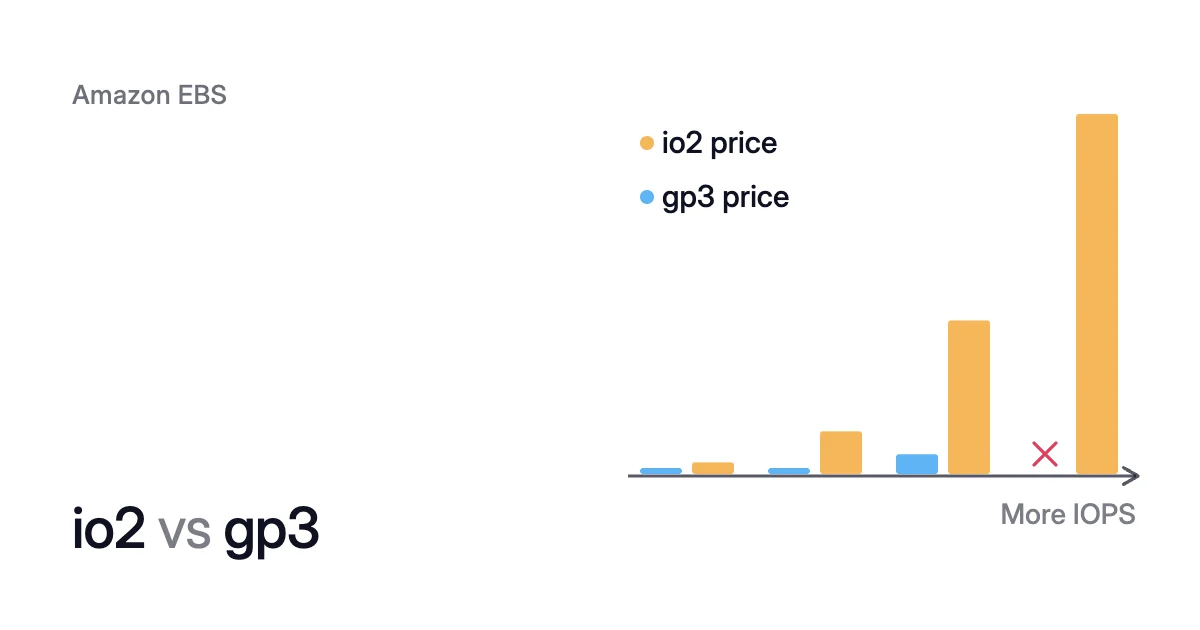
Short answer. In io2 vs gp3, gp3 is the default, and io2 costs more per GB and charges for every IOPS (input/output operations per second). Pay for io2 only when a volume needs more than gp3’s 80,000 IOPS, steady sub-millisecond latency, Multi-Attach or 99.999% durability.
io2 vs gp3: four things io2 adds, at a higher price
Picture a 1,000 GiB database volume that needs 16,000 IOPS and 500 MiB/s. At US East list prices, it costs $160 a month on gp3 and $1,165 on io2. Pay the difference only for a capability gp3 lacks.
Both are solid-state drive (SSD) volume types in Amazon Elastic Block Store (EBS). Both let you set IOPS apart from size.
General Purpose SSD, or gp3, comes with 3,000 IOPS and 125 MiB/s on every volume. You buy more of either, up to its limits.
Provisioned IOPS SSD, or io2, includes no IOPS in its price. You provision every IOPS, and throughput rises with them at 0.256 MiB/s per IOPS, up to 4,000 MiB/s.
On 26 September 2025, AWS raised gp3’s limits and kept its pricing model:
- Size went from 16 TiB to 64 TiB.
- IOPS went from 16,000 to 80,000.
- Throughput went from 1,000 MiB/s to 2,000 MiB/s.
The io2 Block Express vs gp3 question is the same comparison. AWS says that as of 30 April 2025, every io2 volume, new or previously created, is io2 Block Express.
| What you decide on | gp3 | io2 Block Express | io1 |
|---|---|---|---|
Size | 1 GiB to 64 TiB | 4 GiB to 64 TiB | 4 GiB to 16 TiB |
Most IOPS per volume | 80,000 (on Nitro instances) | 256,000 (on Nitro instances) | 64,000 (on Nitro instances) |
Most IOPS per GiB | 500 | 1,000 | 50 |
Most throughput | 2,000 MiB/s | 4,000 MiB/s | 1,000 MiB/s |
Included in the price | 3,000 IOPS and 125 MiB/s | No IOPS | No IOPS |
Latency, as AWS states it | Single-digit millisecond | Average under 500 microseconds for 16 KiB I/O, on Nitro instances | Depends on the IOPS you provision and your workload |
Provisioned performance delivered | 99% of the time | 99.9% of the time | 99.9% of the time |
Durability (annual failure rate) | 99.8% to 99.9% (0.1% to 0.2%) | 99.999% (0.001%) | 99.8% to 99.9% (0.1% to 0.2%) |
Multi-Attach and NVMe reservations | Not supported | Supported | Supported |
Storage, US East (N. Virginia), Oct 2026 | $0.08 per GB-month | $0.125 per GB-month | $0.125 per GB-month |
IOPS, same Region and date | $0.005 per IOPS-month above 3,000 | $0.065 per IOPS-month up to 32,000, $0.046 to 64,000, $0.032 above | $0.065 per IOPS-month |
Throughput, same Region and date | $0.040 per MB/s-month above 125 | No separate charge | No separate charge |
io2 vs gp3 performance: more per volume, and steadier latency
If one volume must go past gp3’s 80,000 IOPS or 2,000 MiB/s, io2 is the type that does. It goes up to 256,000 IOPS and 4,000 MiB/s.
Past 32,000 IOPS, either type needs an instance built on the Nitro System. Other instance types reach 32,000 IOPS at most.
Each volume is also capped by its instance. AWS’s I/O guidance assumes an instance “that can provide sufficient bandwidth”. So check the instance’s EBS limits before you buy IOPS it can’t use.
Size caps IOPS on small volumes. A gp3 volume allows 500 IOPS per GiB, so its 80,000 IOPS need at least 160 GiB. An io2 volume allows 1,000 per GiB and reaches 256,000 IOPS at 256 GiB.
On a 20 GiB volume, gp3 tops out at 10,000 IOPS and io2 at 20,000.
io2 vs gp3 latency
AWS describes gp3 latency as single-digit millisecond. The gp3 page itself recommends io2 for latency-sensitive workloads.
For io2 on Nitro instances, AWS gives an average under 500 microseconds for 16 KiB I/O. It also says I/Os slower than 800 microseconds happen over 10 times less often on io2 than on General Purpose volumes.
AWS designs gp3 to deliver its provisioned performance 99% of the time, and io2 99.9%.
AWS advises checking that the application isn’t asking for more IOPS or throughput than the volume is provisioned for. The VolumeIOPSExceededCheck and VolumeThroughputExceededCheck metrics return 1 when that happens.
VolumeAvgReadLatency and VolumeAvgWriteLatency show the latency you get today. Raising gp3 IOPS costs far less than moving to io2.
Multi-Attach needs Provisioned IOPS, and 99.999% durability needs io2
Multi-Attach lets you attach one Provisioned IOPS volume, io1 or io2, to up to 16 Nitro instances. They must be in the same Availability Zone, and each gets full read and write access. The gp3 type doesn’t support it.
Multi-Attach costs nothing beyond the volume’s normal charges. Still, AWS warns that standard file systems such as XFS and ext4 aren’t designed to be used by several instances at once. It points you to a clustered file system.
A Multi-Attach volume can’t be a boot volume. Windows instances support Multi-Attach on io2 only.
AWS designs io2 for 99.999% durability, an annual failure rate of no more than 0.001%. That’s one volume failure per 100,000 running volumes a year. The gp3 and io1 types are designed for 99.8% to 99.9%, at most two failures per 1,000.
Restoring a snapshot after a failure loses every write since it was taken. So io2 earns its price on a volume whose recent writes you can’t rebuild.
io2 vs gp3 cost: io2 never costs less for a volume gp3 can serve
Prices here are the Amazon EBS pricing page’s October 2026 list prices for US East (N. Virginia). They differ by Region and change over time.
The pricing page writes MB/s where the volume docs write MiB/s, for the same setting.
- Storage is 1,000 × $0.08 = $80.
- The 13,000 IOPS above the included 3,000 add 13,000 × $0.005 = $65.
- The 375 MB/s above the included 125 add 375 × $0.040 = $15.
On io2 the same volume costs $1,165 a month, about 7 times as much:
- Storage is 1,000 × $0.125 = $125.
- All 16,000 IOPS are charged, since io2 includes none: 16,000 × $0.065 = $1,040.
- Throughput, up to 4,000 MiB/s, has no charge.
The io2 IOPS rate drops to $0.046 from 32,001 to 64,000, and to $0.032 above that. AWS applies those tiers per volume. So ten volumes at 10,000 IOPS each pay the first-tier rate.
Four cases, from 3,000 to 256,000 IOPS
Here’s the monthly gp3 vs io2 cost of the opening’s volume in four cases. In each one gp3 can serve, io2 costs at least four times as much:
- 3,000 IOPS: gp3 $80, io2 $320.
- 16,000 IOPS: gp3 $160 with 500 MiB/s, io2 $1,165.
- 80,000 IOPS, gp3’s ceiling: gp3 $540 with its throughput at 2,000 MiB/s, and io2 about $4,189.
- 256,000 IOPS: only io2 can serve it, for about $9,821.
In proportion, the gap is smallest on very large volumes with little performance. There it comes close to the 56% more per GB that io2’s storage costs.
Small volumes that need about 3,000 IOPS see the widest gap. A 100 GiB volume at 3,000 IOPS costs $8.00 on gp3 and $207.50 on io2.
io1 vs io2 vs gp3: io2 replaces io1 at the same price or less
io1 is the other Provisioned IOPS type. Its list prices match io2 for storage and the first 32,000 IOPS. Past 32,000, io1 charges $0.065 for every IOPS up to its 64,000 maximum, while io2 drops to its second and third tiers.
io1 also allows only 50 IOPS per GiB, so 10,000 IOPS needs a 200 GiB io1 volume. The same IOPS fit on 10 GiB of io2 or 20 GiB of gp3.
io1’s durability is gp3’s 99.8% to 99.9%. AWS’s Multi-Attach guide recommends io2 over io1 for performance, consistency and durability, at less cost.
So in io1 vs io2 vs gp3:
- Use gp3 by default.
- Use io2 when you need Provisioned IOPS.
- Keep io1 only for volumes you haven’t moved yet.
The AWS Command Line Interface (CLI) command modify-volume can change io1 to io2 in place. For a Multi-Attach volume, a change between io1 and io2 is the only type change AWS allows. It works even while the volume is attached.
How to choose between io2 and gp3, and how to switch
Four checks for io2
Move a volume from gp3 to io2 only when one of these holds:
- Shared writes. Several instances must write to one volume, which needs Multi-Attach, so io2.
- Past gp3’s ceiling. One volume needs more than 80,000 IOPS or 2,000 MiB/s, on a Nitro instance whose EBS limits allow it.
- Latency. The exceeded checks read 0, so gp3 is correctly provisioned. Yet VolumeAvgReadLatency or VolumeAvgWriteLatency stays too high for the workload’s latency budget.
- Durability. Losing the writes made since your last snapshot would cost you more than io2’s premium.
If none of them holds, keep gp3 at the IOPS and throughput you measured. If you’re still on gp2, moving to gp3 comes first. AWS prices gp3 20% below gp2 per GiB.
Try io2, and go back if it doesn’t help
On a current-generation instance, modify-volume may apply the type change without stopping the instance or detaching the volume. So you can try io2 and come back. Elastic Volumes covers what else a modification can change.
- Change the type to io2 and name the IOPS: if you leave out
--iops, AWS sets 3,000.
$ aws ec2 modify-volume --volume-id <volume-id> --volume-type io2 --iops <iops>
- If io2 doesn’t help under the real workload, change back to gp3 and set the throughput. A volume that changes to gp3 from io1 or io2 gets 125 MiB/s unless you name a value. Its IOPS must fit gp3’s range of 3,000 to 80,000. Above the included 3,000, they can’t exceed 500 per GiB.
$ aws ec2 modify-volume --volume-id <volume-id> --volume-type gp3 --iops <iops> --throughput <mib-per-second>
You can modify a volume up to four times in a rolling 24-hour period. Each change must complete before the next one starts, so a trial and a return take two.
Where Amoeba fits
Once a data volume sits on gp3 at its included performance, you pay only for the GB you provisioned. The modify-volume command needs a target size “greater than or equal to the existing size of the volume”. So space you once needed is still charged after the data shrinks.
The EBS pricing calculator shows what that empty space costs. The copy route to a smaller volume is in how to shrink an EBS volume.
What Amoeba does on AWS
Amoeba optimizes block storage on Azure and AWS. On AWS, its EBS cost optimization moves a running instance’s EBS data volumes onto one btrfs pool of gp3 volumes. It never touches the root volume, and it leaves Multi-Attach volumes out.
- Rightsizing. The pool is sized to your data, with room to grow. Amoeba grows it before it fills, and shrinks it one volume at a time when your data goes down and stays down.
- The move. Amoeba copies your data while your services run, then switches each mount to the pool with a short restart of those services. If the switch fails, it puts the original mounts back and tries again.
- The old volumes. Once the switch is checked, Amoeba snapshots and deletes each old volume, then deletes the snapshots a few days later. You pay for both sets of volumes only while the move runs, then for the snapshots while they’re kept.
On AWS the pool is always gp3, so each pool volume stops at 80,000 IOPS. Data that moves off io2 also gives up its 99.999% durability, sub-millisecond latency and 99.9% consistency. So leave out any instance on io2 for checks 2 to 4 above.
Sources: AWS, “Amazon EBS volume types” (opens in a new tab); AWS, “Amazon EBS General Purpose SSD volumes” (opens in a new tab); AWS, “Amazon EBS Provisioned IOPS SSD volumes” (opens in a new tab); AWS, “Amazon EBS pricing” (opens in a new tab); AWS What’s New, “Amazon EBS increases the maximum size and provisioned performance of General Purpose (gp3) volumes” (opens in a new tab); AWS, “Attach an EBS volume to multiple EC2 instances using Multi-Attach” (opens in a new tab); AWS, “Amazon EBS I/O characteristics and monitoring” (opens in a new tab); AWS CLI Command Reference, “modify-volume” (opens in a new tab).