Published 1 November 2026 · By Swapna Nanda (opens in a new tab), Guest author · Infrastructure engineer at Salesforce · Published by Zoorik
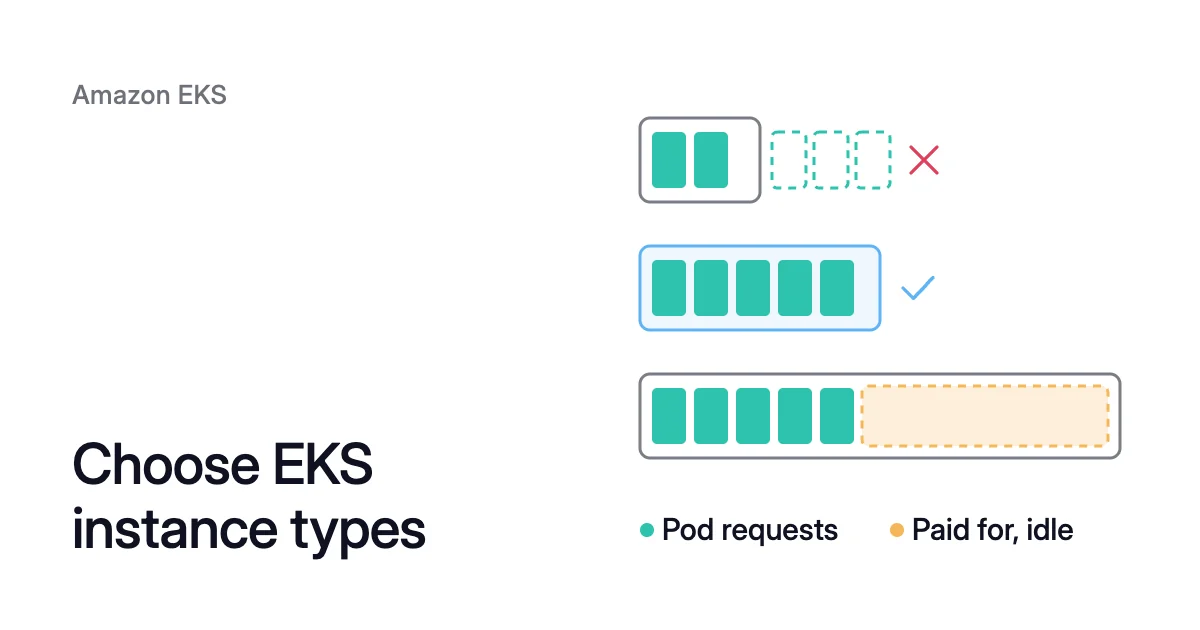
Short answer. Choose EKS instance types in four steps: the family that fits your pods’ CPU-to-memory ratio, then the processor, the size, and On-Demand or Spot. The family matters most: in one example at October 2026 list prices, the wrong one made the same pool cost 77% more.
EKS instance types are EC2 types, read from the name
In an Amazon Elastic Kubernetes Service (EKS) cluster, node groups and Karpenter launch EC2 instances as nodes. So the AWS EKS instance types you can pick are EC2 instance types, from what AWS calls a wide selection. There’s no single best instance type for EKS, but there is an order to choose in.
The name holds most of what you need. AWS’s naming rule reads a type such as m7i.2xlarge in four parts:
mis the series, general purpose.cis compute optimized,ris memory optimized andtis burstable.7is the generation.iis an option, here an Intel processor.ameans AMD, andgmeans AWS Graviton, which is Arm-based.2xlarge, after the period, is the size. An m7i.2xlarge has 8 virtual CPUs (vCPUs) and 32 GiB of memory.
The part before the period, m7i, is the instance family. Across its sizes, m7i keeps the same 4 GiB of memory per vCPU.
Make the choices in this order, since each one narrows the next:
- The family, from your pods’ CPU-to-memory ratio.
- The processor, by price and by what your images run on.
- The size, so your pods fill each node.
- How you pay: On-Demand, Spot or a commitment.
EKS supported instance types
EKS runs most EC2 types as nodes. Its Amazon Machine Images (AMIs) leave a few out:
- No EKS AMI supports the mac family.
- The Arm and non-accelerated AMIs don’t support the g3, g4, inf and p families.
- The accelerated AMIs don’t support the a, c, hpc, m and t families.
- On Arm, Amazon Linux 2023 needs Graviton2 or later, so A1 instances are out.
AWS doesn’t offer every type in every Region. If you use security groups for Pods, only specific types are supported.
Step 1: match the instance family to your pods’ requests
The Kubernetes scheduler places pods by their requests, the CPU and memory each container asks for. So the best family is the one whose memory per vCPU is closest to your pods’.
Add up a pool’s requests and divide memory by CPU. Then compare that ratio with the families. At the 2xlarge size, three seventh-generation Intel families each have 8 vCPUs:
- c7i.2xlarge, compute optimized: 16 GiB, or 2 GiB per vCPU.
- m7i.2xlarge, general purpose: 32 GiB, or 4 GiB per vCPU.
- r7i.2xlarge, memory optimized: 64 GiB, or 8 GiB per vCPU.
A family that doesn’t match runs out of one resource first. The other sits idle on every node, and you still pay for it.
| Instance type | Nodes needed | What runs out first | Price an hour | Pool a month |
|---|---|---|---|---|
c7i.2xlarge | 8 | Memory: 120 ÷ 16 GiB = 7.5, so 8 | $0.357 | $2,084.88 |
r7i.2xlarge | 4 | CPU: 30 ÷ 8 vCPUs = 3.75, so 4 | $0.5292 | $1,545.26 |
m7i.2xlarge | 4 | Both fit: 32 vCPUs and 128 GiB | $0.4032 | $1,177.34 |
The prices are Linux On-Demand list prices in US East (N. Virginia), October 2026, over a 730-hour month. Prices change.
The c7i pool costs 77% more than the m7i pool, and 34 of its 64 vCPUs are unrequested. The r7i pool costs 31% more, with 136 of its 256 GiB unrequested.
These counts use each type’s full vCPUs and memory. Kubernetes keeps part of every node for itself, so check the counts against allocatable.
Leave the t series out of steady pools. AWS’s EKS guidance says to avoid burstable CPUs where performance must stay consistent.
Step 2: choose Intel, AMD or Graviton
Within a series and generation, the option letter names the processor. Prices differ by processor. At 8 vCPUs and 32 GiB, in the same Region and month:
- m7g.2xlarge, Graviton: $0.3264 an hour, 19% less than m7i.
- m7i.2xlarge, Intel: $0.4032 an hour.
- m7a.2xlarge, AMD: $0.46368 an hour, 15% more than m7i.
On four m7g.2xlarge nodes, the example pool comes to $953.09 a month, against $1,177.34 on m7i. AWS’s EKS cost guide puts Graviton at up to 20% cheaper than x86.
Graviton is Arm-based, so every image on those nodes needs an arm64 build, DaemonSets included. AWS also advises keeping each workload on one architecture, for consistent performance.
A newer generation isn’t always cheaper per hour. In the same Region, m8i.2xlarge lists at $0.42336, 5% above m7i.2xlarge. So compare prices rather than assume.
Step 3: pick a size your pods can fill
In the m7i family, price follows size: an m7i.4xlarge lists at $0.8064, exactly twice the 2xlarge. So a larger m7i doesn’t cost less per vCPU, but it can spread each node’s overhead.
Every node runs a copy of each DaemonSet and adds calls to the API server. AWS’s EKS guide says that in general, fewer, larger instances are better, especially with many DaemonSets.
AWS’s EKS best practices point to sizes from 4xlarge to 12xlarge. At those sizes, DaemonSets and system reserves take a smaller share of each node. The range stops short of the very large sizes with non-uniform memory access (NUMA).
Limits that come with large nodes
AWS also notes that large nodes may not fill as fully as small ones. Four limits decide how far up to go:
- Pod slots. On a managed node group without a custom AMI, EKS caps a node at 110 pods under 30 vCPUs, and 250 above. An m7i.4xlarge has 16 vCPUs, so it gets 110. Pods that request 100m (a tenth of a vCPU) each fill all 110 slots with 11 of its 16 vCPUs requested.
- Auto Mode. EKS Auto Mode holds every node to 110 pods or fewer.
- Outages. In AWS’s example of a cluster of three very large instances, one outage could affect a third of the cluster.
- EBS volumes. Each instance type caps the Amazon Elastic Block Store (EBS) volumes it can attach. Pods with their own volumes can reach that cap first.
The max pods per node entry covers how the cap is worked out.
Split pools by churn, too. AWS points small batch pods that start and stop often to the 4xlarge family. For Kafka, a low-churn service that takes 8 vCPU, it points to the 12xlarge family.
Kubernetes node size best practices works through the sizing arithmetic for each pool. The EKS pricing calculator shows a candidate type’s monthly list price, and how much of it your pods can use.
Step 4: On-Demand, Spot or a commitment
A managed node group runs only On-Demand or only Spot instances, and On-Demand is the default. To run both, you create two groups.
Spot instances are spare EC2 capacity at steep discounts, which AWS’s EKS cost guide puts at up to 90%. EC2 can take one back with a two-minute notice. AWS recommends Spot for stateless, fault-tolerant work, such as batch jobs, queue processing and stateless APIs.
Spot calls for more EKS node instance types, not fewer. A Spot group should list several types, so it can draw on more Spot capacity pools.
With the Cluster Autoscaler, AWS recommends types with the same vCPUs and memory. For 4 vCPUs and 8 GiB, its list includes c5.xlarge, c5a.xlarge and c5d.xlarge.
A commitment can tie you to step 1’s answer:
- Compute Savings Plans can reduce EC2 cost by up to 66%, with no commitment to a type, family or Region.
- EC2 Instance Savings Plans reach up to 72%, but for one family in one Region.
- Both commit you for 1 or 3 years.
So settle the family before you buy an EC2 Instance Savings Plan.
Put the types in a node group or a Karpenter NodePool
A managed node group keeps a fixed list
A managed node group launches from the list of types you give it. On-Demand groups try them in the order you list them.
AWS says the Cluster Autoscaler needs similarly sized node groups. So give each size its own group, and give Graviton its own group too.
Changing a group’s types later usually means a new group and a drain. How to change an EKS node group instance type walks through it, with the Arm checks.
Karpenter picks from a range
Karpenter has no fixed list. It picks a type at each launch, from the pending pods’ needs, availability and cost. So steps 1 to 3 become bounds, not a single pick.
AWS warns against narrowing it to one type. A Region holds only so many instances of any one type. Outgrow them, and launches fail with an error that none are available.
Karpenter’s docs say instance types should be a list, and suggest bounds like these for most workloads:
requirements:
  - key: kubernetes.io/arch
    operator: In
    values: ["amd64"]
  - key: karpenter.k8s.aws/instance-category
    operator: In
values: ["c", "m", "r"]With c, m and r allowed, Karpenter can match the family to the pods it places. Add arm64 to the architectures once your images have arm64 builds, and Graviton joins the range.
How Coral works with your EKS instance types
Every step above starts from your pods’ requests. AWS’s EKS cost guide says requests should match real use, because requests set too high leave capacity unused.
Coral optimizes Kubernetes on AKS and EKS. It rebalances each container’s CPU and memory requests to what it really uses. That changes the ratio from step 1, so the family that fits can change too.
What Coral then does with your nodes depends on your autoscaler:
- With Karpenter. A rebalance replaces the nodes you choose with cheaper machines that still fit the work. Your Karpenter launches them, and the old nodes are drained and removed one by one.
- With only the Cluster Autoscaler. Coral drains spare nodes for it to remove, but never changes their size. A new instance type is still a new node group.
- With no autoscaler. Connecting the cluster can set up Karpenter on EKS, with your approval.
Coral never adds machines to a managed node group, and a rebalance never goes past a PodDisruptionBudget (PDB). When a node is emptied, a single-copy app that can’t get a new copy first gets a short restart.
EKS cost optimization covers what Coral does on EKS. The Kubernetes cost optimization guide puts requests and nodes in order.
Sources: AWS, “Choose an optimal Amazon EC2 node instance type” (opens in a new tab); AWS, “Amazon EC2 instance type naming conventions” (opens in a new tab); AWS, “Amazon EC2 On-Demand Pricing” (opens in a new tab); AWS, “Compute and Autoscaling” (opens in a new tab) (Amazon EKS Best Practices Guide); AWS, “Node and Workload Efficiency” (opens in a new tab) (Amazon EKS Best Practices Guide); AWS, “Kubernetes Data Plane” (opens in a new tab) (Amazon EKS Best Practices Guide); AWS, “Simplify node lifecycle with managed node groups” (opens in a new tab); Karpenter, “NodePools” (opens in a new tab).