Published 1 November 2026 · By Vineet (opens in a new tab), Infrastructure engineer, Zoorik · Published by Zoorik
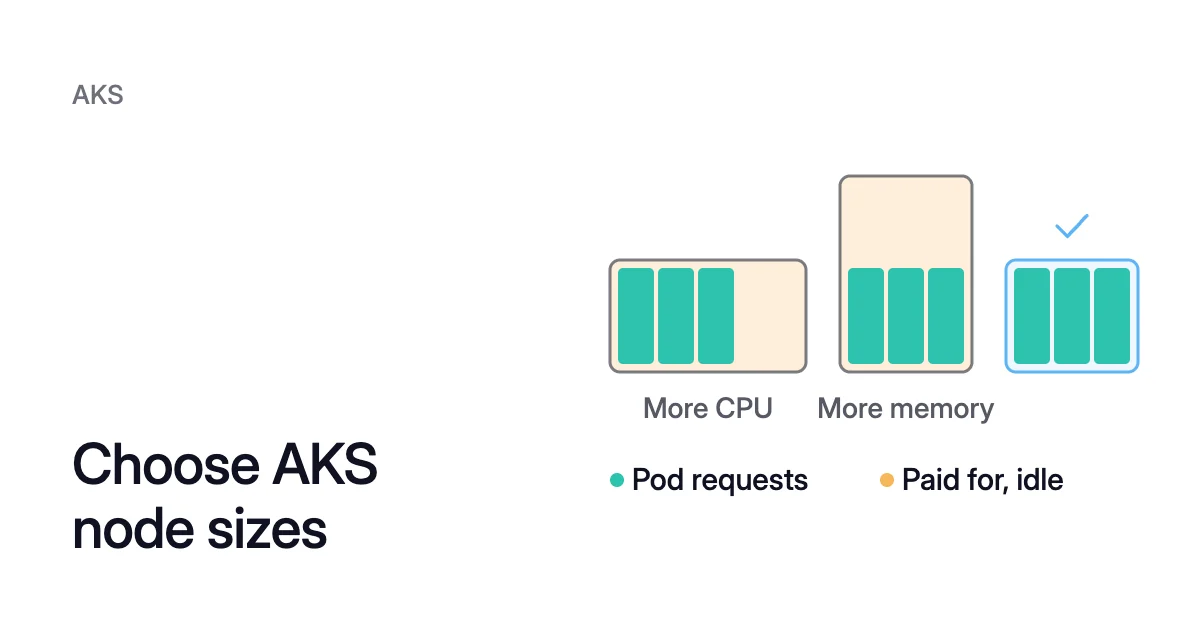
Short answer. To choose AKS node sizes, size the system pool first, then match each user pool’s VM series to its pods’ memory per vCPU. Pick the processor and disk letters next, and the size last: a series usually lists every size at one price per vCPU.
How to choose AKS node sizes, one decision at a time
Picture a cluster created from the Azure portal’s Production Standard preset. Both its pools run Standard_D8ds_v5 nodes, and your apps are memory-heavy services. The preset is a sound start, but it knows nothing about your pods.
A pool may even carry a size nobody chose. Before May 2025, AKS used Standard_DS2_v2 when no size was given. Since then, it picks a default from available capacity and quota.
Azure AKS node sizes are Azure virtual machine (VM) sizes. So choosing a node size means choosing a VM size for each node pool, in this order:
- Size the system pool, which runs AKS’s own pods.
- Pick each user pool’s VM series to match what its pods request.
- Pick the letters and version: processor, local disk and generation.
- Pick the size within the series, by fit rather than price.
- Check that the region, your quota and the retirement dates allow it.
What AKS recommends for each node pool
The portal’s cluster presets are the closest thing to an AKS recommended node size. Each one sets a VM size for the system pool and the user pool:
| Preset | System pool node size | User pool node size |
|---|---|---|
Production Standard | Standard_D8ds_v5 | Standard_D8ds_v5 |
Dev/Test | Standard_D4ds_v5 | No user pool |
Production Economy | Standard_D8ds_v5 | Standard_D8as_v4 |
Production Enterprise | Standard_D16ds_v5 | Standard_D8ds_v5 |
Every preset uses the D family, which Microsoft calls general purpose, with a balanced CPU-to-memory ratio. Most of the sizes carry the d letter, for a local temporary disk. Production Economy’s user pool runs an AMD size, the a in Standard_D8as_v4.
The AKS system node pool’s recommended size
The system pool hosts critical system pods such as CoreDNS and metrics-server. Microsoft says it shouldn’t run your applications, and sets these rules for it:
- A VM size of at least 4 vCPUs and 4 GB of memory.
- No B-series VMs.
- At least two nodes, and three recommended for a production cluster with a single system pool.
Microsoft recommends at least three nodes of 8 vCPUs, or two of at least 16. It says this applies especially to large clusters, with several CoreDNS replicas and add-ons. Give the pool the CriticalAddonsOnly=true:NoSchedule taint, so application pods stay off it.
User pools can go smaller. Their AKS minimum node size is 2 vCPUs and 2 GB of memory, and smaller sizes might not be usable by default. Everything below applies to user pools.
Match the VM series to your pods’ memory per vCPU
The scheduler places pods by their requests, not by what they use. So start from a pool’s requests, not the VM catalogue. Divide its pods’ total memory requests by their total CPU requests, to get GiB per vCPU.
Then compare that with each VM series. On Azure’s pricing page, the preset’s D8ds_v5 has 8 vCPUs and 32 GiB, or 4 GiB per vCPU. An E8ds_v5 has 8 vCPUs and 64 GiB, or 8 GiB per vCPU.
Microsoft calls the E family memory optimized. It calls the F family compute optimized, with a high CPU-to-memory ratio.
When a series and your pods differ, one resource fills first. The rest of the other sits unrequested, and you still pay for it.
What the wrong series costs
- D series. Memory sets the count: 192 ÷ 32 = 6 D8ds_v5 nodes, with 48 vCPU. At $0.452 an hour each, they cost $1,979.76 a month.
- E series. 192 ÷ 64 = 3 E8ds_v5 nodes give exactly 24 vCPU and 192 GiB. At $0.576 an hour each, they cost $1,261.44 a month.
The E pool costs $718.32 a month less, about 36%. On the D series, that sum paid for 24 vCPU that no pod requests.
Both totals leave out what AKS keeps back on each node, and your headroom. A real pool needs some room above its requests, as Kubernetes allocatable vs capacity explains.
For pods that request more CPU than memory, the same check points the other way, toward the F family. Prices change by region and over time, so rerun the sums for yours.
Read the letters in the size name
Azure size names follow one pattern: family, vCPU count, feature letters, then version. In Standard_D4as_v5, D is the family and 4 the vCPU count. The a and s are letters, and v5 is the version.
Three letters change the price at the same vCPUs and memory:
- a means an AMD processor.
- p means an Arm-based processor, Microsoft Cobalt or Ampere Altra.
- d means the size includes a local temporary disk.
With no a or p, the series uses Intel x86-64 CPUs. The s means the size works with any Premium SSD type.
At 4 vCPUs and 16 GiB in East US, the AMD D4as_v5 lists about 10% below the Intel D4s_v5. The Arm D4ps_v5 lists about 20% below it, and the D4ds_v5, with a local disk, about 18% above.
AMD and Arm sizes
An AMD size keeps the x86-64 architecture, so your images run on it without a rebuild.
Arm takes more care. Microsoft says Arm64 VMs can deliver up to 50% better price-performance than comparable x86-based VMs for scale-out workloads.
But every image the pool runs, DaemonSets included, needs an Arm64 build. Arm64 sizes also always use Generation 2 on AKS. Azure Cobalt covers Microsoft’s own Arm chip.
The d letter and the OS disk
Current VM generations have no dedicated cache, only temporary storage. So on them, only a d size can hold an ephemeral OS disk, stored on the host. AKS uses one by default where it fits.
Microsoft strongly recommends ephemeral OS disks whenever possible, for faster reads, writes, node scaling and upgrades. Without one, each node gets a managed OS disk. By default, a size with 1 to 7 vCPUs gets a 128 GiB P10 disk.
You can’t change the OS disk size once the pool exists. So weigh the D4ds_v5’s extra $24.82 a month per node against that disk. The Azure disk pricing calculator gives its monthly price.
The version
A newer version isn’t always cheaper at list price. D4s_v6 lists at $0.202 an hour in East US, against $0.192 for D4s_v5. Microsoft says later versions typically have better performance and improved features, so weigh both.
Choose the size within the series last
AKS VM size pricing follows the vCPU count inside a series. In East US, every Dsv5 size from D2s_v5 to D96s_v5 lists at $0.048 per vCPU an hour. Four D4s_v5 nodes and one D16s_v5 both cost $0.768 an hour.
So within a series, the size sets how much the pool loses to overhead and how well pods fit, not the price of capacity:
- Each node keeps back CPU and memory for the kubelet and runs a copy of every DaemonSet. Fewer, larger nodes pay that overhead fewer times.
- A large node can run out of pod slots before CPU, and it’s harder to empty.
- A node autoscaler adds a whole node at a time, so large nodes mean large steps.
- One failed node takes more of the pool with it.
Kubernetes node size best practices works through each of these with AKS’s own reserve figures. It also gives the arithmetic for pods per node.
To price a candidate size, the EKS and AKS pricing calculator gives its monthly list price and what Kubernetes keeps on it.
You can also hand the size to Azure. Node auto-provisioning (NAP) picks VM sizes for you. Microsoft says it decides the VM configuration “based on pending pod resource requirements”.
Check the size, then measure and revisit
Before you create the pool, check that the size can run there. For the AKS node size list in your region, use:
$ az vm list-skus --location <region> --output table
A size can still be out of reach:
- Regional capacity and your subscription’s quota vary, even in regions that support AKS.
- A size in preview needs its preview flag registered.
- AKS blocks some sizes by default.
- When a size reaches its retirement date, its VMs are deallocated, which breaks the node pool.
When the size no longer fits
A size fits only as well as the requests behind it. Oversized requests make every pool look full, so set them from measured use first. Kubernetes pod right sizing shows how.
Then check what each pool costs. AKS cost analysis splits a cluster’s cost by namespace and shows its idle charges.
If the series or size no longer fits, a new size usually means a new pool. You create it and move the workloads across. How to change an AKS node pool VM size gives the steps and the exceptions.
How Coral works with your AKS node sizes
Coral optimizes Kubernetes on AKS and EKS. It works on what decides whether a node size fits: each container’s requests, and the nodes they leave spare.
- Requests. Coral rebalances each container’s CPU and memory requests to what it really uses. That changes the memory per vCPU this guide starts from.
- Spare nodes. Coral drains spare nodes one at a time, so your Cluster Autoscaler or NAP can remove them.
- Machine size, with NAP. A rebalance replaces the nodes you choose with cheaper machines that still fit the work. NAP launches them: Coral never creates machines itself.
- Cluster Autoscaler only. Coral drains spare nodes but never changes their size, so a new size still takes a new pool.
A rebalance never goes past a PodDisruptionBudget. When a node is emptied, a single-copy app that can’t get a new copy first restarts briefly.
On our own AKS development cluster, a rebalance swapped a 4-CPU Intel worker for a cheaper 4-CPU AMD machine. The worker went from $147.46 a month to $81.03, at Azure list prices. The case study has the full run, and AKS cost optimization covers Coral on AKS.
Sources: Microsoft Learn, “Use system node pools in Azure Kubernetes Service (AKS)” (opens in a new tab); Microsoft Learn, “Limits for resources, SKUs, and regions in Azure Kubernetes Service (AKS)” (opens in a new tab); Microsoft Learn, “Virtual Machine (VM) sizes, generations, and features for Azure Kubernetes Service (AKS)” (opens in a new tab); Microsoft Learn, “Virtual machine sizes overview” (opens in a new tab); Microsoft Learn, “Azure VM sizes naming conventions” (opens in a new tab); Microsoft Learn, “Concepts - Storage in Azure Kubernetes Service (AKS)” (opens in a new tab); Microsoft Learn, “Best practices for cost optimization in Azure Kubernetes Service (AKS)” (opens in a new tab); Microsoft Azure, “Linux Virtual Machines Pricing” (opens in a new tab).