Published 1 November 2026 · By Iqbal, Guest author · SDE II · Published by Zoorik
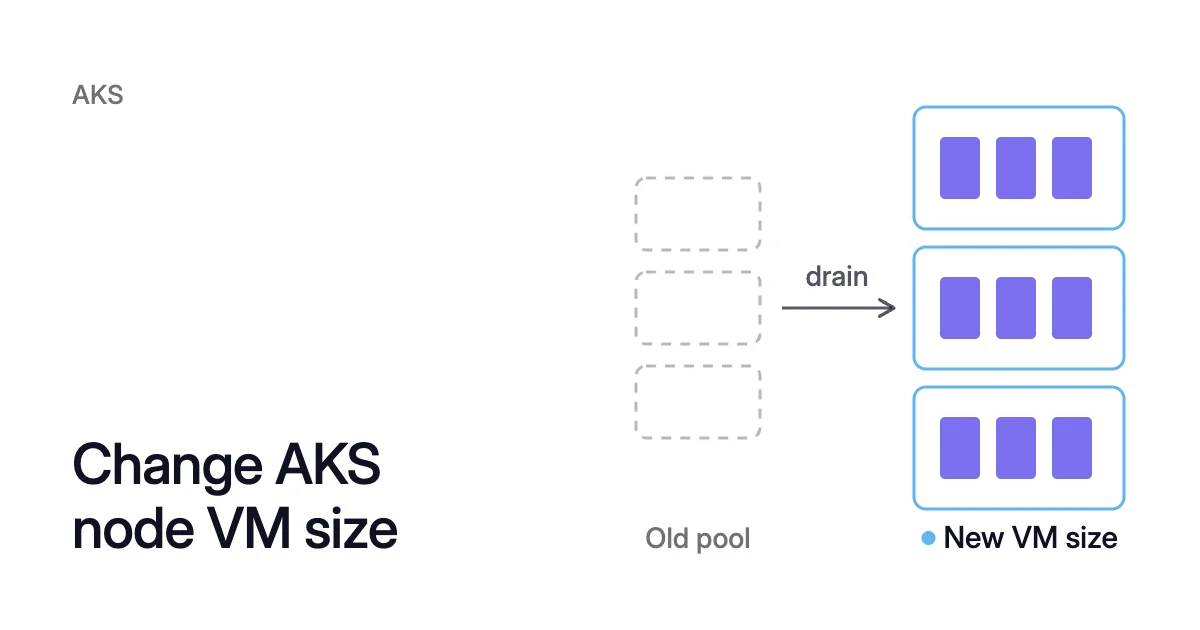
Short answer. To change an AKS node pool VM size, add a pool at the new size, then cordon, drain and delete the old one. Outside a preview, Azure Kubernetes Service (AKS) can’t resize a Virtual Machine Scale Sets (VMSS) pool in place.
Why an AKS node pool keeps its VM size
Picture nodepool1, three Standard_DS2_v2 nodes that you want on Standard_D4s_v3. You add nodepool2 at the new size and move the pods across, one node at a time. You delete nodepool1 once it’s empty, and until then you pay for both pools.
AKS node pools default to VMSS, which AKS manages for you. Microsoft’s resize guide says resizing AKS instances directly “isn’t supported” for these pools. It also quotes the AKS support policy: changes made outside the AKS API “won’t persist through an upgrade, scale, update, or reboot.”
Resizing a node’s VM yourself in the MC_ resource group isn’t a way around it.
The maximum pods per node and the OS disk type are fixed at creation too. Microsoft says you change the first by replacing the pool. For the second, the Azure CLI reference says it “may not be changed for this pool after creation.”
Three cases change the size without a new pool:
- With node auto-provisioning (NAP), you change what NAP may launch.
- A Virtual Machines node pool can hold several VM sizes, which Microsoft says you can update “using a single Azure CLI command”.
- A VMSS pool can be resized in place, in preview, within limits.
Otherwise, Microsoft recommends a new pool, cordon, drain, delete.
Check four things before you choose from the AKS VM sizes
Read the size name
Most Azure VM size names read family, vCPU count, feature letters, then version. So Standard_D4ads_v6 is the D family, 4 vCPUs and version 6.
Its letters mean an AMD processor (a), a local temporary disk (d) and compatibility with any Premium SSD type (s). A p among the letters means an Arm-based processor.
What can stop the new pool
Each of these four can keep the new pool or its pods from running:
- Check availability and quota.
az vm list-skus --location <region> --output tablelists the sizes in a region. Microsoft gives three reasons a size can be missing: quota limits, a preview size whose flag isn’t registered, and sizes AKS blocks by default. - Check the minimums. On user node pools, sizes with fewer than 2 vCPUs and 2 GB of memory might not be usable by default. System pools need more.
- Match the architecture. A
psize runs Arm64, and Arm64 sizes always use Generation 2 on AKS. Check that every container image the pool will run, DaemonSets included, has an Arm64 build. - Find pinned pods. The kubelet sets the
node.kubernetes.io/instance-typelabel to the VM size. A pod whose nodeSelector or node affinity names the old size can’t schedule on the new nodes, so it stays Pending. The Kubernetes docs advise scheduling “based on properties rather than on instance types”, such as requiring a GPU.
Quota, cost and retiring sizes
The EKS and AKS pricing calculator prices an AKS node pool at Azure list prices, so you can compare the sizes it lists. Allocatable vs capacity explains how the reserves AKS keeps on each node set what your pods can claim. Node size best practices weighs a few large nodes against many small ones.
When a VM size reaches its retirement date, Microsoft says the VM is deallocated, which breaks the node pool. Check every pool’s size:
$ az aks nodepool list \
  --resource-group <resource-group> \
  --cluster-name <cluster-name> \
  --query "[].{Name:name, VMSize:vmSize}" \
--output tableHow to change an AKS node pool VM size, step by step
The steps to change an Azure AKS node pool VM size are the same for app and system pools. New nodes come first, then the pods, then the old pool.
Prepare the new pool
- Read the old pool’s settings. A new pool starts from the command’s defaults, which are 3 nodes in User mode, not from the pool it replaces.
$ az aks nodepool show \
  --resource-group <resource-group> \
  --cluster-name <cluster-name> \
  --name <old-pool>
- Add a pool at the new size. Carry over what the old pool had:
--zones,--labels,--node-taints,--max-pods, and--enable-cluster-autoscalerwith--min-countand--max-countif it scaled.
If you leave --node-osdisk-type unset, it defaults to Ephemeral when the new VM size and OS disk size allow it. Set it if the old pool’s OS disk type must stay. Name a Linux pool with 1 to 12 lowercase letters and digits, starting with a letter.
$ az aks nodepool add \
  --resource-group <resource-group> \
  --cluster-name <cluster-name> \
  --name <new-pool> \
  --node-vm-size <new-vm-size> \
  --node-count 3 \
  --zones 1 2 3
Move the pods
- Check your PodDisruptionBudgets (PDBs). Every PDB needs at least 1 under ALLOWED DISRUPTIONS, or the drain stops at its pods. PDB best practices covers how to set them.
$ kubectl get pdb -A
- Cordon the old nodes, so no new pods land on them. AKS node names carry the pool’s name, as in
aks-nodepool1-12345678-vmss000000.
$ kubectl get nodes
$ kubectl cordon <old-node-1> <old-node-2> <old-node-3>
- Drain the old nodes one at a time. A drain evicts every pod on the node except DaemonSet and mirror pods. Single-replica apps are down until the new pod is ready.
Microsoft notes that --delete-emptydir-data is required to evict the AKS-created coredns and metrics-server pods. The flag also deletes the data in any emptyDir volume on the node. Check first that none holds data you need.
$ kubectl drain <old-node-1> --ignore-daemonsets --delete-emptydir-data
If a drain reports that an eviction “would violate the pod’s disruption budget”, give it time. AKS’s own PDBs, such as coredns-pdb, have a MinAvailable of 1. So the second coredns pod goes once the first is running again.
Cordon vs drain and draining without downtime go further.
- Confirm that every pod but the DaemonSet pods now runs on the new pool.
$ kubectl get pods -o wide -A
Delete the old pool
- Delete the old pool. A delete doesn’t cordon or drain the nodes, Microsoft notes. It deletes their VMs and anything still running on them, so run it only once step 6 shows the old nodes empty.
$ az aks nodepool delete \
  --resource-group <resource-group> \
  --cluster-name <cluster-name> \
  --name <old-pool>
The AKS system node pool VM size has stricter rules
Every AKS cluster needs at least one node pool in System mode. It hosts critical system pods like CoreDNS and metrics-server. You can delete a system pool only while another one exists.
To change the AKS system node pool VM size, add the new pool with --mode System in step 2. Microsoft’s system pool page sets these rules for it:
- The VM size has at least 4 vCPUs and 4 GB of memory.
- B-series VMs aren’t supported.
- The pool supports at least 30 pods and runs Linux.
- A production cluster with a single system pool needs at least 2 nodes, and Microsoft recommends 3.
Adding a system pool, or switching a pool’s mode, “doesn’t automatically move system pods”. They stay put until your drain evicts them. AKS labels system pool nodes kubernetes.azure.com/mode: system and prefers them for system pods.
To keep your apps off the new pool, give it the CriticalAddonsOnly=true:NoSchedule taint:
$ az aks nodepool add \
  --resource-group <resource-group> \
  --cluster-name <cluster-name> \
  --name <new-system-pool> \
  --node-vm-size <new-vm-size> \
  --node-count 3 \
  --node-taints CriticalAddonsOnly=true:NoSchedule \
  --mode System
If the old system pool also ran your apps, add a user pool for them before you drain. The taint keeps them off the new one.
Two other ways to change AKS node size
The in-place resize (preview)
az aks nodepool update --node-vm-size <new-vm-size> resizes an existing VMSS pool in one command. AKS runs it as a rolling upgrade. It surges new nodes at the target size, cordons and drains the old ones, then deletes them.
You need AKS API version 2026-01-02-preview or later and the latest aks-preview Azure CLI extension. The CLI reference adds that you must register a preview feature too. Microsoft says AKS previews aren’t “meant for production use.”
The resize reuses the upgrade engine, so the pool’s upgrade settings apply:
- Max surge (
--max-surge) defaults to 1 node, and Microsoft recommends 33% for production pools. - A pool set to
--max-surge 0gets a400 Bad Requestinstead of a resize. - The node drain timeout defaults to 30 minutes.
PDBs that don’t let at least one replica go at a time can block the resize during the drain.
AKS rejects an in-place resize that changes any of these:
- Disk controller type
- CPU architecture
- Confidential computing support
- Hypervisor generation
It also rejects one that comes with a Kubernetes version upgrade or a node count change.
Node auto-provisioning (NAP)
NAP runs Karpenter for you. Instead of one VM size per pool, a Karpenter NodePool’s requirements list what NAP may launch, such as node.kubernetes.io/instance-type In [Standard_D2s_v3].
If a running node no longer matches the changed requirements, NAP marks it drifted and replaces it. Widening the list drifts nothing, because the existing nodes still fit.
Replacements are paced by the NodePool’s disruption budget, 10% of its nodes when you set none, and by your PDBs. NAP’s consolidation also removes empty or underutilized nodes, and replaces nodes with cheaper variants on its own. The NAP guide covers turning it on and the networking it needs.
How Coral moves AKS nodes onto cheaper machines
Coral optimizes Kubernetes on AKS and EKS. It rebalances each container’s CPU and memory requests to real use, so the same autoscaler can run fewer or smaller nodes.
What Coral does with node sizes
- With NAP: Coral rebalances the nodes you choose onto cheaper machines that still fit the work. You compare current and rebalanced cost in a plan before you start. Coral creates fixed-size NodePools, NAP launches the new machines, and the old nodes are drained and removed one by one. The new pools stay after the run.
- With only the Cluster Autoscaler: Coral empties spare nodes one at a time but never changes their size. The autoscaler deletes them, so a new VM size still takes the route above.
- With no node autoscaler: connecting Coral sets up NAP, with your approval. NAP needs Azure CNI rather than kubenet.
A rebalance needs Node optimization on and the permission to remove nodes. Every AKS connect asks to set up that permission: a managed identity with the role “Zoorik Node Removal v1” on that cluster only. It also asks to turn on the OIDC issuer if it’s off, which can’t be turned off again.
A rebalance never goes past a PDB, and a node that can’t be emptied in time is kept. Where it can, Coral starts a new copy of a Deployment or Argo Rollout pod on another node first. The new copy must be Ready and serving, with no restarts, before the old pod goes.
Other pods are evicted within their PDB, and single-copy ones restart. HPA vs VPA vs Cluster Autoscaler shows where request sizing sits beside the autoscalers. AKS cost optimization covers the rest of Coral on AKS.
What one rebalance showed
On our own development cluster, one rebalance swapped a 4-CPU Intel worker for a cheaper 4-CPU AMD machine of the same size. Coral chose it from Azure’s prices, and Azure built it in under 2 minutes. The run took 8 minutes 36 seconds and reduced the cluster’s machine cost by $66.43 a month.
The 6 apps that run two copies had 0 seconds down. Each single-copy app restarted once, for 5 to 82 seconds. How we reduced AKS cluster costs by 58% has the full run.
Sources: Microsoft Learn, “Resize node pools in Azure Kubernetes Service (AKS)” (opens in a new tab); Microsoft Learn, “Use system node pools in Azure Kubernetes Service (AKS)” (opens in a new tab); Microsoft Learn, “az aks nodepool” (opens in a new tab) (Azure CLI reference); Microsoft Learn, “Virtual Machine (VM) sizes, generations, and features for Azure Kubernetes Service (AKS)” (opens in a new tab); Microsoft Learn, “Azure VM sizes naming conventions” (opens in a new tab); Microsoft Learn, “Configure disruption policies for node auto-provisioning (NAP) nodes in Azure Kubernetes Service (AKS)” (opens in a new tab); Kubernetes, “kubectl drain” (opens in a new tab); Kubernetes, “Well-Known Labels, Annotations and Taints” (opens in a new tab).