Published 1 November 2026 · By Shreya Shukla (opens in a new tab), Backend engineer, Zoorik · Published by Zoorik
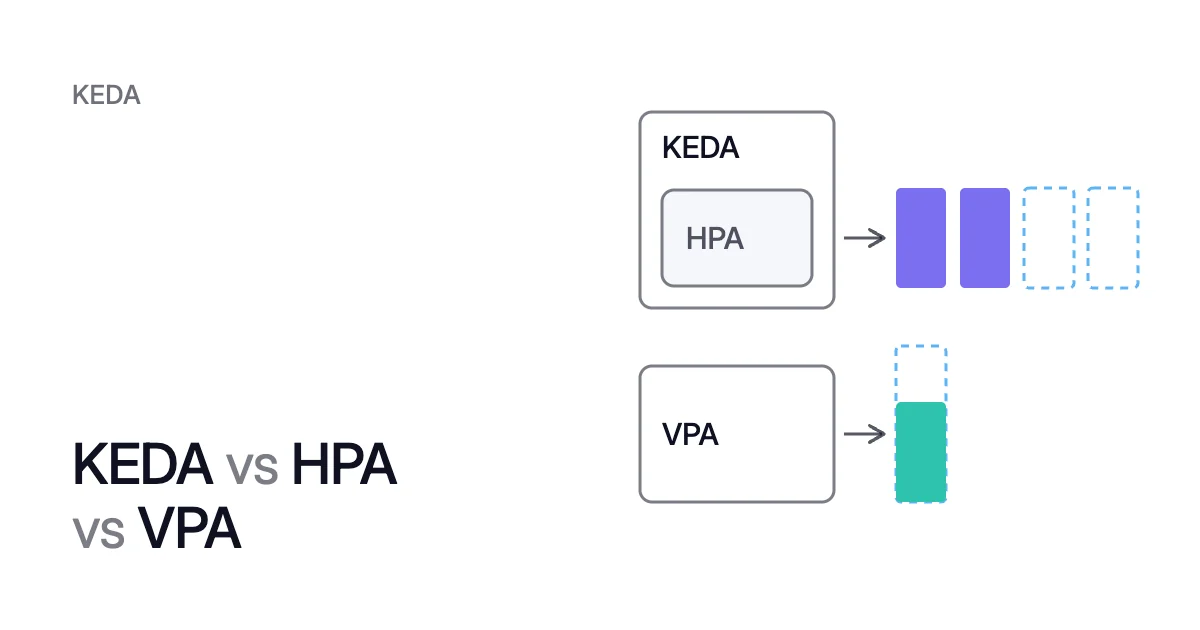
Short answer. KEDA vs HPA vs VPA comes down to pod count against pod size: the Vertical Pod Autoscaler (VPA) alone sets each pod’s requests. The Horizontal Pod Autoscaler (HPA) sets the count, usually from CPU, and KEDA sets it from events through an HPA it creates, down to zero.
KEDA vs HPA vs VPA: two set the pod count, one sets the pod size
Picture an orders worker that takes jobs from a queue and scales with an HPA on CPU. Overnight nothing waits, yet the HPA keeps at least one pod running. In the morning 400 jobs pile up, and the HPA still sees only the CPU of the pods it already runs.
KEDA (Kubernetes Event-driven Autoscaling) reads the number of waiting jobs instead, through a ScaledObject. Its HPA asks for 8 pods, one for every 50 jobs. Once nothing has waited for 300 seconds, KEDA takes the worker back to zero.
The VPA sets a different number on the same worker: each pod’s request. That’s the CPU and memory a container asks the scheduler to reserve.
None of the three adds or removes nodes. The Cluster Autoscaler, Karpenter and AKS node auto-provisioning (NAP) do that, and HPA vs VPA vs Cluster Autoscaler compares them.
| KEDA | HPA | VPA | |
|---|---|---|---|
What it changes | The number of pods, through an HPA it creates | The number of pods | Each container’s CPU and memory requests, and limits with them |
What it reads | Event sources through built-in scalers: queues, streams, Prometheus queries, cron schedules | CPU or memory use as a percentage of the request, or custom and external metrics through an adapter | Each container’s current and past use, and out-of-memory events |
Scale to zero | Yes, unless CPU and memory are its only triggers | From Kubernetes 1.37 (beta, on by default), on object or external metrics only | Doesn’t apply: it never changes the pod count |
The object you write | ScaledObject, or ScaledJob for Jobs | HorizontalPodAutoscaler (autoscaling/v2) | VerticalPodAutoscaler (autoscaling.k8s.io/v1) |
How you get it | Helm, or the managed add-on on AKS | Built into Kubernetes | An add-on from the Kubernetes autoscaler project |
Don’t pair it with | An HPA on the same workload | A ScaledObject on the same workload, or a VPA on the same CPU or memory metric | An HPA or KEDA trigger on the same CPU or memory metric |
All three meet at the request. The HPA measures CPU and memory utilization as a percentage of the request. With no request set, it takes no action on that metric.
KEDA’s cpu and memory triggers work the same way. KEDA reads those metrics from the Kubernetes Metrics Server, and the pods must set requests (or limits) for them. Only the VPA moves the request, which is why the pairs further down matter.
KEDA vs HPA: KEDA creates an HPA and feeds it events
When you apply a ScaledObject, the keda-operator creates an HPA for the target workload and manages it from then on. KEDA names it keda-hpa-<scaledobject-name> unless you set another name. The Amazon EKS user guide says you don’t create or edit it yourself.
KEDA is a graduated Cloud Native Computing Foundation project, and 2.21 is its current release as of October 2026. What KEDA is and how it scales covers its scalers and authentication.
Two tracks: zero to one, then one to N
- Between zero and one replica, the keda-operator acts alone. It checks each trigger every 30 seconds by default (
pollingInterval). It wakes the workload when a trigger turns active, and returns it to zero 300 seconds after the last active trigger (cooldownPeriod). - Between one and N replicas, the HPA decides. It asks for the metric every 15 seconds by default, and KEDA’s metrics API server answers from the event source.
KEDA autoscaling vs HPA autoscaling differs in the inputs and the step from zero. From one replica up, the HPA’s formula sets the count either way.
What a plain HPA needs to scale on events
A plain HPA reads CPU and memory from the resource metrics API. Metrics Server usually serves that API, and it’s an add-on you launch separately.
For queue depth or any other outside signal, an HPA needs an adapter for the external metrics API. KEDA is that adapter. Its built-in scalers read sources such as:
- queues and streams in Apache Kafka, RabbitMQ, Amazon SQS and Azure Service Bus
- Prometheus queries
- cron schedules
Scale to zero on a plain HPA
In Kubernetes 1.37 the HPAScaleToZero feature gate is beta and on by default. So an HPA on object or external metrics can set minReplicas: 0.
CPU and memory still can’t reach zero, because they’re only measured on running pods. The external metric also still needs an adapter, and only one server can provide external metrics in a cluster. Where KEDA runs, KEDA is that server.
KEDA ScaledObject vs HPA: one owner per workload
A ScaledObject holds what an HPA holds (the target, the bounds, the scaling behavior) plus the event source. Here is the opening’s orders worker, reading waiting jobs from Prometheus:
apiVersion: keda.sh/v1alpha1
kind: ScaledObject
metadata:
  name: orders-worker
spec:
  scaleTargetRef:
    name: orders-worker          # a Deployment in the same namespace
  minReplicaCount: 0             # the default: idle means zero pods
  maxReplicaCount: 20
  pollingInterval: 30            # the default, in seconds
  cooldownPeriod: 300            # the default, in seconds
  triggers:
    - type: prometheus
      metricType: AverageValue   # the threshold is per pod
      metadata:
        serverAddress: http://<prometheus-host>:9090
        query: <a query that returns the number of waiting jobs>
threshold: "50"At 400 waiting jobs, the threshold of 50 per pod gives 400 ÷ 50 = 8 pods, within the maximum of 20.
The rule that matters most is one pod-count owner per workload. Microsoft’s AKS documentation recommends against a ScaledObject and an HPA on the same workload. KEDA runs an HPA underneath, so the two compete.
- To hand your own HPA over to KEDA, annotate the ScaledObject with
scaledobject.keda.sh/transfer-hpa-ownership: "true"and setspec.advanced.horizontalPodAutoscalerConfig.nameto that HPA’s name. - To scale on CPU and a queue together, put both triggers in one ScaledObject. The HPA works out a replica count for each metric and uses the highest.
- A cpu or memory trigger needs requests on the pods. It can’t take a workload to zero by itself either, since no running pods means no CPU to measure.
On AKS: the KEDA add-on
On AKS Standard, KEDA is a managed add-on you turn on with the Azure CLI or an ARM template. AKS Automatic comes with KEDA preconfigured. The add-on has three limits:
- The cluster’s Kubernetes version decides which KEDA version you get.
- You can’t change the CPU requests, limits or other Helm values of its operator or metrics server.
- KEDA must be the only external metrics server in the cluster, and a second KEDA installation isn’t supported.
So on AKS, KEDA vs HPA is a choice you make per workload:
- KEDA for workloads driven by Kafka topics or Event Hubs
- a plain HPA for CPU-bound services
- never both on one Deployment
On EKS: install KEDA with Helm
The EKS user guide installs KEDA with Helm:
- Add the KEDA chart repository, then update your repositories:
$ helm repo add kedacore https://kedacore.github.io/charts
$ helm repo update
- Install KEDA into its own namespace,
keda:
$ helm install keda kedacore/keda --namespace keda --create-namespace
- Install Metrics Server too if the cluster lacks it, because KEDA’s cpu and memory triggers and the HPA’s CPU scaling read from it.
KEDA vs VPA: they work together when they read different signals
The VPA has three parts:
- Its recommender reads each container’s use and out-of-memory events, and stores a target recommendation with bounds around it.
- Its updater brings running pods to that target.
- Its admission webhook sizes new pods as they start.
KEDA and the VPA can share one workload if they read different signals. The VPA project says not to use the VPA with the HPA on the same resource metric, CPU or memory.
It allows an HPA on custom and external metrics, or on a separate resource metric. A ScaledObject is an HPA underneath, so the rule carries over to KEDA:
- An event trigger with a VPA on CPU and memory works. KEDA sets the count from the work waiting in a queue, a stream or a Prometheus query. The VPA sets each pod’s size from its use.
- A cpu trigger and a VPA on CPU feed each other. Each new request changes the utilization the trigger reads.
- A cpu trigger with a VPA limited to memory works. It’s the separate-metric case the VPA project allows, set in the VPA’s resource policy with
controlledResources: ["memory"].
When a cpu trigger and the VPA feed each other
- The VPA sets the request to 750m. The same 600m now reads 600 ÷ 750 = 80%.
- The HPA asks for 4 × 80 ÷ 60 = 5.33 pods, rounded up to 6.
- Six pods share the same 2,400m at 400m each, and the VPA shrinks the request again.
Nothing about the work changed, yet 4 pods became 6. The count tracked the request.
VPA vs HPA walks through the same loop with a plain HPA, and the order that avoids it.
VPA update modes
The VPA’s updateMode field sets how far it acts on its targets:
Offonly recommends.Initialsizes pods only at creation.Recreateevicts pods so they come back at the new size.InPlaceOrRecreateresizes in place where it can, and evicts where it can’t.InPlacenever evicts, but it’s alpha since VPA 1.7.0 and sits behind a feature gate.
Auto has been deprecated since VPA 1.4.0. In-place pod resize explains the Kubernetes feature behind the in-place modes.
How to choose between KEDA, the HPA and the VPA
Match each workload to its signal:
- Load shows up as CPU per pod, and the service must always run. Use a plain HPA on CPU, once the requests match real use. Kubernetes pod right sizing shows how to get them there.
- Work waits in a queue or a stream. Use a KEDA ScaledObject on that source, with
minReplicaCount: 0if a cold start on the first event is acceptable. - Each event is a batch task. Use a KEDA ScaledJob, which runs the work as Kubernetes Jobs instead of a long-running Deployment.
- Requests sit far from use. Run the VPA in
Offmode and read its targets first. Then let it apply them only on resources that no HPA or KEDA trigger scales on. - Pods don’t fit, or nodes sit empty. None of the three helps. That’s the node autoscaler’s layer, and KEDA vs Karpenter shows where the two meet.
Where Coral fits
KEDA and the HPA take each pod’s request as given, and the VPA is the one tool here that moves it. Coral optimizes Kubernetes on AKS and EKS at that layer.
Coral rebalances each container’s CPU and memory requests to what it really uses. It also drains spare nodes one at a time, so your autoscaler can remove them. For the order of the two steps, see the Kubernetes cost optimization guide: requests first, then nodes.
On a workload that KEDA scales, KEDA keeps the scaling. Coral never takes over or converts the HPA that KEDA created. Its request sizing never changes that HPA’s minimum or maximum.
For a ScaledObject with a cpu trigger, Coral picks the CPU request by replaying past load through:
- the trigger’s utilization target
- the ScaledObject’s minimum and maximum replicas
- the scaling behavior of the HPA that KEDA created
A smaller request wins only if its saving beats the cost of unserved load and extra scaling. So in the cpu-trigger loop above, the request is sized with the HPA’s response in view, not from per-pod use alone. Event triggers aren’t part of the replay.
When a rebalance moves a KEDA-scaled pod
When a rebalance drains a node, a KEDA-scaled Deployment that qualifies for warm handover gets a new copy first:
- Coral raises the ScaledObject’s minimum, so KEDA’s HPA adds a copy.
- It waits until the new pod is Ready and serving on another node, with no restarts.
- It evicts the old pod within its PodDisruptionBudget, then scales back.
Pods that don’t qualify are evicted within their PodDisruptionBudgets, so a single-replica app gets a short restart.
With automation on, Coral switches an active VPA to Off. It restores the VPA when you switch automation off. HPAs and VPAs in the product guide lists what Coral does with each, and Coral works with KEDA splits the work between the two.
Sources: KEDA, “CPU” (opens in a new tab) scaler; KEDA, “Scaling Deployments, StatefulSets & Custom Resources” (opens in a new tab); KEDA, “ScaledObject specification” (opens in a new tab); Kubernetes, “Horizontal Pod Autoscaling” (opens in a new tab); Kubernetes, “Vertical Pod Autoscaling” (opens in a new tab); Vertical Pod Autoscaler, “Known limitations” (opens in a new tab); Microsoft Learn, “Simplified application autoscaling with Kubernetes Event-driven Autoscaling (KEDA) add-on in Azure Kubernetes Service (AKS)” (opens in a new tab); Amazon EKS, “Autoscale AI inference with HPA and KEDA” (opens in a new tab).