Published 1 November 2026 · By Sushant Phulsundar (opens in a new tab), Guest author · Software developer II · Published by Zoorik
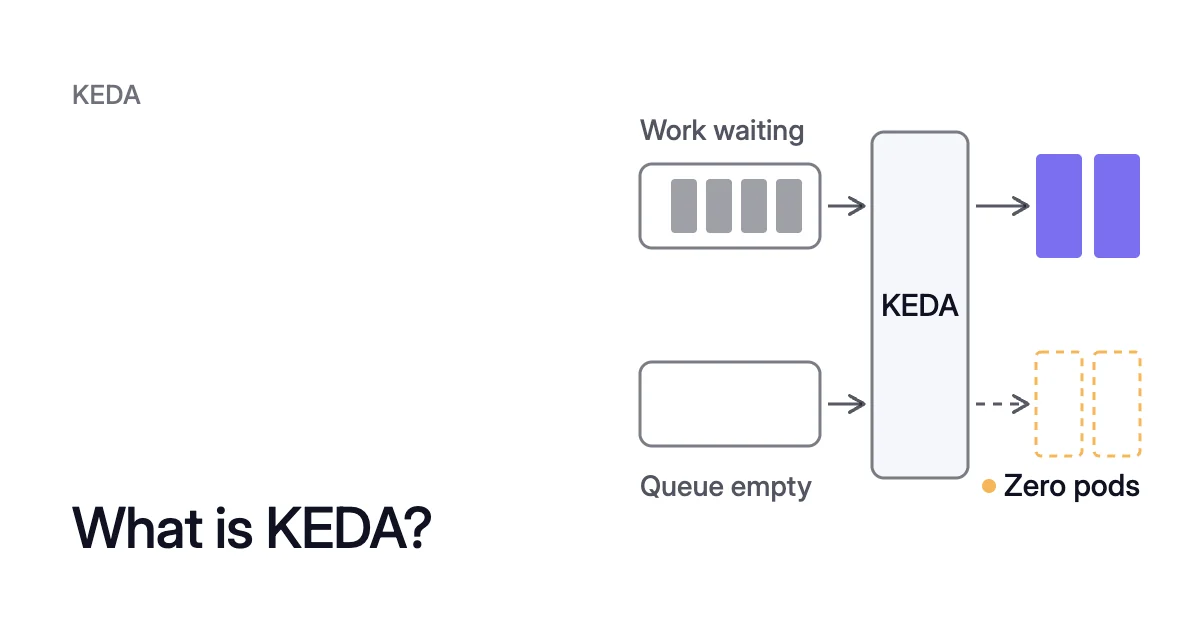
Short answer. KEDA (Kubernetes Event-driven Autoscaling) is a Kubernetes autoscaler that scales a workload from events, such as messages in a queue, not CPU alone. It drives a Horizontal Pod Autoscaler (HPA) for the workload, can scale it to zero, and decides how many pods run, not their size.
What is KEDA in Kubernetes used for?
Picture an orders worker on Azure Kubernetes Service (AKS), reading each order from an Azure Service Bus queue. Overnight the queue is empty, yet its pods keep running. In the morning the worker can show little CPU use while its backlog grows, so a CPU target sees no reason to add pods.
KEDA is for workloads whose load shows up as work waiting outside the pod. It reads the backlog itself and scales on that, down to zero pods while no orders wait. It works alongside the HPA instead of replacing it.
Four kinds of work suit it:
- Queue and stream consumers on Apache Kafka, RabbitMQ, AWS SQS, Azure Service Bus or Azure Event Hubs.
- Batch work that runs to completion, as Kubernetes Jobs.
- Expensive workloads that sit idle for long stretches, such as GPU inference. The Amazon Elastic Kubernetes Service (EKS) user guide names scale to zero as a way to reduce GPU cost.
- Anything a Prometheus query can measure, such as requests waiting in an inference server’s queue.
KEDA wakes a workload from zero, and the HPA it creates scales it
KEDA is a Cloud Native Computing Foundation (CNCF) graduated project. It runs three components in the cluster:
- The operator,
keda-operator, watches your ScaledObjects and creates and manages an HPA for each one. - The admission webhooks,
keda-admission-webhooks, check each KEDA resource when you apply it. They refuse a ScaledObject for a workload that another HPA already scales. - The metrics server,
keda-operator-metrics-apiserver, serves the event-source values to the HPA as external metrics. Microsoft’s AKS docs say a cluster allows only one external metrics server, so KEDA must be the only one installed.
The job splits into two tracks, which KEDA’s docs call activation and scaling. Activation, from zero to one replica, is the operator’s alone: it checks each trigger every 30 seconds by default. It wakes the workload when one turns active.
Scaling, from one to N replicas, is the HPA’s. It decides on its controller’s 15-second default cycle, from the value KEDA’s metrics server returns.
Don’t point a second HPA of your own at the same workload either. Microsoft says the two compete and produce odd scaling behavior.
To hand an existing HPA over to KEDA, annotate the ScaledObject with scaledobject.keda.sh/transfer-hpa-ownership: "true". Then set advanced.horizontalPodAutoscalerConfig.name to that HPA’s name.
KEDA vs HPA vs VPA compares KEDA with a plain HPA and the Vertical Pod Autoscaler.
A KEDA ScaledObject names the workload, its triggers and its limits
A KEDA ScaledObject links one workload to the event sources that should scale it. Its target can be a Deployment, a StatefulSet, or any custom resource that defines the /scale subresource. For the orders worker, which authenticates with Microsoft Entra Workload ID, it looks like this:
apiVersion: keda.sh/v1alpha1
kind: TriggerAuthentication
metadata:
  name: servicebus-auth
  namespace: <namespace>
spec:
  podIdentity:
    provider: azure-workload
---
apiVersion: keda.sh/v1alpha1
kind: ScaledObject
metadata:
  name: orders-worker
  namespace: <namespace>
spec:
  scaleTargetRef:
    name: orders-worker          # a Deployment in the same namespace
  pollingInterval: 30            # the default, in seconds
  cooldownPeriod: 300            # seconds, the default
  minReplicaCount: 0             # the default
  maxReplicaCount: 20            # the default is 100
  triggers:
  - type: azure-servicebus
    metadata:
      queueName: orders
      namespace: <service-bus-namespace>
      messageCount: "5"          # the default
    authenticationRef:
name: servicebus-authWhat each field does:
scaleTargetRef.namenames the workload, which must be in the ScaledObject’s namespace.minReplicaCountandmaxReplicaCountbound the count, and KEDA passes the maximum to its HPA.messageCountis the scaler’s target, in active messages.
A trigger’s default metric type is AverageValue, so the HPA divides the backlog by the target, whatever the current count. That gives 20 ÷ 5 = 4 replicas, the KEDA spec’s example. From 20 × 5 = 100 waiting messages up, the worker stays at its cap of 20 replicas.
Once the queue is empty, the HPA removes replicas. KEDA takes the worker to 0 after 300 seconds with no active trigger.
Give one ScaledObject several triggers and KEDA scales to whichever demands the most replicas, unless a scalingModifiers formula combines them. Deleting the ScaledObject keeps the workload’s replica count, unless you set advanced.restoreToOriginalReplicaCount: true.
When the HPA scales a Deployment in, it can’t choose which replica stops, and may end one partway through a message. So the KEDA docs give Jobs as one way to run long tasks. With a ScaledJob instead, KEDA scales Kubernetes Jobs from the events.
KEDA scalers
A scaler is KEDA’s connector to one event source: it fetches the metric that decides when and how far to scale. The scaler list in the KEDA 2.21 docs has 80 entries, two of them marked experimental. They include:
- Message brokers such as Apache Kafka, RabbitMQ Queue and NATS JetStream.
- Cloud services such as AWS SQS Queue, AWS Kinesis Stream, Azure Service Bus, Azure Event Hubs and Azure Storage Queue.
- Data stores such as PostgreSQL, MySQL, MongoDB and Redis Lists.
- Metrics systems such as Prometheus, AWS CloudWatch and Azure Monitor.
- CPU, Memory and Cron.
If none fits, you can write a custom scaler. CPU and Memory differ from the rest: they take usage from the Kubernetes Metrics Server, not an outside event source. To scale on HTTP requests, KEDA has a separate HTTP add-on, which Microsoft lists as a preview.
Authentication with TriggerAuthentication
KEDA queries the event source itself, so it needs credentials. A trigger’s authenticationRef points to a TriggerAuthentication or a ClusterTriggerAuthentication. Either can supply a connection string or a cloud identity, such as Microsoft Entra Workload ID.
On AKS, enable Workload ID before you enable the KEDA add-on. If KEDA came first, restart the operator with kubectl rollout restart deployment keda-operator -n kube-system so its pods pick up the identity settings.
With provider: azure-workload, the keda-operator pods sign in to Azure, not your app. If you use a Service Bus connection string instead, its shared access policy must be of type Manage. KEDA needs that type to read Service Bus metrics.
KEDA scale to zero: activation wakes a workload, cooldown takes it back
A scaler that supports activation has a setting named after its target with an activation prefix. So messageCount pairs with activationMessageCount, whose default is 0. Activation needs a value greater than that setting, so one waiting message wakes the workload.
When the two settings disagree, activation wins. KEDA’s docs give the case of a threshold of 10, an activation value of 50 and 40 waiting messages. Here the workload stays at zero, even though the HPA would want 40 ÷ 10 = 4 replicas.
The EKS user guide gives activation thresholds as a way to keep a few requests from waking a GPU.
With idleReplicaCount set, KEDA scales an idle workload to 0 and an active one straight to minReplicaCount.
On the way back down, cooldownPeriod sets how long KEDA waits after the last active trigger before it scales to zero. It applies only to that last step.
Two limits of KEDA scale to zero
- CPU or memory triggers alone can’t take a workload to zero, because those metrics can only be measured on running pods. Add an event trigger if you need zero.
- The first event after zero waits for a pod to start, and for a node too if your node autoscaler removed it. In the EKS walkthrough, Karpenter provisions a GPU node when none is available. The replica is Ready only once the model has loaded.
In Kubernetes 1.37, a plain HPA can do part of this job. The HPAScaleToZero feature gate is beta and on by default.
With it, an HPA can scale to and from zero on object or external metrics. Something still has to serve those external metrics, which is the role KEDA’s metrics server plays.
KEDA on AKS and EKS: a managed add-on or a Helm chart
What is KEDA in Azure?
AKS Automatic clusters have KEDA preconfigured. On AKS Standard, you turn on the managed KEDA add-on, which installs into kube-system. Your cluster’s Kubernetes version decides which KEDA version the add-on runs.
- Enable the KEDA AKS add-on on an existing cluster. For a new cluster, add
--enable-kedatoaz aks create.
$ az aks update --resource-group <resource-group> --name <cluster-name> --enable-keda
- Check that the KEDA add-on is enabled:
$ az aks show --resource-group <resource-group> --name <cluster-name> --query "workloadAutoScalerProfile.keda.enabled"
- Check the KEDA version:
kubectl get crd/scaledobjects.keda.sh -o yamlshows it in theapp.kubernetes.io/versionlabel.
Microsoft lists the add-on’s limits:
- You can’t change the CPU requests or limits, or other Helm values, of the KEDA operator and metrics server.
- The HTTP add-on and the Azure Cosmos DB external scaler aren’t installed with it, though you can deploy them separately.
- Multiple KEDA installations aren’t supported.
KEDA on EKS
The EKS user guide installs KEDA from its Helm chart:
- Add the
kedacorechart repository, then update your repositories:
$ helm repo add kedacore https://kedacore.github.io/charts
$ helm repo update
- Install KEDA into its own namespace,
keda:
$ helm install keda kedacore/keda --namespace keda --create-namespace
- Check that its three components are running:
keda-operator,keda-admission-webhooksandkeda-operator-metrics-apiserver.
$ kubectl get pods -n keda
For cpu or memory triggers, install the Kubernetes Metrics Server too, which the Kubernetes docs describe as an add-on you launch separately.
KEDA changes only the pod count, and pod requests still shape it
A ScaledObject has no field for the CPU and memory requests in the pod template. So each pod keeps the request you gave it. KEDA doesn’t add nodes either.
A request set far above real use makes a busy pod look idle to a cpu or memory trigger with metricType: Utilization. That trigger measures use as a percentage of the pods’ requests.
With no request at all, the HPA docs say utilization isn’t defined, and the autoscaler takes no action on that metric.
Every replica KEDA adds also asks for its full request. When the new pods don’t fit, a node autoscaler adds nodes for them, as Karpenter does in the EKS walkthrough.
KEDA vs Karpenter follows that path from backlog to nodes. Kubernetes pod right sizing covers setting requests from measured use. The Kubernetes cost optimization guide covers requests first, then nodes.
Where Coral fits
Coral optimizes Kubernetes on AKS and EKS and works alongside KEDA. Its own work is the layer KEDA leaves alone. It rebalances CPU and memory requests, and drains spare nodes one at a time so your autoscaler can remove them.
Outside the warm handover below, Coral never changes the minimum or maximum of KEDA’s HPA. Nor does it convert that HPA into its own. Coral works with KEDA sets out who does what.
For a ScaledObject with a cpu trigger, Coral picks the CPU request by replaying past load through three settings:
- the trigger’s utilization target;
- the ScaledObject’s minimum and maximum replicas;
- the scaling behavior of the HPA that KEDA created.
A smaller request wins only if its saving beats the cost of unserved load and extra scaling. Event triggers aren’t replayed, and neither is a paused ScaledObject.
When a rebalance drains a node, a KEDA-scaled Deployment or Argo Rollout that qualifies gets a warm handover:
- Coral raises the autoscaler’s minimum.
- It waits until the new pod is Ready and serving on another node.
- It evicts the old pod within its PodDisruptionBudget.
- It scales back.
Pods that don’t qualify are evicted, so a single-replica app gets a short restart.
Sources: KEDA, “Scaling Deployments, StatefulSets & Custom Resources” (opens in a new tab); KEDA, “ScaledObject specification” (opens in a new tab); KEDA, “Scalers” (opens in a new tab); KEDA, “Azure Service Bus” (opens in a new tab); Kubernetes, “Horizontal Pod Autoscaling” (opens in a new tab); Microsoft Learn, “Kubernetes Event-Driven Autoscaling (KEDA) in Azure Kubernetes Service (AKS)” (opens in a new tab); Microsoft Learn, “Install the Kubernetes Event-driven Autoscaling (KEDA) add-on using the Azure CLI” (opens in a new tab); Amazon EKS, “Autoscale AI inference with HPA and KEDA” (opens in a new tab).