Published 1 November 2026 · By Adil Rana (opens in a new tab), Frontend engineer, Zoorik · Published by Zoorik
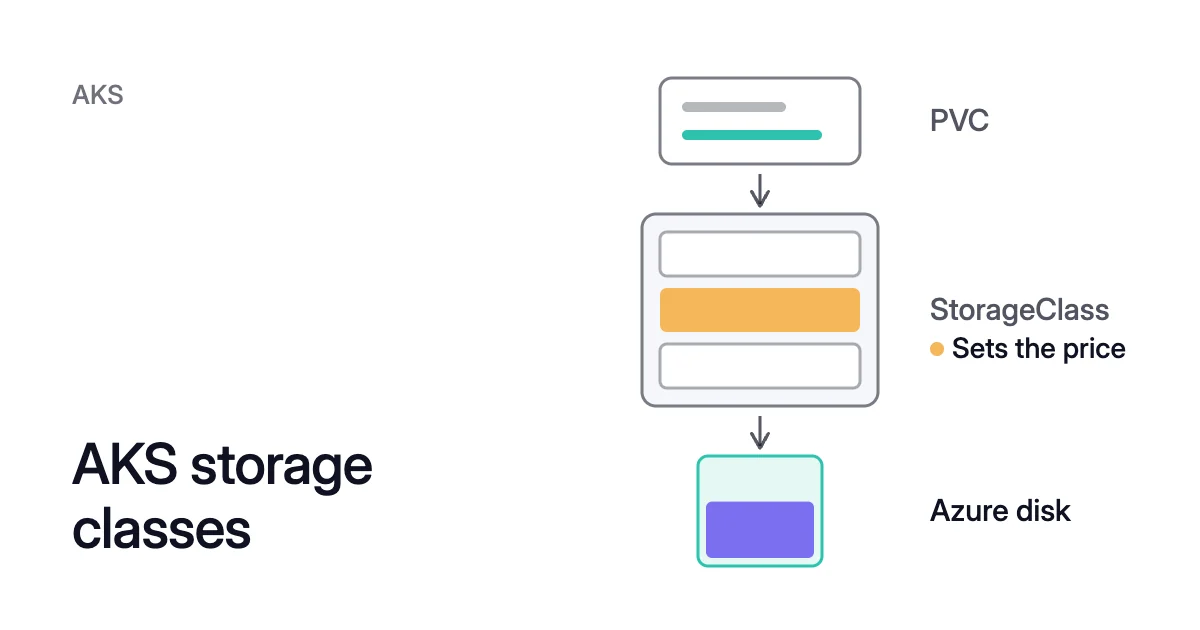
Short answer. AKS storage classes pick the Azure storage behind each Persistent Volume Claim (PVC): its type and redundancy, which with the size largely set the price. The default class creates a Standard SSD, managed-csi-premium a Premium SSD, and managed-csi-premium-v2 (Kubernetes 1.35+) a Premium SSD v2.
What the built-in AKS storage classes create in Azure
Picture a Helm chart whose claim asks for 200Gi and names no storage class. That claim gets the cluster’s default class, which creates a Standard SSD. Azure charges for that disk as an E15, the 256 GiB tier, from the day it’s created.
So the chart set only the size. Its class picked the disk type and redundancy. Azure’s size tier added 56 GiB (256 − 200) that the claim never asked for.
A storage class is a Kubernetes StorageClass object. It names a provisioner and the parameters it uses when a claim needs a new volume. For Azure disks the provisioner is the Azure Disk CSI driver, disk.csi.azure.com.
AKS has used the Container Storage Interface (CSI) drivers by default since Kubernetes 1.21. Since 1.26, it no longer supports creating volumes with the old in-tree drivers.
Microsoft lists the classes AKS creates in clusters that use the CSI drivers:
| Class | What it creates in Azure | Notes |
|---|---|---|
default | Standard SSD managed disk | The cluster’s default class, the same as managed-csi |
managed-csi | Standard SSD managed disk | LRS, or ZRS on Kubernetes 1.29+ in a zone-spread cluster |
managed-csi-premium | Premium SSD managed disk | LRS, or ZRS on Kubernetes 1.29+ in a zone-spread cluster |
managed-csi-premium-v2 | Premium SSD v2 managed disk | LRS only, Kubernetes 1.35 and later |
azurefile-csi | Azure file share on Standard storage | Can be shared by pods on several nodes |
azurefile-csi-premium | Azure file share on Premium storage | Can be shared by pods on several nodes |
azureblob-nfs-premium | Blob Storage container, mounted over NFS v3 | Premium storage |
azureblob-fuse-premium | Blob Storage container, mounted with BlobFuse | Premium storage |
The AKS storage class default
A PVC that leaves out storageClassName gets the class named default. kubectl get sc lists it as default (default). It creates the same disk as managed-csi.
A claim that sets storageClassName: "" is different. Kubernetes treats it as asking for no dynamic provisioning.
$ kubectl get sc
The two azureblob-* classes come with the Azure Blob storage CSI driver. You turn it on with az aks update --name <cluster-name> --resource-group <resource-group> --enable-blob-driver. A cluster without that driver may not list them.
Reclaim policy, binding mode and expansion
The built-in disk classes also set these fields:
- Reclaim policy.
Delete, so the Azure disk goes when its persistent volume is deleted. - Binding mode.
WaitForFirstConsumer, so no disk is created until a pod uses the claim. The disk is then made where that pod is scheduled. - Expansion. On in
managed-csiandmanaged-csi-premium, so you grow a claim by editing its size.
An Azure disk mounts as ReadWriteOnce, on one node at a time. Data that pods on several nodes must share belongs on an Azure Files class.
Whether a class creates LRS or ZRS depends on the cluster
An LRS disk, for locally redundant storage, keeps three copies in one datacenter. A ZRS disk, for zone-redundant storage, is copied synchronously across three availability zones and can recover from a zone failure.
From Kubernetes 1.29, managed-csi and managed-csi-premium create ZRS disks instead of LRS in a cluster deployed across availability zones. The managed-csi-premium-v2 class stays LRS, because Azure doesn’t support ZRS for Premium SSD v2.
Microsoft’s pages word the zone condition slightly differently, so check your cluster’s classes with the commands below.
Microsoft says ZRS “comes at a higher cost” than LRS, and ZRS writes have more latency. In return, the Azure Disk CSI driver can schedule a ZRS disk onto a node in any zone. An LRS disk must sit in the same zone as the node it attaches to, so its pod stays in that zone.
Azure disk LRS vs ZRS covers that trade in depth.
What an AKS persistent volume costs
A persistent volume (PV) on an Azure disk is charged as a managed disk. You pay for the size you provision, not the data it holds.
For Premium SSD, Standard SSD and Standard HDD, Azure rounds that size up to the next size tier. You pay for the tier, so a 10Gi claim on managed-csi-premium pays for a P3, the 16 GiB tier. The 200 GiB Standard SSD at the top of this page is Microsoft’s own example.
Standard SSD and Standard HDD also charge per transaction, up to an hourly cap. Premium SSD vs Standard SSD compares the two tiered SSD types.
Premium SSD v2 has no size tiers. You pay for each GiB you provision, plus IOPS above 3,000 and throughput above 125 MB/s.
The Azure disk pricing calculator shows the tier a Premium SSD or Standard SSD size lands in, and its monthly price.
One 600 GiB claim on two classes
On managed-csi-premium-v2 you pay for 600 GiB, plus any IOPS and throughput above the included 3,000 and 125 MB/s. The two types have different price lists, so compare them in Premium SSD v2 vs Premium SSD before you choose.
The size you request is a floor
Once the disk exists, its size can only go up. Microsoft states that “reducing the size of a PVC isn’t supported due to the risk of data loss.” Kubernetes doesn’t support shrinking a claim either.
The size you request is the floor for the life of that volume. How to resize a PVC in Kubernetes covers growing one.
On AKS, a Standard SSD or Premium SSD volume grows without downtime. The exception is a resize from 4 TiB or less to more than 4 TiB, which needs the disk unmounted and detached first. Premium SSD v2 volumes don’t have that 4 TiB limit.
Disks that outlive their claim
The reclaim policy decides what happens after the claim. With Delete, the disk goes with the PV. With Retain, deleting the PVC leaves the PV in the Released state.
Kubernetes notes that the storage asset “still exists after the PV is deleted.” You keep paying for that disk until someone deletes it. Finding unattached disks in Azure shows how to find them.
Volume snapshots add their own cost. The driver takes incremental snapshots by default, and Azure charges for a snapshot by the space it uses.
AKS storage class parameters that change the cost
The Azure Disk CSI driver applies a class’s parameters when it creates a disk. Microsoft notes that updating the storage class later “affects only newly provisioned volumes.” These AKS storage class parameters and fields move the price:
| Setting | What it sets | Effect on cost |
|---|---|---|
skuName | Disk type and redundancy: Standard_LRS (Standard HDD), StandardSSD_LRS, StandardSSD_ZRS, Premium_LRS, Premium_ZRS, PremiumV2_LRS or UltraSSD_LRS. Default StandardSSD_LRS. | Chooses the disk’s price list and how it is charged |
DiskIOPSReadWrite, DiskMBpsReadWrite | IOPS and throughput for Premium SSD v2 and Ultra Disk | Premium SSD v2 includes 3,000 IOPS and 125 MB/s, and more raises its price |
enableBursting | On-demand bursting, for Premium SSD larger than 512 GiB. Off by default. | An hourly fee while it’s on, plus charges for I/O above the disk’s provisioned target |
reclaimPolicy (a class field) | Delete or Retain | Retain keeps the disk, and its charge, after the claim is gone |
volumeBindingMode (a class field) | WaitForFirstConsumer or Immediate | WaitForFirstConsumer creates no disk until a pod uses the claim |
The built-in managed-csi-premium leaves on-demand bursting off. Its disks of 512 GiB and smaller still get credit-based bursting, which carries no extra charge.
Write your own ZRS or LRS class
Start from Microsoft’s own pattern to write an AKS ZRS storage class. The same pattern gives an LRS class for a zone-spread cluster where the less expensive disk fits better.
apiVersion: storage.k8s.io/v1
kind: StorageClass
metadata:
  name: managed-csi-lrs
provisioner: disk.csi.azure.com
parameters:
  skuName: StandardSSD_LRS
reclaimPolicy: Delete
volumeBindingMode: WaitForFirstConsumer
allowVolumeExpansion: true
- Set
skuNametoStandardSSD_ZRSorPremium_ZRSfor a ZRS class, or toPremium_LRSfor Premium SSD. - Keep
WaitForFirstConsumer. Left unset, Kubernetes binds withImmediate, which creates the disk as soon as the claim exists. For storage bound to a zone, Kubernetes warns that this “may result in unschedulable Pods.” - Create the class with
kubectl apply -f <file>.yaml. - Put its name in the claim’s
storageClassName.
Kubernetes advises keeping a single default class. If several carry the annotation, a claim with no class gets the most recently created one.
How to see the class and disk behind each PVC
To check the AKS PVC storage class of every claim, and the disk behind it:
- List the claims. The STORAGECLASS column names each claim’s class. CAPACITY gives its size, and VOLUME names the PV bound to it.
$ kubectl get pvc --all-namespaces
- Read the class. Its YAML shows the provisioner and parameters, including
skuNamewhere the class sets one.
$ kubectl get storageclass <class-name> -o yaml
- Find the disk. A PV’s
volumeHandleis the Azure resource ID of its managed disk, in the form below. Open that disk in Azure to confirm its type, redundancy and size.
$ kubectl get pv <pv-name> -o jsonpath='{.spec.csi.volumeHandle}'/subscriptions/<subscription-id>/resourceGroups/<resource-group>/providers/Microsoft.Compute/disks/<disk-name>
Disks also count against nodes. Depending on the VM size, the driver can have a per-node volume limit. Microsoft points to the size’s Max data disks figure for it, and gives 64 volumes for some 16-core sizes.
kubectl get CSINode <node-name> -o yaml shows a node’s limit. A cluster with many small claims on small VM sizes can run out of disk slots before it runs out of CPU or memory.
Which class to name in a PVC
Name a class in every claim, and in every chart’s values, so no default picks your disk type. Then pick it by what the data needs:
- Shared by pods on several nodes. Use
azurefile-csiorazurefile-csi-premium, because an Azure disk mounts on one node. - Dev, test and lightly used services. Use
managed-csi. Microsoft’s disk guide lists Standard SSD for web servers, lightly used enterprise applications, and development and test environments. - Production data on Kubernetes 1.35 or later that doesn’t need ZRS. Try
managed-csi-premium-v2first, where your region and node pool zones support Premium SSD v2. Microsoft says it can provide the best price performance for most general purpose workloads. It has no size tier to round up to. It doesn’t support host caching, and it is LRS only, so each pod stays in its disk’s zone. - Production data on older versions, where Premium SSD v2 isn’t offered, or that needs ZRS. Use
managed-csi-premium(ZRS by the rule above) or a class of your own withPremium_ZRS. - Data your application already replicates across zones. Your own LRS class fits, accepting that each pod stays in its disk’s zone. Otherwise keep ZRS.
Where Coral and Amoeba fit
Neither Zoorik product changes your storage classes, your PVCs or the Azure disks behind them.
How Coral handles pods with Azure disks
Coral optimizes Kubernetes on AKS and EKS. It rebalances CPU and memory requests and drains spare nodes so your autoscaler can remove them. Its FAQ says it “changes only CPU and memory,” so each PVC keeps the class, size and disk type your claims and classes set.
Azure disks still shape how Coral moves pods, because each one is ReadWriteOnce. The FAQ names “a ReadWriteOnce volume” as a case where Coral can’t safely resize a single-replica pod straight away. There, the new size “waits for the pod’s next natural restart.”
When Coral drains a node, it first tries a warm handover for Deployment and Argo Rollout pods. It starts a Ready copy on another node before the old pod goes. A pod with a ReadWriteOnce volume doesn’t get one.
That pod is evicted within its PodDisruptionBudget instead, so a single-replica app gets a short restart. Before it drains, Coral simulates the scheduler to check that every pod fits elsewhere, with its zones. To reduce what requests and nodes cost, see the Kubernetes cost optimization guide.
Amoeba works on VM data disks
Amoeba optimizes block storage on Azure and AWS, for the data disks of running VMs. Those are Azure managed disks and Amazon EBS volumes, on Windows and Linux VMs.
Amoeba moves a VM’s data disks onto one btrfs pool sized to your data, with room to grow. It grows the pool before it fills, and shrinks it one disk at a time when your data goes down and stays down. So you pay for close to what you use.
On Azure the pool uses Premium SSD v2 where your VM’s region and zone offer it, and Premium SSD otherwise. Its disks are always locally redundant. Data that sat on ZRS disks therefore loses its zone redundancy, the same LRS trade described above.
Sources: Microsoft Learn, “Concepts - Storage in Azure Kubernetes Service (AKS)” (opens in a new tab); Microsoft Learn, “Create and Manage Persistent Volumes with Azure Disks in Azure Kubernetes Service (AKS)” (opens in a new tab); Microsoft Learn, “Use Container Storage Interface (CSI) Drivers on Azure Kubernetes Service (AKS)” (opens in a new tab); Microsoft Learn, “Select a disk type for Azure IaaS VMs - managed disks” (opens in a new tab); Microsoft Learn, “Redundancy options for Azure managed disks” (opens in a new tab); Microsoft Learn, “Managed disk bursting” (opens in a new tab); Kubernetes, “Storage Classes” (opens in a new tab); Kubernetes, “Persistent Volumes” (opens in a new tab).