Published 1 November 2026 · By Sheldon Julius (opens in a new tab), Sales engineer, Zoorik · Published by Zoorik
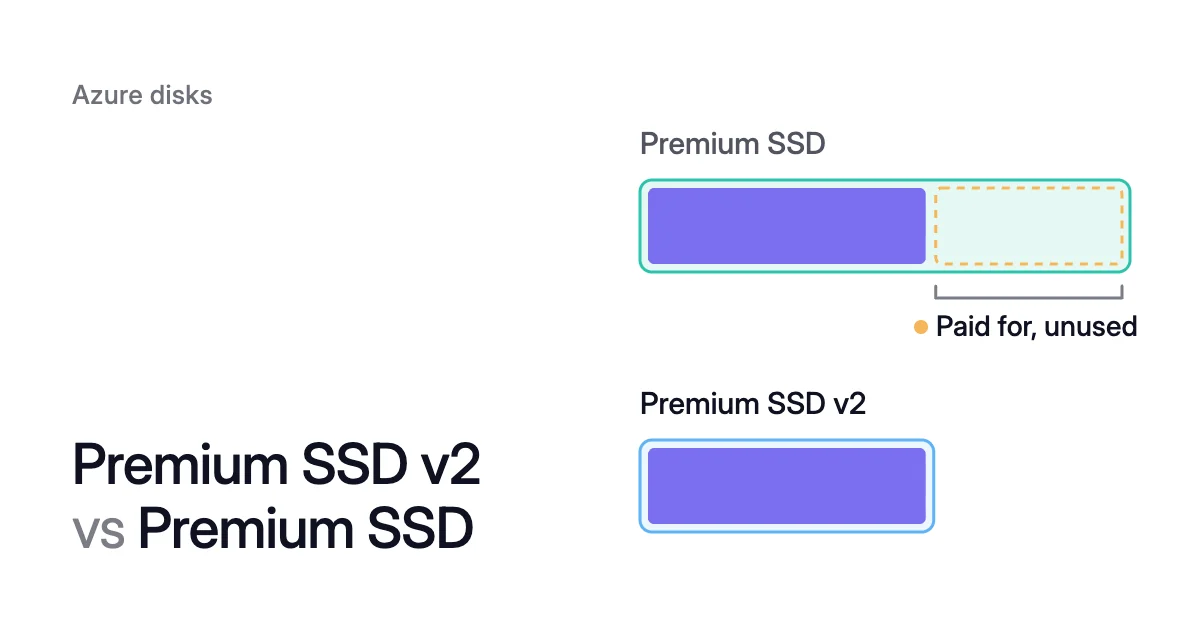
Short answer. In the Premium SSD v2 vs Premium SSD choice, v2 usually costs less for the same data: it charges per GiB, not per size tier. At East US list prices in October 2026, 512 GiB costs $41.11 a month on v2 and $73.22 on Premium SSD.
Bursting and reservations narrow the gap only a little
Both features exist on the Premium SSD side only.
With bursting, P20 and smaller disks can reach 3,500 IOPS and 170 MB/s for up to 30 minutes. Premium SSD v2 doesn’t burst. Holding that level all month on a 512 GiB v2 disk costs $45.48, still 38% under the P20.
Only on-demand bursting, which you enable yourself on disks larger than 512 GiB, adds a flat enablement fee plus burst transaction charges.
Disk reservations give a one-year discount on P30 to P80. Microsoft lists Premium SSD v2 among the disks they don’t cover.
The Retail Prices API lists a one-year P30 reservation at $1,541 for the term. That’s about 5% under twelve months at the pay-as-you-go rate. On v2, 1,024 GiB with the P30’s 5,000 IOPS and 200 MB/s comes to $1,145.50 a year with no commitment.
Moving a data disk to v2 takes a restart, and there’s no direct way back
Microsoft’s conversion guide says to schedule the disk type change in a maintenance window, “because conversion requires a restart of the virtual machine (VM)”. Disk performance is degraded until the conversion completes. Check these first:
- Settings: the disk can switch directly only to a v2 disk with a 512 sector size. Host caching, bursting and double encryption must be off first.
- Shared disks: detach the disk from every VM.
- Site Recovery: disable Azure Site Recovery on the disk.
- Backup: a VM with Azure Backup needs the Enhanced Backup policy. Azure Backup then takes a full snapshot of the new disk, and that snapshot is charged.
- Reservations: unused reserved capacity doesn’t carry over, so count the reservations you hold before you convert.
- The way back: there’s no direct switch from v2 to another type. Going back means migrating with snapshots.
Which disk type Amoeba uses for a pool
Disk type sets the rate, and the provisioned size sets how many GiB you pay it on. Azure lets a managed disk grow but never shrink, as Can you shrink an Azure managed disk? explains.
Amoeba, Zoorik’s block storage optimization for Azure managed disks and Amazon EBS, works on the size. It moves a VM’s data disks onto one btrfs pool sized to your data, with room to grow.
It grows the pool before it fills, and sooner when data arrives fast. When your data goes down and stays down, it shrinks the pool one disk at a time. So you pay for close to what you use.
On Azure the pool uses Premium SSD v2 where your VM’s region and zone offer it, and Premium SSD otherwise. So data on Standard SSD, Standard HDD or Ultra Disk also moves to one of those two types.
Pool disks are always locally redundant. Data on ZRS disks loses its zone redundancy in the move.
The worked example on the Amoeba page shows the size side. A VM has four 512 GiB Premium SSD data disks, 2,048 GiB in all, holding 1,000 GiB of data. At the East US prices above, those four P20s cost $292.88 a month, and more than half of that space is empty.
On Azure, Amoeba prices disks from the same Azure Retail Prices API as this article. The free block storage assessment writes one PDF and sends nothing to Zoorik.
Amoeba’s Azure page is Azure managed disk cost optimization. Amoeba is in early access.
Sources: Microsoft Learn, “Select a disk type for Azure IaaS VMs” (opens in a new tab); Microsoft Learn, “Managed disk bursting” (opens in a new tab); Microsoft Learn, “Deploy a Premium SSD v2 managed disk” (opens in a new tab); Microsoft Learn, “Convert managed disks storage between different disk types” (opens in a new tab); Microsoft Learn, “Redundancy options for Azure managed disks” (opens in a new tab); Microsoft Learn, “Optimize costs for Azure Disk Storage with reservations” (opens in a new tab); Microsoft Azure, “Pricing - Managed Disks” (opens in a new tab); Microsoft Learn, “Azure Retail Prices REST API overview” (opens in a new tab).