Published 1 November 2026 · By Udit Sharma (opens in a new tab), Sales engineer, Zoorik · Published by Zoorik
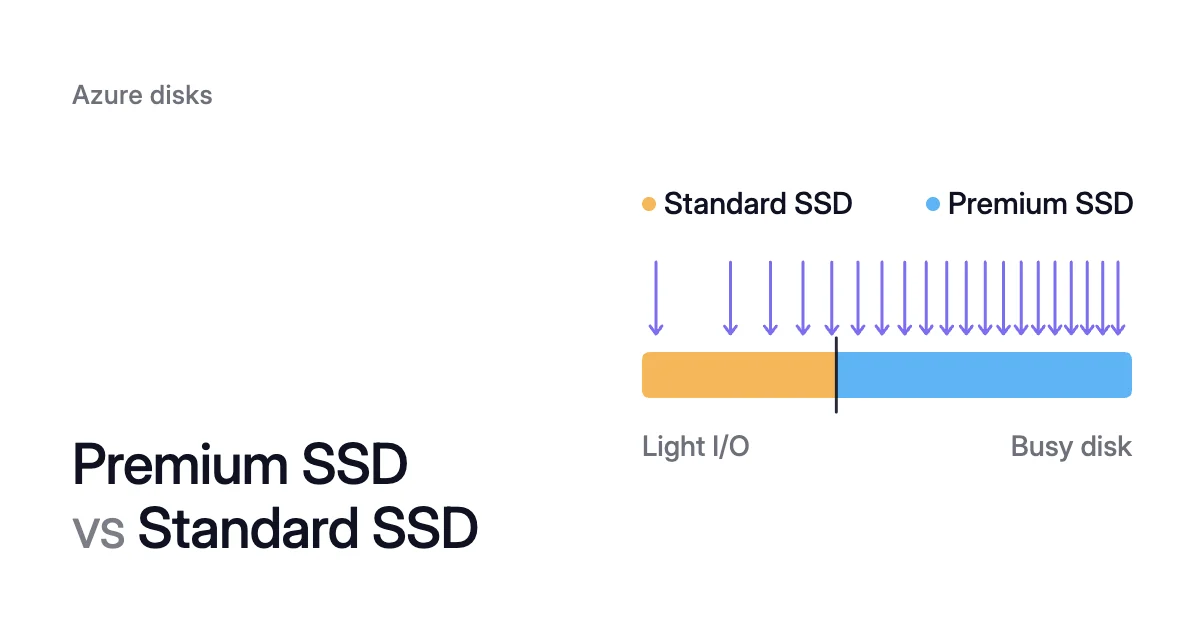
Short answer. Premium SSD vs Standard SSD on Azure trades price for IOPS (input/output operations per second), and Standard SSD, which adds transaction charges, suits light I/O. A 512 GiB Premium SSD costs $73.22 a month for 2,300 IOPS, a Standard SSD $38.40 for up to 500 (East US, October 2026).
A busy Standard SSD costs more than a Premium SSD of the same size
At $0.002 per 10,000 transactions, that pays for about 238,000 transactions an hour. That’s around 66 a second (238,000 ÷ 3,600). Average more than that over the month, and the E20 costs more than the P20.
The E20 also gives less than a quarter of the P20’s IOPS. At its cap of 502,000 paid transactions an hour, the E20’s transactions come to $73.29 a month. So it costs $38.40 + $73.29 = $111.69, which is $38.47 more than the P20.
The break-even at other sizes
An E10 costs more than a P10 above about 69,000 transactions an hour (19 a second). An E30 costs more than a P30 above about 400,000 an hour (111 a second).
At every size in the table above, a Standard SSD at its cap costs more than the Premium SSD of the same size.
How to count a disk’s transactions
In your Azure charges, Standard SSD transactions appear on a Disk Operations meter beside the disk’s tier meter.
For a disk that’s still Premium SSD, use the VM’s metrics in the Azure portal. Data Disk Read Operations/Sec and Data Disk Write Operations/Sec, split by LUN, show how busy each data disk is.
Treat that as an estimate. The read metric includes reads served from host cache when read-only or read/write caching is on. And an I/O over 256 KiB counts as several transactions.
Azure Standard HDD vs Standard SSD vs Premium SSD: choose by the I/O you measure
Standard HDD is the third type charged by size tier. It runs from S4 to S80, starting at 32 GiB, with up to 500 IOPS and 60 MB/s through S50.
An S20 (512 GiB) lists at $21.76 a month in East US. It charges for transactions too, counted in 16 KiB units and capped per disk per hour.
Microsoft designs Standard HDD for write latency under 10 ms and read latency under 20 ms, for most operations. It says Standard HDD doesn’t suit OS disks or transactional databases. On September 8, 2028, Microsoft retires the use of Standard HDD as an OS disk.
Microsoft’s high availability guide says which VMs get the highest single-VM uptime service level agreement (SLA). Their OS disk is Premium SSD, and their data disks are all Premium SSD, Premium SSD v2 or Ultra Disk.
| What you decide on | Premium SSD | Standard SSD | Standard HDD |
|---|---|---|---|
What you pay for | Size tier, P1 to P80 | Size tier, E1 to E80, plus transactions | Size tier, S4 to S80, plus transactions |
512 GiB in East US, Oct 2026 | $73.22 (P20) | $38.40 (E20) plus transactions | $21.76 (S20) plus transactions |
Performance at 512 GiB | 2,300 IOPS and 150 MB/s, provisioned | Up to 500 IOPS and 100 MB/s | Up to 500 IOPS and 60 MB/s |
Largest disk | 20,000 IOPS, 900 MB/s | 6,000 IOPS, 750 MB/s | 2,000 IOPS (3,000 with performance plus), 500 MB/s |
Latency target | Single-digit ms, 99.9% of the time | Single-digit ms, 99% of the time | Under 10 ms writes, under 20 ms reads, for most operations |
Bursting | Credit-based to P20, on-demand from P30 | Credit-based to E30 | None listed |
Higher performance tier | At some sizes, charged at that tier | No, set by size | No, set by size |
VM sizes | Sizes that support Premium storage | All | All |
Highest single-VM uptime SLA | Yes, with a Premium SSD OS disk and premium data disks | No | No |
Redundancy | LRS or ZRS | LRS or ZRS | LRS only |
Reservations | One year, P30 to P80 | None | None |
Microsoft’s suggested use | Production workloads that need high performance and low latency | Web servers, lightly used enterprise applications, dev and test | Backup and noncritical, infrequently accessed workloads |
Pick by the I/O you’ve measured on the disk:
- Standard SSD: a disk within 500 IOPS and 100 MB/s and well under its transaction break-even, such as a web server or test VM.
- Premium SSD: production workloads, and any single VM that needs the top SLA. It also suits a disk of 4 TiB or less that needs more than 500 IOPS for longer than a burst. On a Standard SSD from E30 up, performance plus can lift that limit.
- Standard HDD: backups and large sequential files.
Sources: Microsoft Learn, “Select a disk type for Azure IaaS VMs - managed disks” (opens in a new tab); Microsoft Learn, “Understand Azure Disk Storage billing” (opens in a new tab); Microsoft Azure, “Managed Disks pricing” (opens in a new tab); Microsoft Learn, “Convert managed disks storage between different disk types” (opens in a new tab); Microsoft Learn, “Best practices for high availability with Azure VMs and managed disks” (opens in a new tab); Microsoft Learn, “Disk metrics” (opens in a new tab); Microsoft Learn, “Supported metrics - Microsoft.Compute/virtualMachines” (opens in a new tab); Microsoft Learn, “Frequently asked questions about Azure managed disks” (opens in a new tab).