Published 2 November 2026 · Published by Zoorik
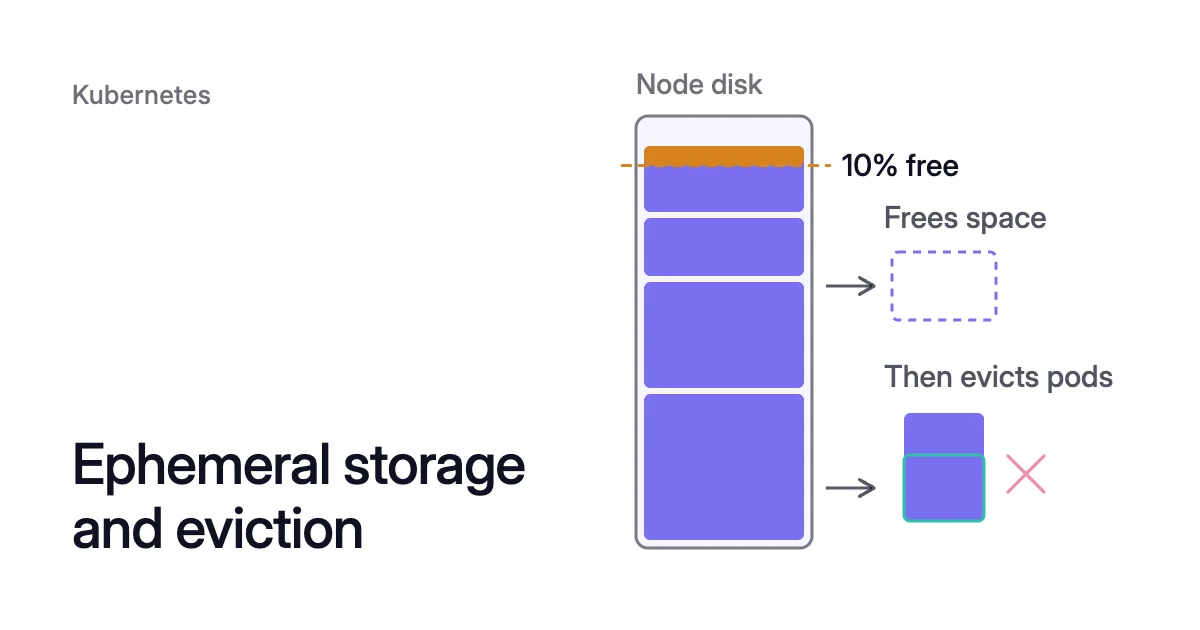
Short answer. In Kubernetes, ephemeral storage is node disk used by writable layers, logs and emptyDir volumes. Each container can set a request and a limit on it.
What counts as Kubernetes ephemeral storage
Local ephemeral storage is the node’s own writable storage: its locally attached disks or, sometimes, RAM. “Ephemeral” means there’s no long-term promise that the data lasts. Pods use it for scratch space, caches and logs.
The kubelet measures three things for each pod:
- its
emptyDirvolumes, except memory-backed ones - its containers’ logs on the node
- its containers’ writable layers
A memory-backed (tmpfs) emptyDir counts as memory instead. Files written there count against the memory limit of the container that wrote them.
In the simplest layout, all of it shares one filesystem. That’s typically the root filesystem, which holds /var/lib/kubelet and /var/log. A container runtime can keep images and writable layers on a second one.
Which ephemeral volume types count
An ephemeral volume lives and dies with its pod. emptyDir, configMap, downwardAPI and secret volumes come from the node’s local ephemeral storage, and the kubelet manages them.
emptyDir data survives a container crash. It’s deleted for good when the pod leaves the node, for any reason.
Container Storage Interface (CSI) ephemeral volumes and generic ephemeral volumes come from storage drivers instead. A pod’s storage limits don’t cover CSI ones. A generic one can have a fixed size, on local or network-attached storage.
Setting Kubernetes ephemeral storage limits and requests
Each container can set resources.requests.ephemeral-storage and resources.limits.ephemeral-storage. Both are byte quantities, with suffixes such as Mi and Gi. Mind the case: 400m means 0.4 bytes, not 400Mi.
Here is the Kubernetes docs’ example, trimmed to one container:
apiVersion: v1
kind: Pod
metadata:
  name: frontend
spec:
  containers:
  - name: app
    image: <image>
    resources:
      requests:
        ephemeral-storage: "2Gi"
      limits:
        ephemeral-storage: "4Gi"
    volumeMounts:
    - name: ephemeral
      mountPath: "/tmp"
  volumes:
    - name: ephemeral
      emptyDir:
sizeLimit: 500MiRequests decide placement. The scheduler places a pod only where the sum of requests fits the ephemeral storage the node can give pods. A container with no request and no limit adds nothing to that sum.
What a node can give pods is its allocatable ephemeral storage. Kubernetes allocatable vs capacity shows how the reserves and the eviction threshold come off the disk before pods get any.
Limits drive eviction. If a container’s writable layer and logs pass its limit, the kubelet evicts the pod. It also evicts a pod whose total use, emptyDir volumes included, passes the sum of its containers’ limits.
An emptyDir sizeLimit caps that one volume, and the kubelet evicts the pod when the volume passes it. The volume can run out of room before its limit when logs or image layers fill the disk first.
The node was low on resource: ephemeral-storage
This is a node-pressure eviction. The node’s disk crossed an eviction threshold, so the kubelet set a pod to Failed, with reason Evicted, to free space.
On Linux nodes, the kubelet’s default hard thresholds for disk are nodefs.available<10%, imagefs.available<15%, nodefs.inodesFree<5% and imagefs.inodesFree<5%. A node’s configuration can set others.
The kubelet writes a message like this into the pod’s status, and records it as an Evicted event:
The node was low on resource: ephemeral-storage. Threshold quantity: <quantity>, available: <available>. Container <name> was using <usage>, request is <request>, has larger consumption of ephemeral-storage.
The message names each container that used more than its request. Its usage is the writable layer plus logs, not emptyDir volumes. A request of 0 means the container set none, so all it wrote counted as over.
The kubelet tries to free space on the node first, and evicts pods only if that frees too little. The node also reports a DiskPressure condition, which the control plane maps to a taint.
To see it on the node, describe it:
$ kubectl describe node <node-name>
Under Conditions, DiskPressure turns True once a disk threshold is met. Under Events, look for an EvictionThresholdMet warning.
Which pods the kubelet evicts first
Pods using more disk than they requested go first, ranked by Priority, then by how far over they are. Pods within their requests go last, lowest Priority first.
Quality of Service (QoS) class doesn’t apply to ephemeral-storage requests. So a Guaranteed pod that set no ephemeral-storage request ranks with the pods over their requests.
When images and writable layers share the node’s one disk, pods are ranked by everything they hold there: local volumes, logs and writable layers.
Node-pressure eviction ignores PodDisruptionBudgets (PDBs). Under a hard threshold, evicted pods get a grace period of 0 seconds, so the app has no time to stop cleanly.
When a pod passes its own limit
These three messages mean the pod passed a limit of its own, not that the node ran low:
| The pod’s message | What passed its limit | Fix |
|---|---|---|
Container <name> exceeded its local ephemeral storage limit "<limit>". | One container’s writable layer and logs | Raise that container’s limit, or move its large files to a volume |
Pod ephemeral local storage usage exceeds the total limit of containers <limit>. | The whole pod, emptyDir volumes included | Find what grew, then raise the limits or have the app write less |
Usage of EmptyDir volume "<volume>" exceeds the limit "<sizeLimit>". | One emptyDir volume | Raise its sizeLimit, or have the app delete files it no longer needs |
How to fix ephemeral-storage evictions
- Find the writer. The eviction message names the container and its log and writable-layer use. Then check the pod’s
emptyDirvolumes, which that figure leaves out. - Move large files off the writable layer. Put scratch data in an
emptyDirwith asizeLimit, or in a generic ephemeral volume. Keep data you need in a PersistentVolume. - Set requests near real use, and limits above the peak. The scheduler then counts each pod’s disk when it places it, and a limit stops one pod filling the node on its own.
- Give nodes more disk when pods really need it. Choose a larger OS disk or root volume, or use instance store where the node type has it.
Ephemeral storage on AKS and EKS nodes
On Azure Kubernetes Service (AKS), ephemeral storage typically sits on the node’s OS disk, which holds its root filesystem. Unless you ask for a managed OS disk, AKS uses an ephemeral OS disk where the virtual machine (VM) size allows it. That disk is stored only on the host, just like a temporary disk.
An ephemeral OS disk’s default size follows the VM size’s temporary storage, when that’s at least 128 GiB. A Standard_D8ds_v5, with 300 GiB of temporary storage, gets a 300 GiB OS disk by default. A managed OS disk’s default size follows the vCPU count: 128 GiB for 1 to 7 vCPUs.
Either way, you can’t change the OS disk size after the node pool is created. Choose it when you add the pool.
On Amazon Elastic Kubernetes Service (EKS), nodes that Karpenter launches with AL2023 get a 20 GiB gp3 EBS root volume by default. Set blockDeviceMappings in the EC2NodeClass for a larger one.
Instance store volumes are temporary disks attached to the EC2 instance’s host. They come at no extra charge, as part of the instance’s cost.
Karpenter and Kubernetes ignore them by default. Set instanceStorePolicy: RAID0 in the EC2NodeClass, and the node’s allocatable ephemeral storage becomes their total size.
For instance store vs EBS, and when its data is lost, see what is instance store in AWS. For the AKS side, see what is an ephemeral OS disk.
Ephemeral storage when Coral drains a node
Coral optimizes Kubernetes on AKS and EKS, and it drains spare nodes so your autoscaler can remove them. Where it can, it first starts a replacement pod on another node and waits until it’s Ready. Then it evicts the old pod within its PDB.
The old pod’s emptyDir is deleted with it, and the new pod starts with an empty one.
Data on the node’s own disk through hostPath isn’t counted as ephemeral storage, and Coral holds that node instead. The fix is a persistent volume, or marking the pod safe to evict.
Sources: Kubernetes, “Local ephemeral storage” (opens in a new tab); Kubernetes, “Node-pressure Eviction” (opens in a new tab); Kubernetes, “Ephemeral Volumes” (opens in a new tab); Kubernetes, “Volumes” (opens in a new tab) (emptyDir); Kubernetes (GitHub), “kubelet eviction manager: helpers.go and eviction_manager.go” (opens in a new tab); Microsoft Learn, “Concepts - Storage in Azure Kubernetes Service (AKS)” (opens in a new tab); AWS, “Instance store temporary block storage for EC2 instances” (opens in a new tab); Karpenter, “NodeClasses” (opens in a new tab).